
Clean a CSV Before Importing It: Checklist
A checklist for cleaning a CSV before an import: encoding, invisible characters, blank values such as N/A, dates and headers, duplicates, and phone, email and name rules.
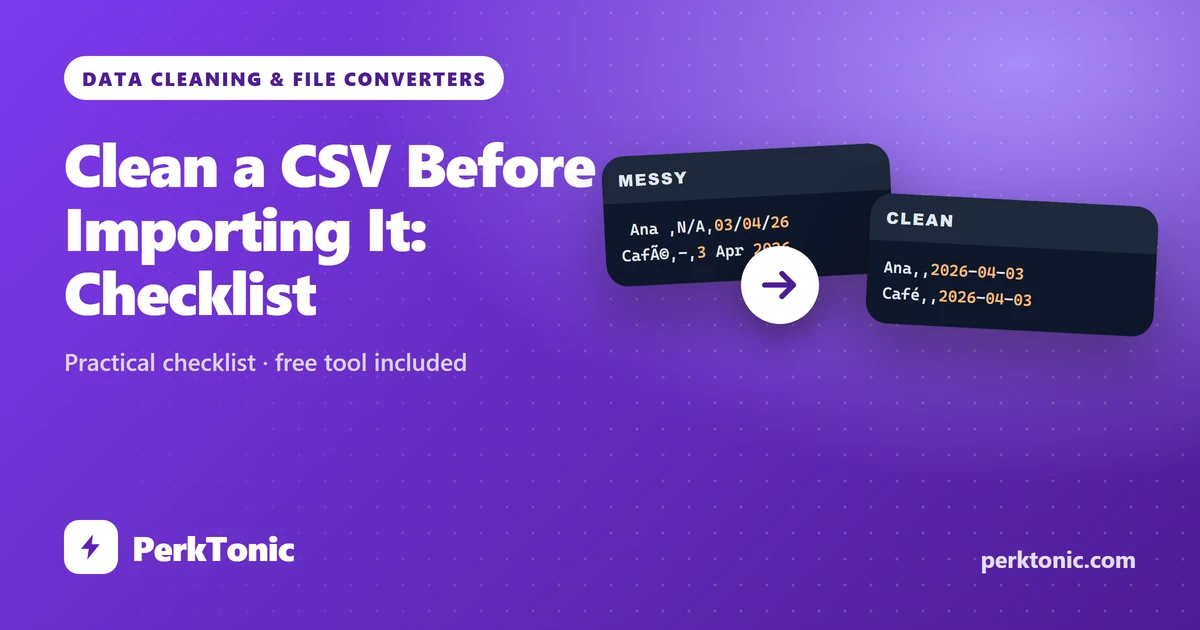
An import into a CRM or a database fails, or worse, succeeds with wrong data, when the file has broken characters, stray spaces, mixed dates or duplicate rows. This checklist shows what to fix first when you clean CSV data before import. Clean Messy CSV Data runs the steps in a fixed order, from repairing characters to removing duplicates, and reports what it changed.
The tool takes files up to 50 MB. It accepts .xlsx files. An .xls file must be re-saved as .xlsx or CSV first. Formulas in a workbook are not recalculated, so the values that the file holds are the values you get.
Encoding and garbled characters
Check first that the text is readable. If a name shows as Café or Arabic text as symbols, the encoding is wrong, and every later step works on damaged text.
- Open the file in the preview and read names with accents.
- If the characters are wrong, set the encoding by hand and, if the damage is already in the text, repair it.
The details are in CSV Opens With Broken Characters: Fix the Encoding.
Invisible characters and spaces
Some characters cannot be seen but still break a match or an import. The tool removes these: zero-width space, word joiner, byte order mark, soft hyphen and control characters. The zero-width joiner and zero-width non-joiner are kept, because they are part of how some scripts and emoji are written, and removing them would change the text.
Spaces at the start and the end of a cell are trimmed. This matters for matching: " Ana " and "Ana" are different values for a database, and the same person for a human.
Blank values such as N/A
Exports use many words for "nothing": N/A, null, a dash. Left as they are, they are imported as real text. A phone field that contains "N/A" is not empty, and a validation rule can reject it.
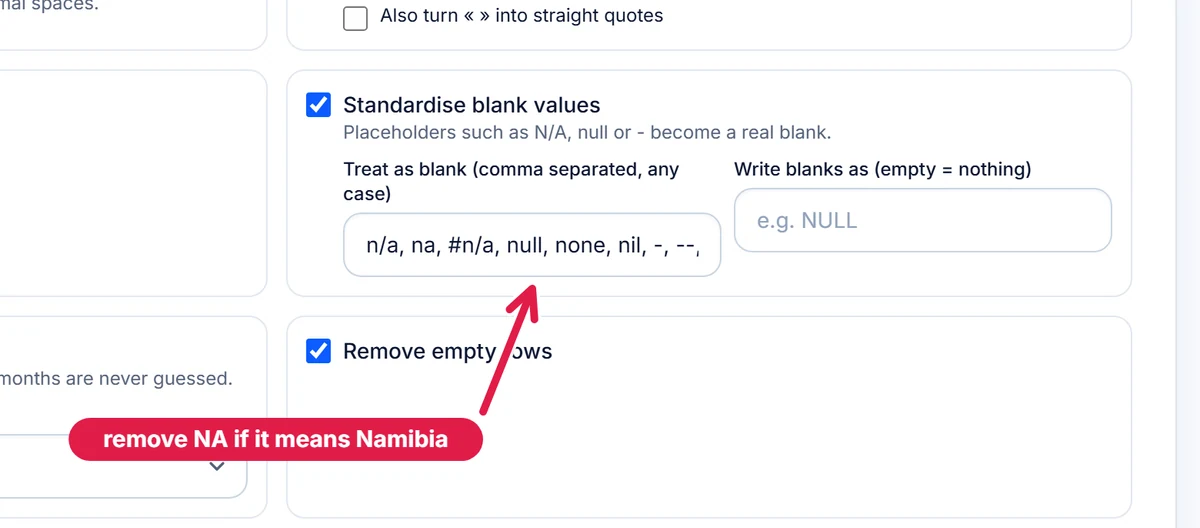
The tool has a list of values that count as blank, with N/A, NA, null, none and - among them. The list is the field Treat as blank under Standardise blank values, and you can edit it. Check it against your data. NA is a good example: it means "not available" in some files and is the country code of Namibia in others. If your file has a country column, remove NA from the list so that Namibia is not blanked.
Dates and headers
Dates in mixed formats, such as 03/04/2026 and 3 Apr 2026 in the same column, are converted to one form. When the order of day and month is ambiguous, you are asked to decide, and the tool does not guess. The steps for that are in Standardize Dates in a CSV: Day-First or Month-First.
Header names matter as well. An import maps columns by name, and a header with a trailing space, a different letter case or a symbol can fail to match. Tidy the header row before the import and use the same names as the target system.
Duplicates
Remove duplicates after the other steps, because the cleaning decides what counts as the same row. Rows that differ only in spaces or letter case become equal once they are cleaned, and the first copy is kept. The report of the example data shows the count of each step, and one of them is the number of duplicates removed.
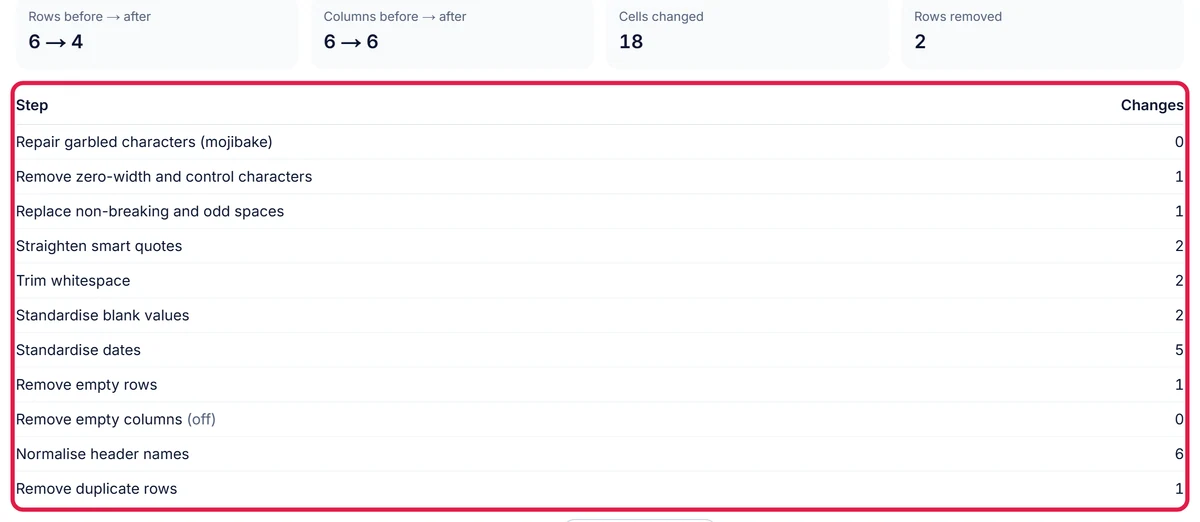
Read each count in the report and compare it with what you expect. A count that is much higher or lower than expected points to a problem in the data or in a setting. A full guide is Remove Duplicate Rows From a CSV File.
Phones, emails and names
Contact data needs its own rules. A phone number should be in one international form, an email address should be valid, and names should have consistent letter case. The CSV Phone, Email & Name Standardizer applies these rules and lists the values that it cannot make valid. Standardize Phone Numbers to E.164 in a CSV explains the phone rule.
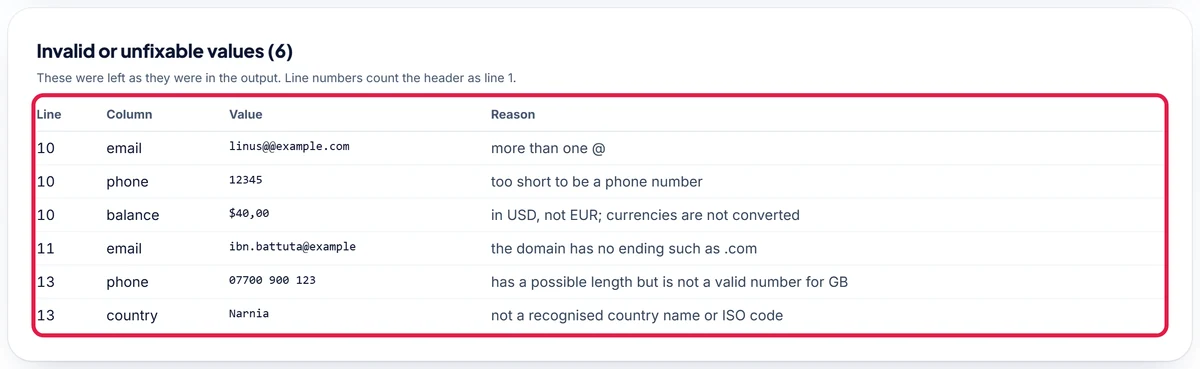
Do not import the invalid values as they are. Correct them in the source, or leave the field empty. For a database import, the CSV to SQL INSERT Generator turns the cleaned file into INSERT statements, so a last look at the column types is the final check.
The structure of a CSV file, including quoting, is described in RFC 4180. Test the import on a small copy of the data first, and keep the original file unchanged.
Try it
Open Clean Messy CSV Data, load the file you are about to import and read the report. Check the blank list against your data, answer the date question if it appears, and download the cleaned file for a test import.