
Standardize Dates in a CSV: Day-First or Month-First
How to standardize dates in a CSV to ISO form: the formats that are recognised, why day-first or month-first is asked once per column, and how invalid dates are counted.
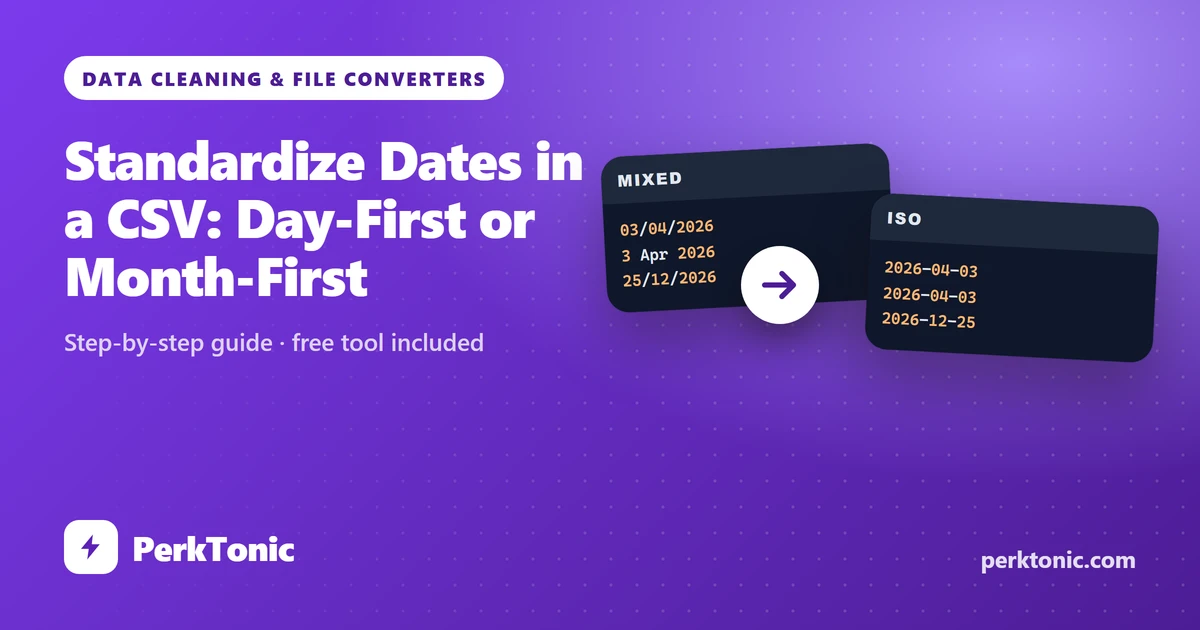
A CSV that mixes date formats is a risk, because 03/04/2026 can mean 3 April or 4 March. To standardize dates in a CSV, convert them all to the ISO form yyyy-mm-dd, and decide the order of day and month for ambiguous values once, not guess it for each row. Clean Messy CSV Data does this and asks you the question when a column is ambiguous.
Which date formats are recognised
The tool recognises the common ways to write a date:
- 2026-04-03 (ISO)
- 03/04/2026 (with slashes)
- 3.4.26 (with dots and a short year)
- 3 Apr 2026 (with a month name)
- April 3, 2026 (month name first)
Each of these can come with an optional time. Two-digit years from 00 to 69 are read as 2000 to 2069, and 70 to 99 as 1970 to 1999, so 3.4.26 is read as a date in 2026.
The result is written in ISO form by default, for example 2026-04-03. The menu Output format under Standardise dates also offers DD/MM/YYYY and MM/DD/YYYY. This form is unambiguous, sorts correctly as text and is accepted by databases and most import tools. It is defined in the W3C note on date and time formats, which is based on ISO 8601.
Why the tool stops on ambiguous dates
A date such as 03/04/2026 has two valid readings, and nothing in the value tells which one is meant. The result depends on where the file comes from: many countries write the day first, and the United States writes the month first. A wrong guess does not give an error. It gives a valid date that is wrong, and nobody notices until a report is off.
For that reason, the tool does not guess. A column where the order is ambiguous is left unchanged until you answer. The question appears in a yellow box above the result, "Your answer is needed: day or month first?", with the buttons Day first (DD/MM), Month first (MM/DD) and Leave unchanged. Until you answer, the dates in that column stay as they are.

A value such as 25/12/2026 can only be read with the day first, because there is no month 25. If a column contains such a value, the tool uses it for the whole column and says so, for example "read as DD/MM because of 25/12/2026", and it does not ask. A column that holds only values like 03/04/2026 and 05/06/2026 cannot be decided from the values, so you need to know the source of the file.
Answer Day first or Month first
Choose Day first if the file comes from a system that writes the day before the month, or Month first if it writes the month before the day. If you are not sure, check a few rows that you can verify, for example a date with a day above 12 or a record whose date you know.
With Day first, 03/04/2026 becomes 2026-04-03 and 05/06/2026 becomes 2026-06-05.

Check the result in the preview against dates that you know. Apply the answer to one column at a time, because two columns of the same file can come from different systems. An order date and a shipping date from the same export normally share the order, but a date column copied in from another file may not.
Standardizing dates is one step of preparing a file for an import. The other steps are in Clean a CSV Before Importing It: Checklist.
Invalid dates are counted, not changed
Some values look like dates but are not. 31/02/2026 does not exist, because February has no 31st day. The tool does not repair such a value. It stays as it is and is counted separately: the line under the step table says, for example, "2 converted, 1 not valid dates (left unchanged)". You can then find the value and correct it at the source.

This is deliberate. A repair would mean a guess, for example moving to 3 March, and a guessed date in your data is worse than a visible error. Look at the count of not valid dates in that line. A column counts as a date column when at least 80% of its filled cells can be read as dates, so a column with many invalid values is not treated as dates at all and is left alone. A count of zero means that every date was converted. A higher count means that rows need a decision: fix them by hand, ask the owner of the data, or leave them empty.
After standardizing, the dates are ready for a database. In the CSV to SQL INSERT Generator, ISO dates fit a DATE column without conversion. The generator writes scripts for PostgreSQL, MySQL, SQLite and SQL Server.
Try it
Open Clean Messy CSV Data and load your file. When the question appears, choose Day first or Month first after checking a few rows that you can verify. Look at the ISO dates in the preview and at the count of invalid dates before you download.