
Standardize Phone Numbers to E.164 in a CSV
How to convert phone numbers in a CSV to E.164: the default country, a country column for mixed numbers, extensions in their own column and a list of invalid numbers.
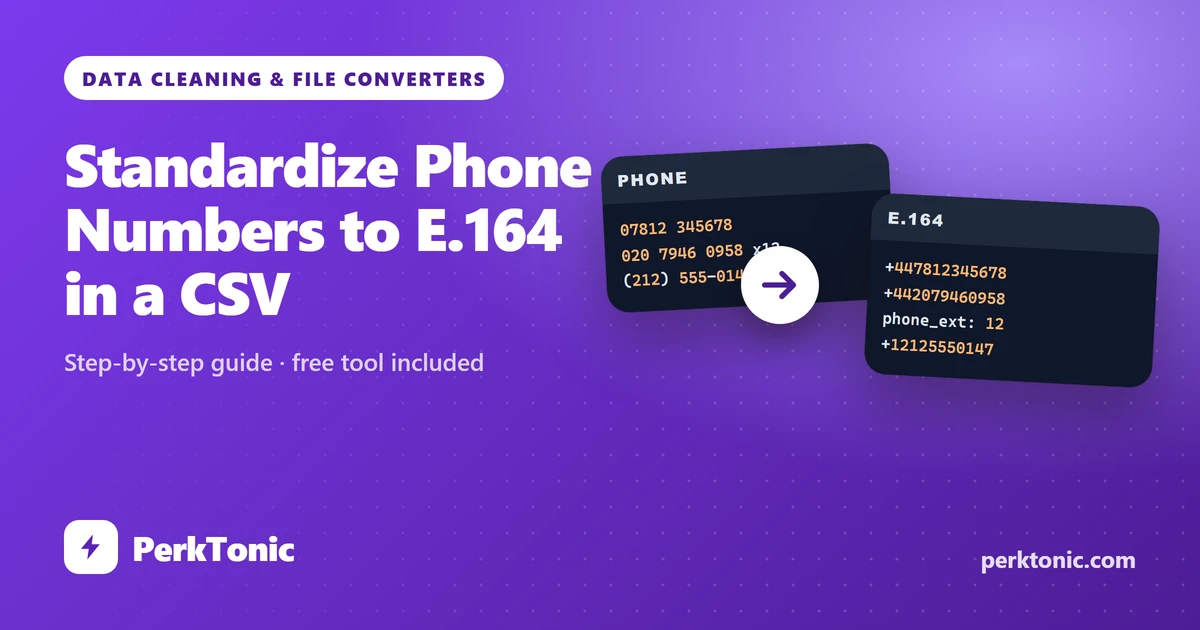
CRMs and SMS tools expect every phone number in the same form: a plus sign, the country code and the number, with no spaces or brackets. That form is E.164. To convert phone numbers to E.164 in a CSV, open the CSV Phone, Email & Name Standardizer, choose the phone column and the country, and download the cleaned file. Numbers that cannot be valid are listed, not guessed.
What E.164 looks like
An E.164 number starts with +, followed by the country code and the national number. It has no spaces, dashes, brackets or leading zero of the national format. A UK number written as 020 7946 0958 becomes +442079460958.
The format is defined in the ITU-T Recommendation E.164, which also sets the maximum length. A number in this form is unambiguous: it works from any country, and every tool can parse it the same way.
The tool checks phone numbers with libphonenumber-js and writes the valid ones as E.164. A number that starts with 00, the international call prefix in many countries, is read as international. So 0044 20 7946 0958 and +44 20 7946 0958 give the same result.
Steps
- Open the CSV Phone, Email & Name Standardizer.
- Paste the CSV, or open a CSV, TSV or .xlsx file. Pasted text can be up to 5 MB and files up to 50 MB, and nothing is uploaded.
- Under Rule for each column, the tool suggests a rule for every column from its name and its values. Check that the phone column has the rule Phone → E.164.
- Set the Default country for local phone numbers, which applies to numbers without a country code.
- Check the Before and after preview, and press Download standardized CSV.
The country matters for numbers written in the national form. The Moroccan number 0661 23 45 67 does not say that it is Moroccan. With Morocco as the country, it becomes +212661234567, and the leading 0 of the national format is dropped. Without the right country, the same digits are read as a number of another country or are reported as invalid.

Numbers from several countries in one column
Exports from a CRM often mix countries in one phone column. A single default country is then wrong for part of the rows. If the file has a column that holds the country of each contact, choose it under Use each row's country from, so that each number is read with its own country. The column can hold codes such as UK or names in several languages, such as Maroc or Pays-Bas.
For example, the Dutch number 020 794 6095 becomes +31207946095 when the country is the Netherlands. Numbers that already start with + or 00 carry their own country code and do not depend on the setting.
Check a few rows from each country in the preview. A number that looks right but starts with the wrong country code means that the country setting was wrong for that row. Fix the country column and run the standardizer again.
Extensions go to a new column
Business numbers often include an extension, such as 020 7946 0958 ext. 204 or 020 7946 0958 x12. E.164 has no place for an extension, so the tool separates it. The number is written in E.164 and the extension goes to a new column named after the phone column with _ext added.
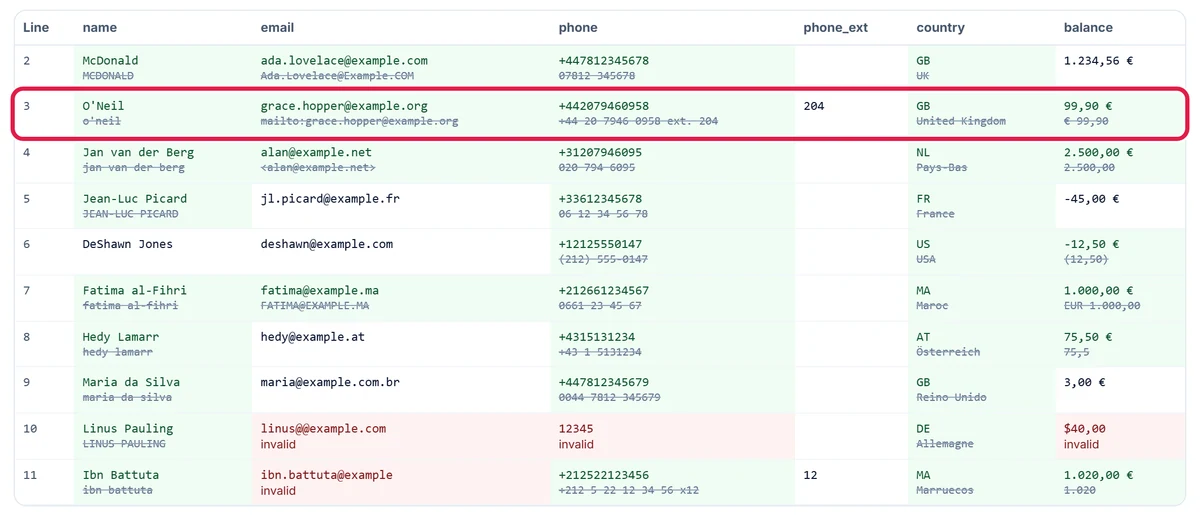
In the customer export example, the value +44 20 7946 0958 ext. 204 becomes +442079460958, and the column phone_ext holds 204. Nothing is lost, and the main column contains only a dialable number. Import the extension column into a field of its own if your CRM has one, or leave it out.
Invalid numbers are listed
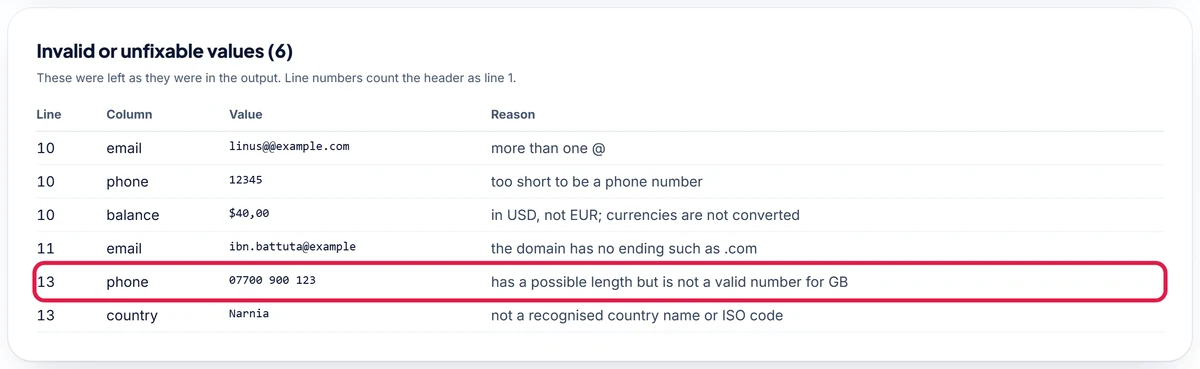
Not every value in a phone column is a valid number. The tool shows them in a table with the line, the column, the value and the reason, and Download invalid list saves the same list as a file. Some are too short, some are missing digits and some belong to ranges that do not exist for real subscribers. The tool does not invent the missing parts. It lists these numbers as invalid, so that you can correct them in the source.
For example, 07700 900 123 is a reserved UK number that is used in television drama. It looks like a mobile number, but it is not a real one, and the tool lists it as invalid.
Review the invalid list before you import. Some entries are typing errors that you can fix, and others are placeholders such as 0000000. Decide for each group whether to correct, delete or keep the row without a phone number. Do not force an invalid number into E.164, because the import tool would reject it or send messages to the wrong person.
Do it with your own data
Open the CSV Phone, Email & Name Standardizer, load your contact file and set the phone column and the country. Check a few rows per country, read the list of invalid numbers, and download the standardized file.
The same tool has rules for the other columns of a contact file, such as Email → trim, lower-case, check, Person name → capitalisation and Country → ISO 3166. Stray spaces and duplicate rows can be removed first with Clean Messy CSV Data. If the numbers are inside free text and not in a column, the Text Data Extractor finds them first.