
Extract Key Terms From a Contract: Dates, Fees, Renewal
What the Contract Key Terms Extractor lists from pasted contract text: payment, renewal, termination, liability and governing law with clause numbers, and how to check each term in the text.
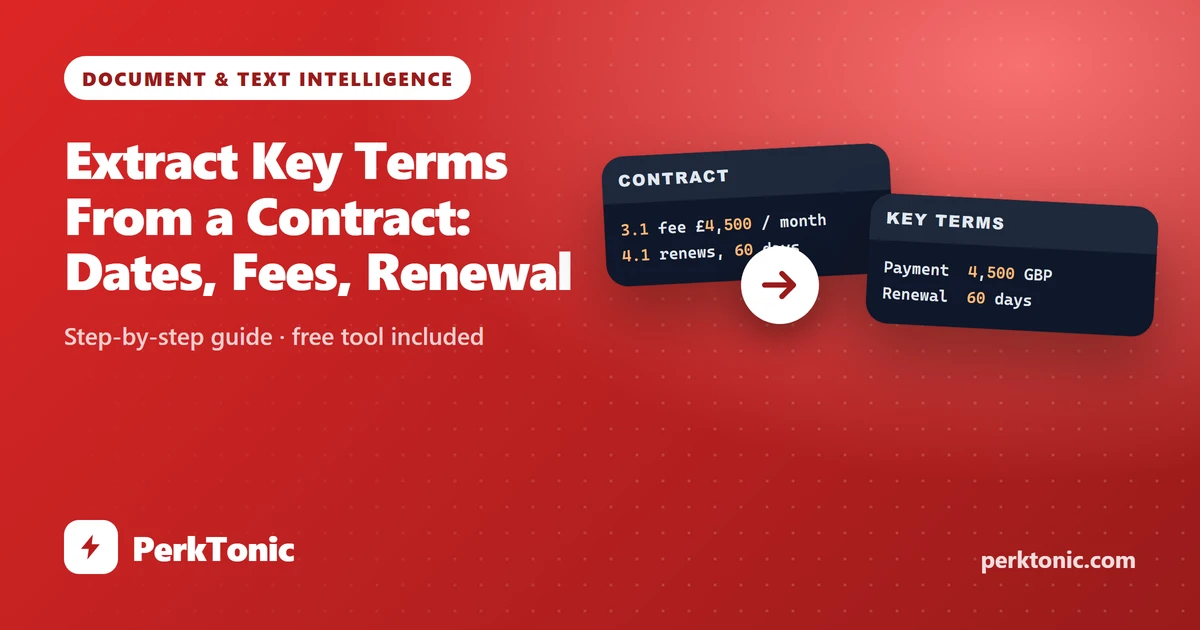
A contract of twenty pages hides a few terms that matter most: what you pay, when it renews, how much liability is capped and which law applies. The Contract Key Terms Extractor reads pasted text and lists those terms with their clause numbers, so you can check them at a glance. Every term links back to the place where it appears.
What it extracts, by category
The result is grouped by category: Parties, Effective date, Term or expiry, Payment, Renewal, Termination, Obligations, Governing law, Confidentiality, Liability and Other. For a services agreement, the categories that matter most are:
- Payment: the amount, the period and extra charges such as VAT.
- Renewal and notice: how long the term is, whether it renews by itself and how much notice ends it.
- Liability: limits and caps on what either side can claim.
- Governing law: which country's or region's law applies.
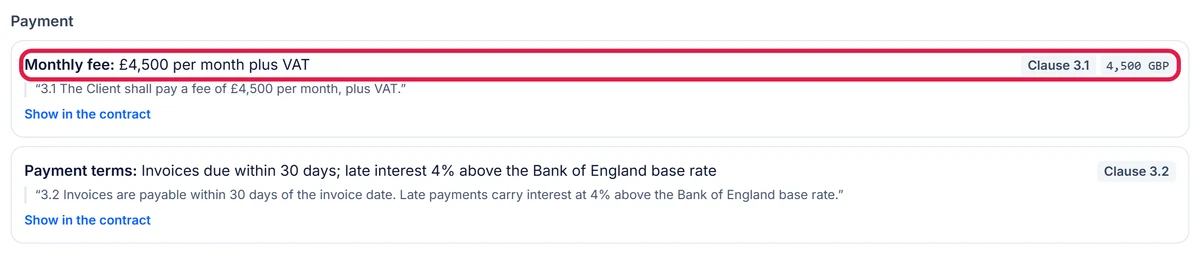
Each entry gives the term in plain words, a quotation of the clause and the clause number where it was found. Amounts are normalised, so £4,500 per month is shown with the tag 4,500 GBP, and dates are shown as YYYY-MM-DD, which makes them easy to compare with other contracts or to copy into a sheet. A category that the contract does not contain is listed under "Not found in this text", and the tool does not make one up. Notes above the terms point out things that the text states in general, such as automatic renewal.
Steps: remove what you do not want to send
The text is analysed by an AI service, so decide what to send before you paste. Remove names, addresses, bank details and any other personal or confidential data that are not needed to find the terms. The terms do not depend on them.
- Open the Contract Key Terms Extractor.
- Copy the text of the contract from your document and paste it into Contract text, or open a .txt or .docx file. PDF files are not accepted, so copy the text out first. The limit is 20,000 characters, and a longer contract has to be pasted in parts.
- If you want something specific, type it in the box "Anything specific to look for?". It takes up to 300 characters, for example "termination for convenience and data protection".
- Press Extract key terms and read the result. The limit is 10 AI requests per 10 minutes.
- Press Copy, Download CSV or Download checklist (Markdown) to keep the terms.
For a long document, a summary can help you decide where to look first. The AI Document Summarizer is made for that, and Summarize a Long Document Without Losing the Figures explains how to keep the numbers.
Worked example: services agreement
The example of the tool is a services agreement between a supplier and a client. The extractor finds these terms:
- Payment: £4,500 per month plus VAT, clause 3.1, and invoices due within 30 days with late interest, clause 3.2.
- Renewal: 12 months, renewing unless notice of non-renewal is given at least 60 days before the end of the term, clause 4.1.
- Termination: for convenience with 90 days' written notice, clause 5.1, and for breach if it is not remedied within 14 days, clause 5.2.
- Liability: capped at the fees paid in the 12 months before the claim, clause 7.1.
- Governing law: England and Wales, clause 8.1.
The payment entry shows the amount with the tag 4,500 GBP, the quoted clause and "Clause 3.1" beside it.
The renewal entry is the one that people miss most often. A contract that renews by itself and needs 60 days of notice means that a decision has to be made two months before the end of the term, not on the last day. Note the date in your calendar when you sign. Find Renewal and Notice Dates in a Contract shows how to work out those dates.

Show in the contract
A summary is useful only if you can check it. Each term has a link Show in the contract. It selects the clause in the Contract text box, so you can read the original words around it, and a note says "Clause highlighted in the contract box".
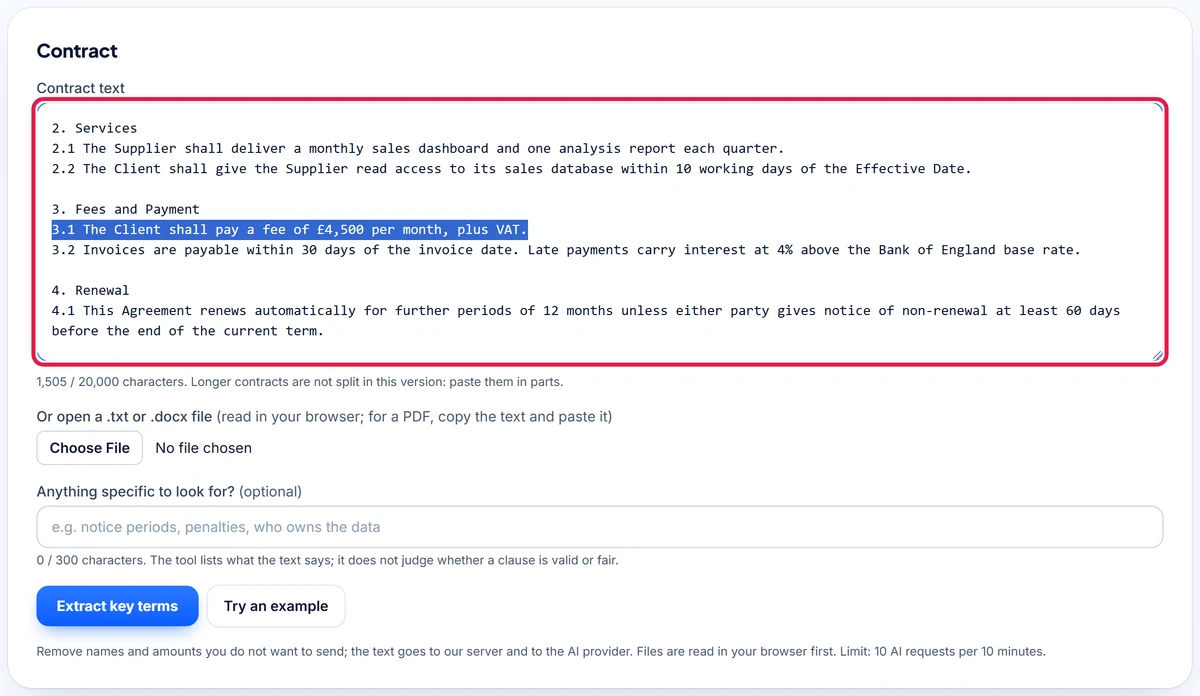
Always do this for the terms that decide something: the amount, the notice period and the cap. The extractor can misread a clause, for example when an amount is given in a table or an exception changes a general rule a few lines later. Reading the highlighted clause takes seconds and removes that risk. If the extracted term and the clause do not agree, trust the clause.
For a list of what to check beyond these terms, see Contract Review Checklist: Terms to Find First. To collect the tasks that a contract creates, such as deadlines and deliveries, the Action Item Extractor lists them.
Not legal advice
The tool shows a disclaimer, and it should be taken seriously. It extracts and organises what the text says. It does not answer questions about whether a clause is legally valid, enforceable or fair, and it does not tell you whether to sign.
Use it to prepare. Know the terms, mark the ones you want to negotiate, and take the questions about their legal effect to a solicitor or another qualified adviser, especially for a contract of high value or long duration.
Try it
Open the Contract Key Terms Extractor, remove personal and confidential details from the text and paste it in. Read the terms by category, use Show in the contract for the amount, the notice period and the liability cap, and write the notice date in your calendar.