
Contract Key Terms Extractor
This is not legal advice. The tool can miss or misread clauses; a qualified professional must review the contract. This contract key terms extractor lists what a contract says about parties, dates, money, renewal and termination, with the exact clause for each term.
- Free to use
- No account required
- Instant results
- Sent to the AI only when you press the button
Contract
Key terms
Example result (nothing was sent)This is not legal advice. The tool can miss or misread clauses; a qualified professional must review the contract.
Notes
- The agreement renews automatically unless notice is given at least 60 days before the end of the term.
Parties
Supplier: Northwind Analytics Ltd, registered in England
“This Services Agreement is made between Northwind Analytics Ltd, a company registered in England (the "Supplier"), and Harbor Foods Ltd (the "Client").”
Client: Harbor Foods Ltd
“This Services Agreement is made between Northwind Analytics Ltd, a company registered in England (the "Supplier"), and Harbor Foods Ltd (the "Client").”
Effective date
Effective date: 1 February 2026
Clause 1.12026-02-01“1.1 This Agreement starts on 1 February 2026 (the "Effective Date") and continues for 12 months.”
Term or expiry
Initial term: 12 months from the Effective Date
Clause 1.1“1.1 This Agreement starts on 1 February 2026 (the "Effective Date") and continues for 12 months.”
Payment
Monthly fee: £4,500 per month plus VAT
Clause 3.14,500 GBP“3.1 The Client shall pay a fee of £4,500 per month, plus VAT.”
Payment terms: Invoices due within 30 days; late interest 4% above the Bank of England base rate
Clause 3.2“3.2 Invoices are payable within 30 days of the invoice date. Late payments carry interest at 4% above the Bank of England base rate.”
Renewal
Automatic renewal: Renews for 12 months unless notice of non-renewal is given 60 days before the term ends
Clause 4.1“4.1 This Agreement renews automatically for further periods of 12 months unless either party gives notice of non-renewal at least 60 days before the end of the current term.”
Termination
Termination for convenience: Either party, 90 days' written notice
Clause 5.1“5.1 Either party may terminate this Agreement with 90 days' written notice.”
Termination for breach: Immediate, if a material breach is not remedied within 14 days of notice
Clause 5.2“5.2 Either party may terminate immediately if the other commits a material breach that is not remedied within 14 days of written notice.”
Obligations
Supplier obligation: Monthly sales dashboard and one analysis report each quarter
Clause 2.1“2.1 The Supplier shall deliver a monthly sales dashboard and one analysis report each quarter.”
Client obligation: Give read access to the sales database within 10 working days of the Effective Date
Clause 2.2“2.2 The Client shall give the Supplier read access to its sales database within 10 working days of the Effective Date.”
Governing law
Governing law: England and Wales
Clause 8.1“8.1 This Agreement is governed by the laws of England and Wales.”
Confidentiality
Confidentiality period: During the term and 3 years after it ends
Clause 6.1“6.1 Each party shall keep the other's confidential information secret during the term and for 3 years after it ends.”
Liability
Liability cap: Supplier's liability limited to fees paid in the 12 months before the claim
Clause 7.1“7.1 The Supplier's total liability under this Agreement is limited to the fees paid in the 12 months before the claim.”
Your data: Your text is sent to our server and to the AI provider only when you press the button. We do not store it with your identity, and nothing is sent before that.
How to use
- Paste the contract (up to 20,000 characters), or open a .txt or .docx file. The file is read in your browser.
- Remove any names and amounts you do not want to send.
- Optionally, type what to look for in "Anything specific to look for?" (300 characters), for example "notice periods and penalties".
- Press Extract key terms.
- Read the terms, grouped by category. Click Show in the contract to select the quoted clause in the text box.
- Download a CSV or a Markdown checklist, or copy the list. Both files start with the disclaimer above.
Examples
A services agreement (8 clauses):
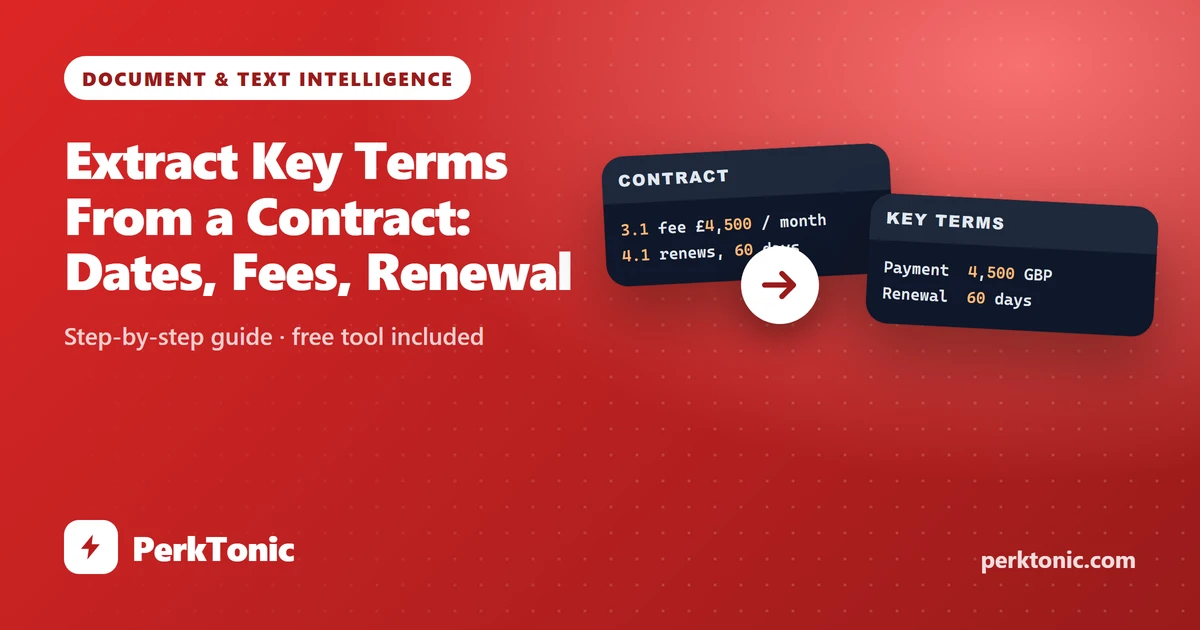
- Payment: "£4,500 per month, plus VAT", normalised to 4,500 GBP, clause 3.1.
- Renewal: renews automatically for 12 months unless notice is given at least 60 days before the end of the term (clause 4.1).
- Liability: capped at the fees paid in the 12 months before the claim (clause 7.1).
- Governing law: England and Wales (clause 8.1).
A US commercial lease extract:
- Start date "May 1, 2026" becomes 2026-05-01, from Section 2.
- Base rent "$3,250.00 per month" becomes 3,250 USD.
- Not found in this text: Renewal, Obligations, Confidentiality, Liability.
A focus question "Is this contract enforceable?": the terms are still listed. A note explains that the tool cannot judge validity or enforceability.
Tips and limits
- Every term carries the clause it comes from. If that quote is not in your text, the term is removed and the page says how many were removed.
- Dates and amounts are converted (to 2026-05-01, or to 3,250 USD) only when they are written in the quoted clause. "30 days after signing" stays as words and is never turned into a computed date.
- A clause number is shown only when it appears in the quote or on the line above it.
- Categories with nothing found are listed under "Not found in this text". They are never filled with a "typical" value. Check annexes and schedules, which are often separate documents.
- The limit is 20,000 characters, about 3,000 words. This version does not split long contracts: paste them in parts.
- PDF is not supported yet. Copy the text out of the PDF and paste it here.
- Works best in English. French and other languages are read too, but dates and amounts in them are verified less often.
FAQ
Is this legal advice?
No. The tool lists what the text says. It can miss or misread clauses, and it does not judge whether a clause is fair, valid or enforceable. A qualified professional must review the contract.
What does it extract from a contract?
Parties, effective date, term or expiry, payment, renewal, termination, obligations (with whose they are), governing law, confidentiality, liability, and other notable terms. Each comes with a short value and the quoted clause.
Is my contract confidential?
The text goes to our server and to the AI provider to produce the list. We do not store it with your identity. Remove names and amounts you do not want to send before you press the button.
Can I ask whether a clause is enforceable?
You can type the question, but it is not answered. The extraction still runs, and a note says the tool cannot judge that.
Why is a category marked "Not found in this text"?
Nothing in the pasted text states it. The term may be in an annex or a document the contract refers to, or the contract may simply not cover it.
Can I open it in Excel?
Yes. The CSV is UTF-8 with a byte-order mark, so accents display correctly. Cells that start with = + - or @ are prefixed so they cannot run as formulas.
Privacy note
When you press Extract key terms, the contract text and your focus question are sent to our server and to the AI provider to produce the list. Files are read in your browser first, and only their text is sent. We do not store the text with your identity. An identical request may be answered from a short-lived cache. Nothing is sent when the page opens: the example result was saved in advance.
Guides for this tool
 Document & Text Intelligence
Create a Policy Document From a Template
How to start a policy, such as a remote work policy, with the SOP and Policy Template Generator: the six sections, the gaps to fill, what the AI does not add and how to keep it current.
5 min read
 Document & Text Intelligence
Find Renewal and Notice Dates in a Contract
How to find the renewal and notice dates in a contract: asking for notice periods, working out the last day to give notice, dates in YYYY-MM-DD and categories that are Not found.
4 min read
 Document & Text Intelligence
Contract Review Checklist: Terms to Find First
A checklist of the terms to find first in a supplier contract: parties and dates, payment, renewal and termination, liability and confidentiality, governing law, and when to get advice.
4 min read
 Document & Text Intelligence
Extract Key Terms From a Contract: Dates, Fees, Renewal
What the Contract Key Terms Extractor lists from pasted contract text: payment, renewal, termination, liability and governing law with clause numbers, and how to check each term in the text.
4 min read