
Find Renewal and Notice Dates in a Contract
How to find the renewal and notice dates in a contract: asking for notice periods, working out the last day to give notice, dates in YYYY-MM-DD and categories that are Not found.
A contract that renews by itself, and can be ended only with notice, is easy to miss: the notice date passes quietly, and the contract runs for another term. Paste the text into the Contract Key Terms Extractor and ask for the notice periods. It lists the renewal term and the notice rule with their clause numbers, so you can work out the last day to act.
Ask for notice periods specifically
The extractor reports the main terms by default, and it has a box, "Anything specific to look for?", that takes up to 300 characters. Use it to point the tool at what you need. For this task, type something like "notice periods and penalties".
Remove personal and confidential details from the text before you paste it, because the text is analysed by an AI service. The dates and the notice rule do not depend on names or bank details.
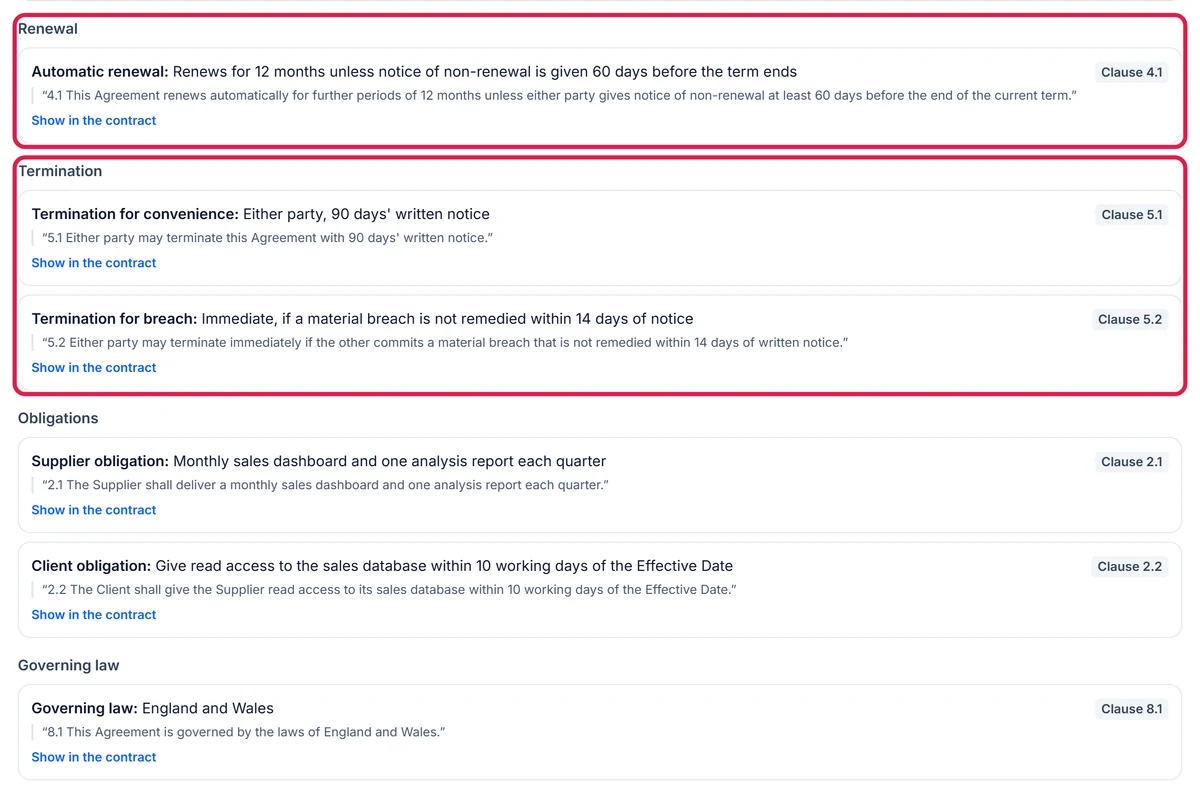
In a services agreement, the group Renewal shows the renewal period and the notice that is needed to stop it, and the group Termination shows how each side can end the contract early, for example "Either party, 90 days' written notice". Read the clause number next to the term, and then read the clause itself in the text, as described in Extract Key Terms From a Contract: Dates, Fees, Renewal.
Worked example: 60 days before term end
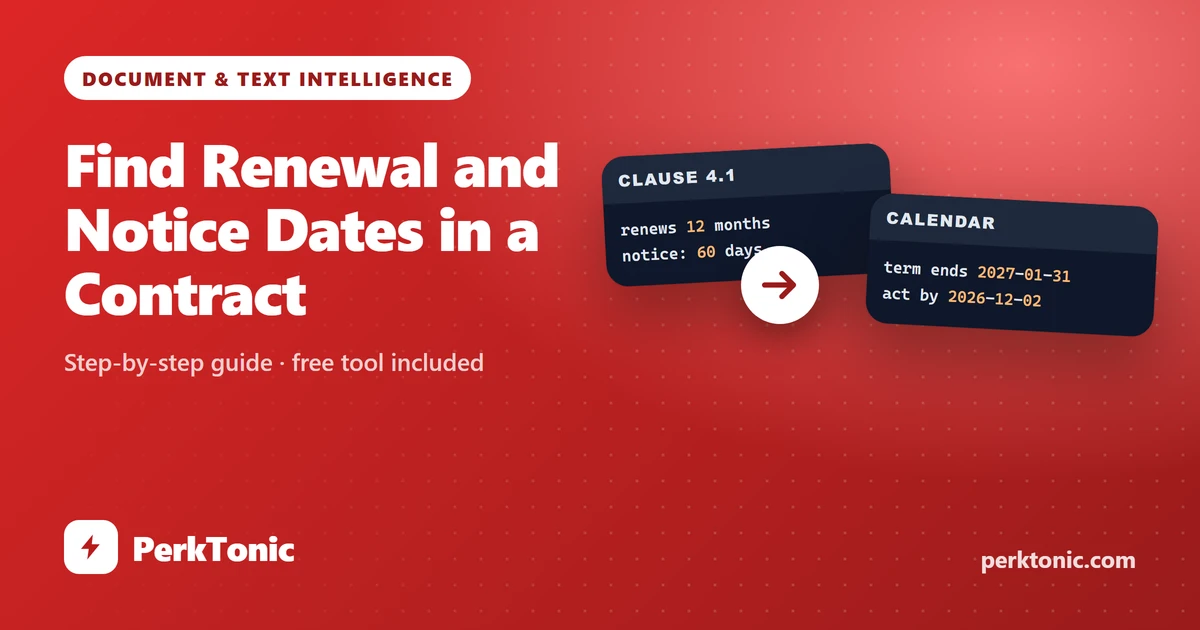
Take the renewal rule of the services agreement in the example of the tool: the contract starts on 1 February 2026, runs for 12 months and renews for further periods of 12 months unless either party gives notice of non-renewal at least 60 days before the end of the current term. The rule is in clause 4.1.
The tool gives you the rule. You work out the date. The first term ends on 31 January 2027. Sixty days before that is 2 December 2026, so notice of non-renewal has to be given on or before that day, and in practice earlier, because a notice that arrives late does not count. The tool gives you the rule, and you work out the date yourself.
Three points need care:
- Check how notice must be given. A clause may require a letter or an email to a named address, and a message to your usual contact may not be enough.
- Check how days are counted. "At least 60 days before" can mean 60 full days, and a clause can say calendar days or business days.
- Check when the term ends. It can run from the signing date or from a start date that is stated in another clause.
Put the notice date, and a reminder some weeks before it, in your calendar. The Action Item Extractor can turn a note like "send notice before 2 December" into a task with an owner and a due date.
Dates normalised to YYYY-MM-DD
Contracts write dates in many styles: May 1, 2026, 1st May 2026, 01/05/2026. The extractor writes dates in the form YYYY-MM-DD. This form has no ambiguity between day and month, and it sorts in the right order.
I tested a short US lease with five sections. The start date written as "May 1, 2026" in Section 2 appears as 2026-05-01, with the tag Section 2, and the rent of $3,250.00 per month appears with the tag 3,250 USD. A note says that the contract has no currency code and that USD is shown because the amounts have a dollar sign.

The normalised value is convenient, but compare it with the original wording. The tool reads a written date, and a clause that defines the start as "the date of the last signature" does not give a calendar date at all. In that case, find the date of the last signature yourself.
When a category is Not found
Not every contract has every kind of term. When the tool finds nothing for a category, it says so. For my test lease, the result lists Renewal, Termination, Obligations, Confidentiality and Liability under "Not found in this text", with the line "Nothing is filled in for these: check the full contract and its annexes."

This is an honest answer, and it is useful, but do not read it as proof that the lease has no renewal rule. The tool looks at the text that you pasted. A lease can have a renewal rule in an attachment that you did not paste, or the clause can use wording that the tool did not recognise. Search the text for words such as renew, extend, terminate and notice, and read the lease for yourself.
If the contract is silent about renewal, the consequences depend on the law and on the type of contract. The tool does not answer questions about whether a clause is valid or what happens in law. Take such questions to a solicitor or another qualified adviser, especially before you let a notice date pass.
For the other terms that you should find first, see Contract Review Checklist: Terms to Find First.
Try it
Open the Contract Key Terms Extractor, paste the contract text and type "notice periods and penalties" in the box. Read the renewal term and its clause, work out the last day to give notice, and put that date and a reminder in your calendar.