
CSV vs JSON: Which Format to Use for Your Data
CSV vs JSON compared: what each format can hold, types, nested data, size and NDJSON, and how to decide which one fits your data.
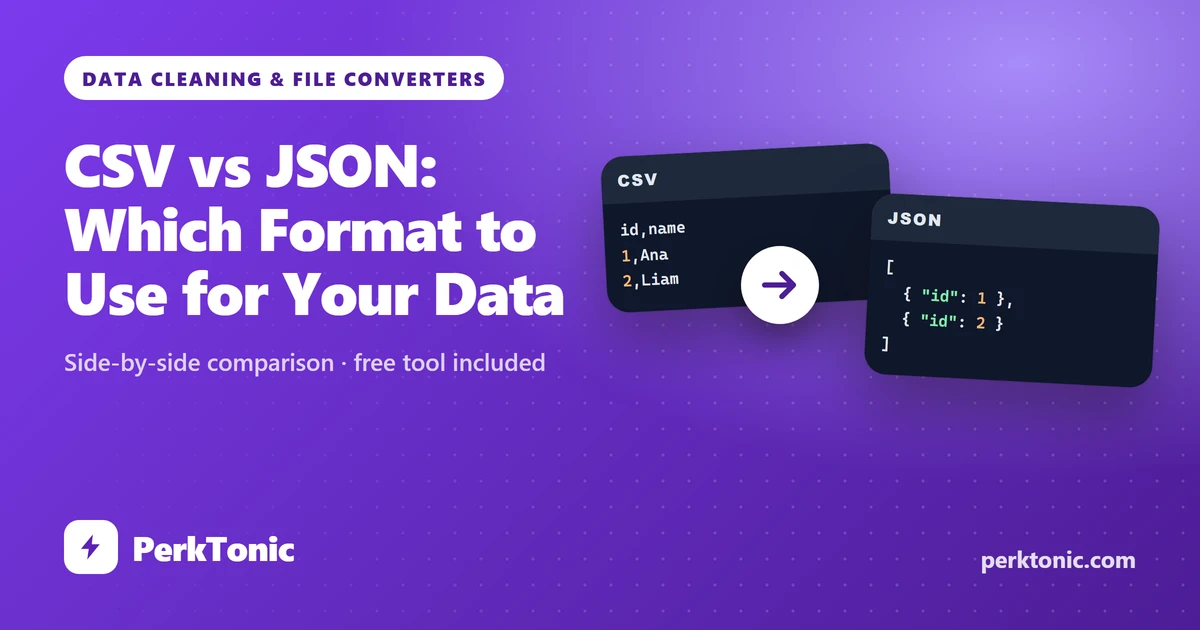
CSV vs JSON comes down to the shape of your data. CSV is the better format for a flat table that people open in a spreadsheet. JSON is the better format for data with types, nested objects and lists, which is what most APIs exchange. The CSV to JSON Converter converts between the two, and this guide shows what each format keeps and what it loses.
What each format can hold
A short comparison of the main points:
| Point | CSV | JSON |
|---|---|---|
| Shape | Flat rows and columns | Nested objects and lists |
| Types | None, everything is text | Text, numbers, true/false, null |
| Opens in a spreadsheet | Directly | Needs a conversion |
| Typical use | Exports, imports, reports | APIs, configuration, documents |
A CSV file is a table of text. A row is a line, and the cells are separated by a delimiter, most often a comma. A text value that contains a comma, a line break or a quotation mark is put in quotation marks, and a quotation mark inside it is written twice. This is described in RFC 4180. So a CSV can hold a cell with several lines or a comma, and a correct reader handles it.
JSON describes values: objects with named keys, lists, text, numbers, true, false and null. The format is defined in RFC 8259.
Types: CSV has none
In a CSV, 42, true and 02134 are all text. The file does not say whether a value is a number. The program that reads the file has to decide, and different programs decide differently. A zip code such as 02134 can lose its leading zero when a reader treats it as a number.
JSON keeps the type in the syntax: 42 is a number, "42" is text, and true is a boolean. When you convert CSV to JSON, a converter has to choose the type of every value. The CSV to JSON Converter keeps values such as 02134 as strings and turns plain numbers into JSON numbers. The details are in Convert CSV to JSON Without Uploading the File and CSV to JSON Drops Leading Zeros: Keep Zip Codes as Text.
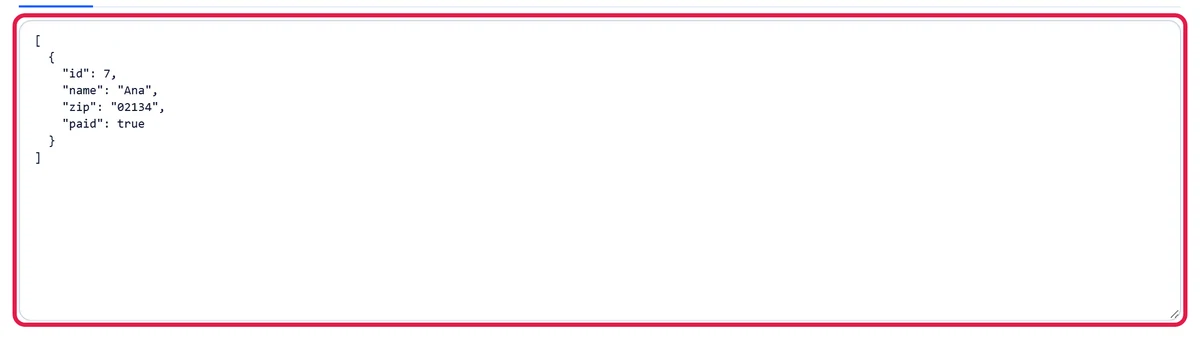
The reverse is also true. When JSON goes back to CSV, the types are lost: numbers and true/false become text in the file. A system that reads the CSV later has to guess them again. If the types matter, keep the JSON as the source, or document the type of every column.
Nested data and arrays
JSON can hold an object inside an object, and a list of values inside a field. CSV cannot, because a cell holds one value. To put nested data in a CSV, you have to flatten it: one column for each path, such as customer.name, and a rule for lists.
Some data does not flatten well. A list of order lines inside an order, with several fields for each line, either makes a very wide row or needs a second table. For this kind of data, JSON is the natural format, and a CSV would have to be split into several files.
The converters handle simple cases in both directions. A list of tags can be written in one CSV column and split into a JSON list, and dotted headers build nested objects. The same idea works for configuration files: the CSV to YAML, XML & TOML Converter turns a column such as tags[] into a list, see Convert CSV to YAML for Config or Inventory Files.

Size and streaming: NDJSON
A CSV file repeats the header only once, and every row is only values. A JSON array repeats the key names in every record, so the same data is bigger in JSON than in CSV, often by a lot when there are many columns.
JSON also has a practical limit: a normal JSON file is one document, and a program reads the whole of it before it can use any of it. For large data, NDJSON helps. In NDJSON, every line is a complete JSON object, so a program can read, process and write the file one line at a time, and you can append a line without changing the rest.
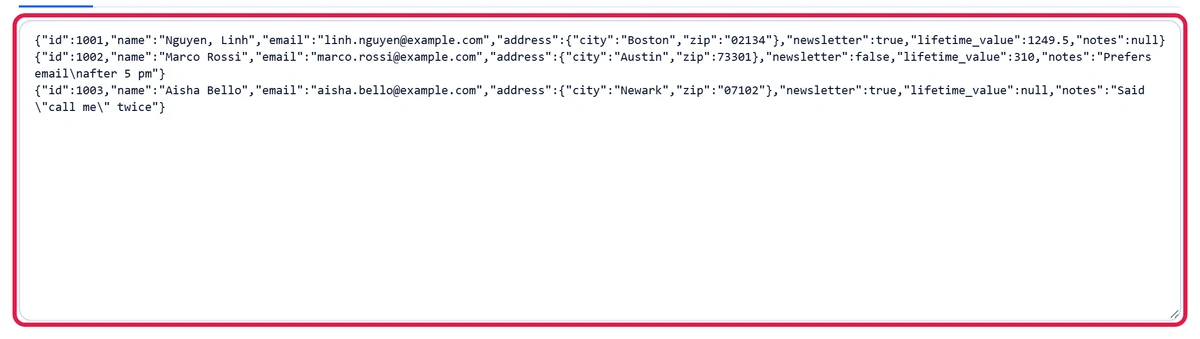
The converter can write NDJSON: choose NDJSON (one object per line) in the Output menu. Use NDJSON for logs, exports of many records and data that is loaded into a database in a stream. Use a normal JSON array when the receiver expects a single document, such as most web APIs.
Converting between them
Converting is safe when you know what is lost. From CSV to JSON, you add structure and types, and you have to check the choices. From JSON to CSV, you remove structure and types, and you have to check that nothing important was flattened away.
For a decision, ask three questions. Will people open the data in a spreadsheet? Use CSV. Does the data have nesting, lists or types that matter? Use JSON. Is the file very large and processed line by line? Use NDJSON. For configuration, compare the text formats in YAML vs TOML vs XML for Config and Data Files.
Try it
Open the CSV to JSON Converter, paste a CSV of your own and look at the types in the JSON. Then choose NDJSON and compare the output. Convert the result back and check what changed.