
YAML vs TOML vs XML for Config and Data Files
YAML, TOML and XML compared on the same rows: nulls and types, nesting and lists, XML name rules, and what is lost when a config file is converted back to CSV.
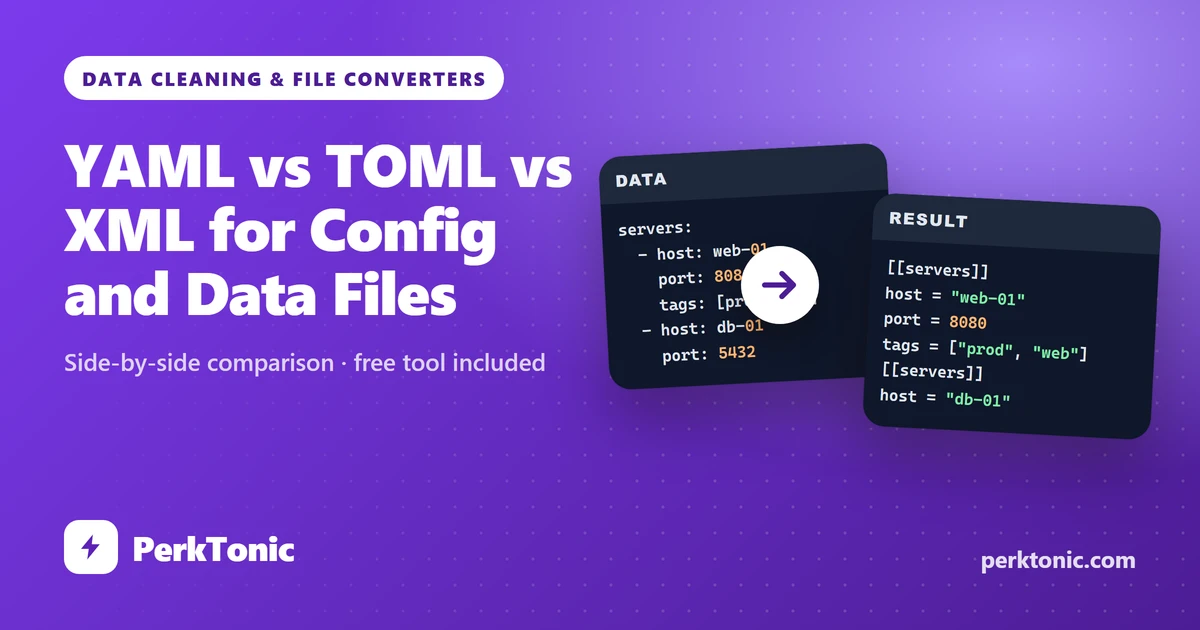
The choice between YAML, TOML and XML is mostly one of flexibility against strictness. YAML is compact and handles nested data well, but its loose typing can surprise you. TOML is explicit and simple, and it has no null value. XML is verbose, but it is strict and widely supported. The CSV to YAML, XML & TOML Converter writes all three from a CSV, and the same dataset shows the differences.
The same rows in three formats
Take a small dataset: two servers, each with a host, a port and a list of tags. These examples show the shape of each format. The YAML and TOML examples are written by hand as an illustration, and the converter's output may differ in details. In XML the converter writes list items as item elements.
In YAML:
servers:
  - host: web-01
    port: 8080
    tags: [prod, web]
  - host: db-01
    port: 5432
    tags: [prod, db]
In TOML:
[[servers]]
host = "web-01"
port = 8080
tags = ["prod", "web"]

[[servers]]
host = "db-01"
port = 5432
tags = ["prod", "db"]
In XML:
<servers>
  <server>
    <host>web-01</host>
    <port>8080</port>
    <tags><item>prod</item><item>web</item></tags>
  </server>
</servers>
YAML has the least punctuation. TOML repeats the table name for each item. XML repeats every tag as an opening and a closing tag, so it is the longest. The workflow for creating the YAML version is in Convert CSV to YAML for Config or Inventory Files.
Null and types
YAML has a null value, and it reads plain words as types: yes can become a boolean and 007 can become a number. The converter quotes such values so that a YAML 1.1 parser keeps them as text.
TOML is explicit about types: strings are in quotes, numbers are bare, and dates have their own form. TOML has no null. A CSV cell that is empty cannot be written as null, so the converter leaves it out of the TOML and counts how many cells it left out. The count is shown in a note.
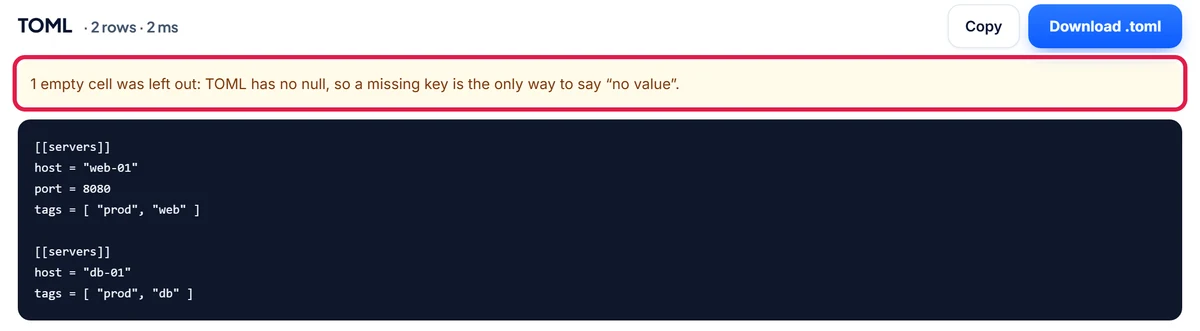
In XML, everything is text, and an empty value is usually an empty element. Types are not part of the format, and a schema or the reading program has to supply them. If your data has real missing values that must be kept, do not choose TOML, or decide how a missing key is read by the program that uses the file. The language is described in the TOML specification v1.0.0.
Nested data and lists
YAML shows nesting by indentation, so deep structures stay readable, but a wrong number of spaces changes the meaning. TOML uses tables written in brackets, and arrays of tables with double brackets, as above. It handles shallow structures well and gets awkward when the nesting is deep. XML nests elements inside elements, which is clear and verbose.
For data, all three can express lists of records. For a configuration file that people edit, the choice often depends on the tools. Many programs have a preferred format, and the format of the receiving program should win over your preference.
A comparison of tabular and tree formats in general is in CSV vs JSON: Which Format to Use for Your Data.
XML names and attributes
XML has rules for names that the other formats do not have. A name cannot start with a digit or contain a space, so a CSV header such as 2024 servers is not a legal element name. The converter renames it itself, to _2024_servers in this case, and says so in a note. Rename the column in the source if you prefer a name of your own, for example servers_2024.
XML also has attributes, such as . When XML is converted to CSV, attributes become plain columns, next to the columns of the child elements. The converter refuses input that contains a DOCTYPE declaration, because a document type definition can define entities that expand into very large or external content. The XML syntax is defined in the W3C XML 1.0 specification.
Converting back to CSV
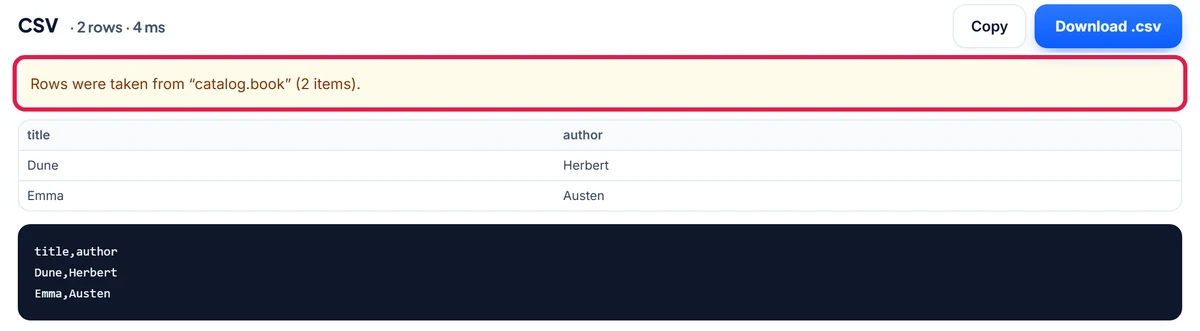
The converter also reads XML and TOML and writes CSV. A CSV has one table, so the converter has to pick one list as the rows. Only the largest list becomes rows. Other top-level keys are reported and not included.
For an XML catalog with two books, the note says that the rows were taken from "catalog.book" (2 items).
For a TOML release plan, a list inside a record, such as the features of a release, is joined into one cell with the | separator, as in dark mode|export. A top-level value that is not a list, such as the title of the plan, is not in the CSV, and the converter says so.
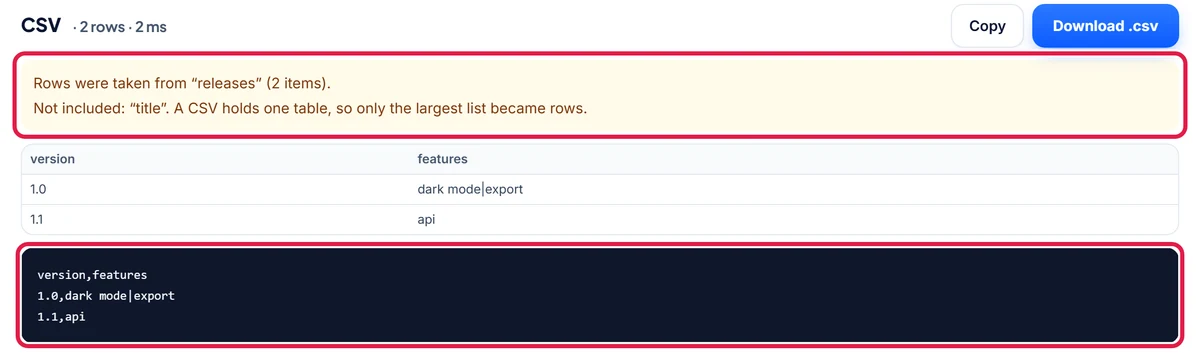
Read the notes after every conversion. They tell you what the CSV does not contain. If you need that data, convert the file in parts, or choose another format for the exchange.
Try it
Open the CSV to YAML, XML & TOML Converter and paste a CSV of your own. Convert it to YAML, TOML and XML in turn, compare the output, and read the notes about empty cells, names and lists.