
How 'Next Friday' Becomes a Due Date in Task Lists
How an action item tool turns Friday, next Friday, tomorrow and end of the month into calendar dates from a reference date, why owners stay Unassigned, and what changes in other languages.
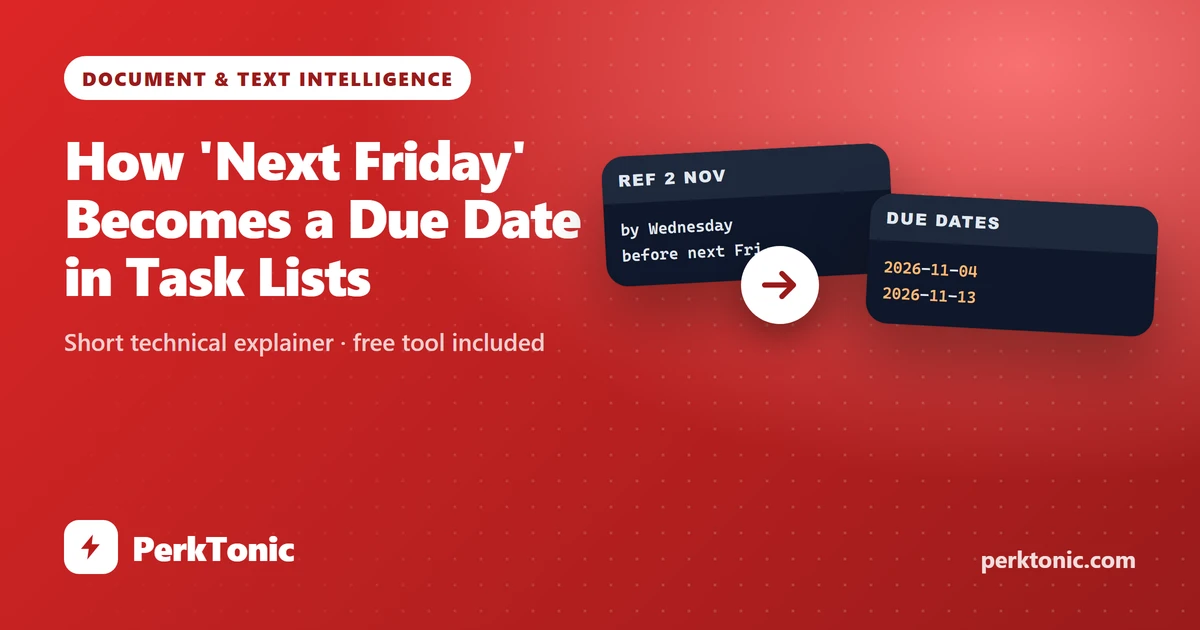
"Before next Friday" is clear to the people in a meeting and meaningless in a task list, which needs a calendar date. Which Friday is meant depends on the day from which you count. The Action Item Extractor converts such phrases with fixed rules from a reference date, so you can predict the result, and it leaves an owner as Unassigned when the text names nobody.
The reference date
Every relative phrase needs a starting point. "Tomorrow" is tomorrow relative to some day, and the text does not say which. In the Action Item Extractor, this starting point is the field Reference date (what "today" means in the text). You set it, normally to the day when the notes were written or the email was sent.

The conversion is done by a date reader with fixed rules, not guessed by the AI. The same phrase and the same reference date always give the same due date. In the example of the tool, the reference date is Monday 2 November 2026, and the result line says "dates relative to 2026-11-02". The values below hold for a Monday or a Tuesday reference date in that week.
If you change the reference date, all relative deadlines move with it. This is the first thing to check when a due date looks wrong: the date of the notes and the date in the field may differ.
Friday versus next Friday
The two phrases mean different days, and the extractor treats them differently.
- "Friday" means the coming Friday: the first Friday after the reference date.
- "Next Friday" means the Friday of next week.
With a reference date in the week of 2 November 2026, "Friday" is 2026-11-06, and "next Friday" is 2026-11-13. In the example of the tool, "Sam will collect the slowest examples and share them in the channel before next Friday" gets the due date 2026-11-13, and "Marco will update the pricing page … by Wednesday" gets 2026-11-04.
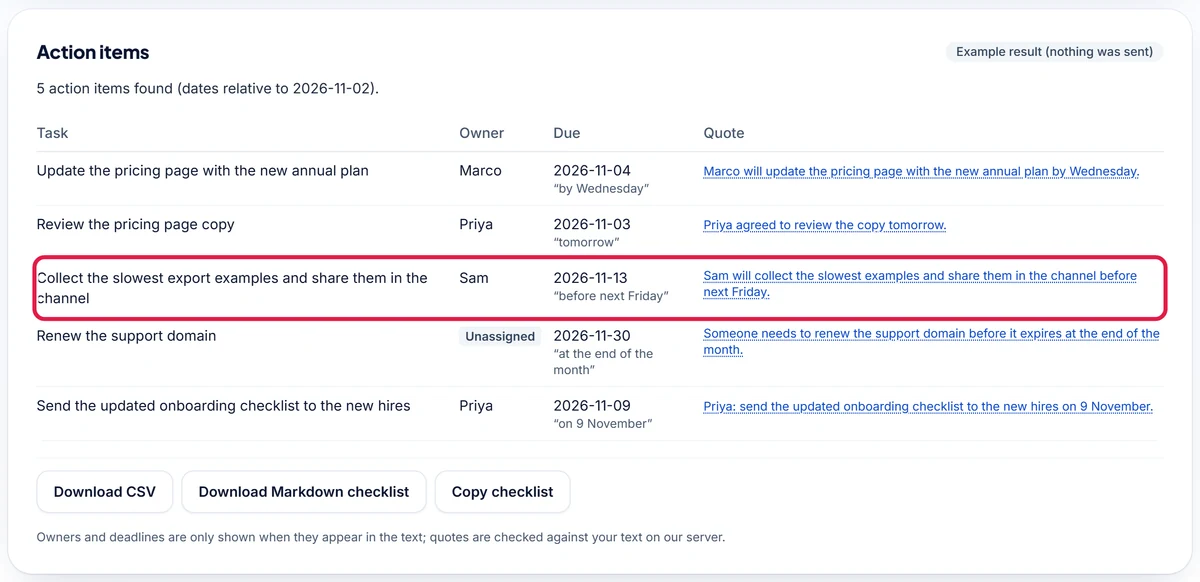
People do not always mean the same by these words. Some use "next Friday" for the nearest Friday, and some say "this Friday" for it. The extractor follows one rule, and the source sentence is shown beside each task, so you can see what was written and check whether the date fits what the speaker meant. If the meaning is unclear in your team, write the date in the notes.
Other phrases the date reader resolves
The date reader handles more than weekdays. It resolves:
- tomorrow
- Friday and next Friday
- end of the month
- in 2 weeks
- a plain date such as 4 December
With the same reference date, "at the end of the month" gives 2026-11-30, and "tomorrow" gives 2026-11-03. A phrase that the reader does not know does not get a date. A task such as "ask Finance" has no deadline in the text, so it has no due date. The tool does not make one up, because a made-up deadline looks real in a list.
When a task has no date, decide whether it needs one. If it does, add a date by hand.
Why no owner is invented
The same attitude applies to owners. An owner is taken from the text: someone who says "I will", or someone who is asked. If the sentence says "someone needs to renew the support domain", nobody is named, and the task is shown as Unassigned.
An invented owner is worse than no owner. A name in the owner column makes a task look handled. A task with the label Unassigned is visible and invites a decision. When you send the list to a team, the Unassigned tasks are the first item to discuss.
In the example of the tool, the task "Renew the support domain" has the owner Unassigned. The workflow is in Extract Action Items From Meeting Notes or Emails.
Other languages
Notes are not always in English. When the text is in another language, the date reader may not know the words. In that case, the date that the AI gave is kept, if it is a valid date. When the reader does resolve the words, its date wins over the date of the AI.
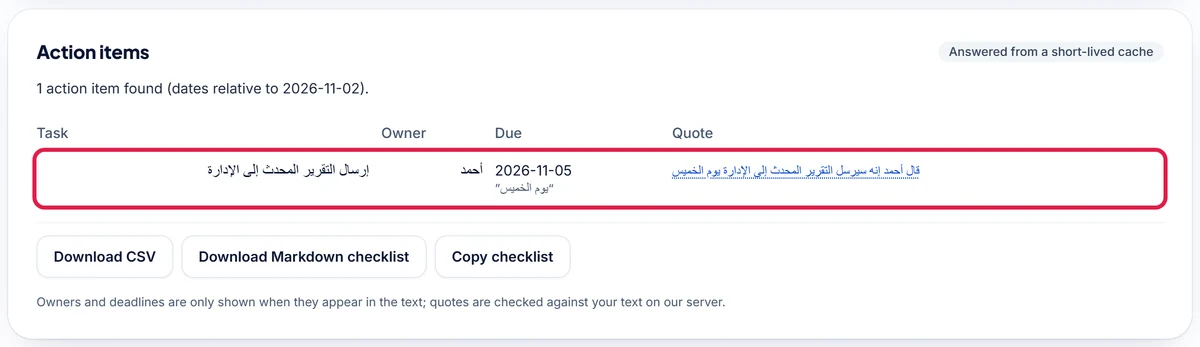
I tested a short Arabic note: "Ahmed said that he will send the updated report to the management on Thursday" (written in Arabic), with the reference date 2 November 2026. The result has one task with the owner أحمد and the due date 2026-11-05, and the phrase يوم الخميس (Thursday) shown under the date. The owner is taken from the text, and the date is a valid date. Check dates in other languages with more care: compare the date with the sentence, and with a calendar if the phrase is relative.
The same rules apply to meeting transcripts. The Meeting Minutes from Transcript tool has a field for the date that deadlines are counted from, as described in Write Meeting Minutes From a Zoom or Teams Transcript.
Try it
Open the Action Item Extractor, paste your notes and set the reference date to the day the notes were written. Read each due date next to its source sentence, check "Friday" and "next Friday" against a calendar, and assign every Unassigned task.