
Merge Two CSV Files Like a VLOOKUP (Join)
How to add the columns of one CSV to another by a shared ID without VLOOKUP: inner, left, right and outer joins, duplicate columns and the extra rows that duplicate keys create.
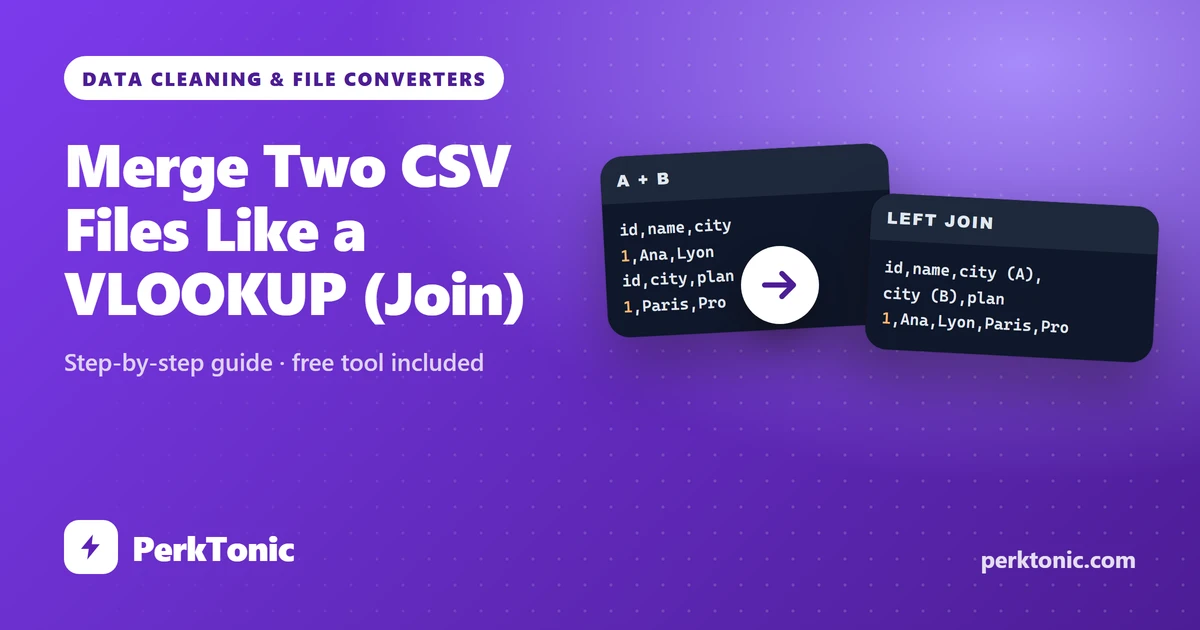
To add columns from one CSV to another by a shared ID, you do not need VLOOKUP formulas. You join the two files on the key column, as a database does. The Compare Two CSV Files tool can merge two CSV files by column in its Merge (join) mode, and it works like a SQL join, with the join type of your choice.
Choose Merge (join)
- Open Compare Two CSV Files.
- Paste file A, the main file, in File A (old), and file B, the file that holds the extra columns, in File B (new). You can also open the files.
- Under What to do, choose Merge (join).
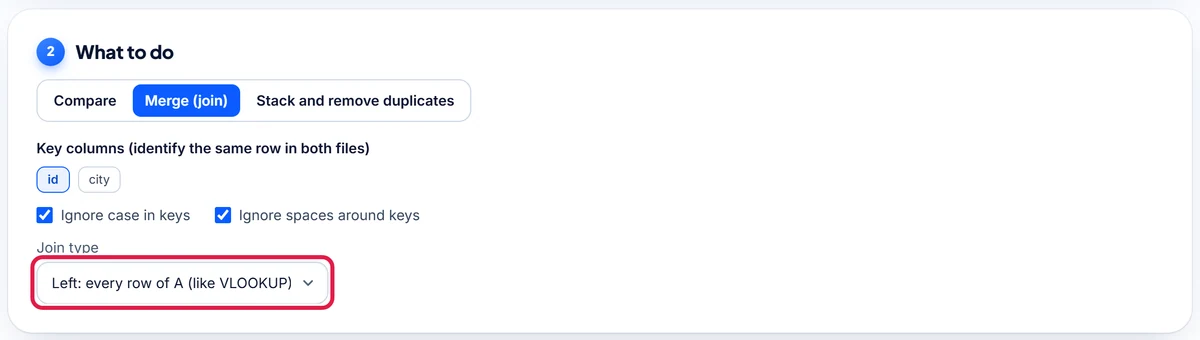
- Pick the key column, for example id, under Key columns, and choose the Join type.
- Check the Merged file preview and press Download merged CSV.
The key is the column that both files share, such as a customer ID. Rows are matched when the key has the same value in both files. As in a lookup, the key should identify a row in file B: one row for each ID.
A VLOOKUP does the same job for one column at a time. A join adds all the columns of file B in one step, so it saves you from writing a formula for each one.
Inner, left, right and outer
The join type decides what happens to rows that have no partner in the other file. The names are the same as in SQL.
- Inner: only rows whose key is in both files.
- Left: every row of file A, with the columns of file B added where the key matches and left empty where it does not.
- Right: every row of file B, with the columns of file A where the key matches.
- Outer: every row of both files, matched where possible.
A VLOOKUP is a left join. It keeps every row of the main table and returns an empty result, shown as #N/A in Excel, for a key that is not found. If you want the same behaviour, choose left. Choose inner when you only want rows that exist in both files, and outer when you want to see everything, including rows that exist in only one file.
The join types are described in the PostgreSQL documentation on joined tables. The same logic applies in other databases and in pandas, as shown in Do a VLOOKUP in pandas With a Left Merge.
Worked example: left join on id
File A has the columns id, name and city. File B has the columns id, city and plan. Join them on id with a left join.
Both files have a column called city. To keep them apart, the tool names the columns of the result id, name, city (A), city (B) and plan. The city of file A and the city of file B are separate columns, so you can compare them, and nothing is overwritten.
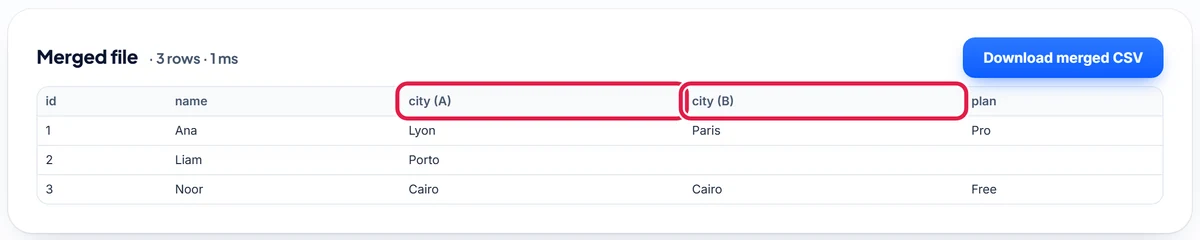
A left join keeps every row of file A. A person in file A who is not in file B appears with an empty plan. A person who is only in file B does not appear, because file A is the main file. That is exactly what a VLOOKUP would give.
Look at the empty cells in the plan column. They show the IDs of A that have no match in B. If you did not expect any, check that both files write the ID in the same way: leading zeros, spaces and letter case can make the same ID look different.
To list what is different between two versions of the same file, and not to add columns, use the comparison in Compare Two CSV Files and Find the Differences.
Duplicate keys create extra rows
A join has one trap. If a key appears twice in file B, every row of A with that key is matched with both rows, and the result gets two rows for it. In a VLOOKUP, you would only see the first match and not notice the duplicate.
The tool tells you when this happens. A note shows that the key appears twice and says how many extra rows were created, so the number of rows in the result is not a surprise.

When you see the note, decide what is right. If the second row in B is a mistake, remove the duplicate from B and join again. If both rows are valid, for example a customer with two plans, the extra rows are correct, and the result has one row for each plan.
The same logic is used when the joined result is put into a database. The Formula to SQL & pandas Converter shows how a VLOOKUP becomes a LEFT JOIN in SQL, which is what happens here.
Try it
Open Compare Two CSV Files, choose Merge (join) and load the two files. Pick the shared key and the join type left, read the note about extra rows from duplicate keys, and check the empty cells in the added columns.