
Fix Name Capitalization in a CSV Contact List
How to fix the capitalization of names in a CSV contact list: ALL CAPS and lower-case names, particles and hyphens, Mc and Mac names, and country names to ISO codes.
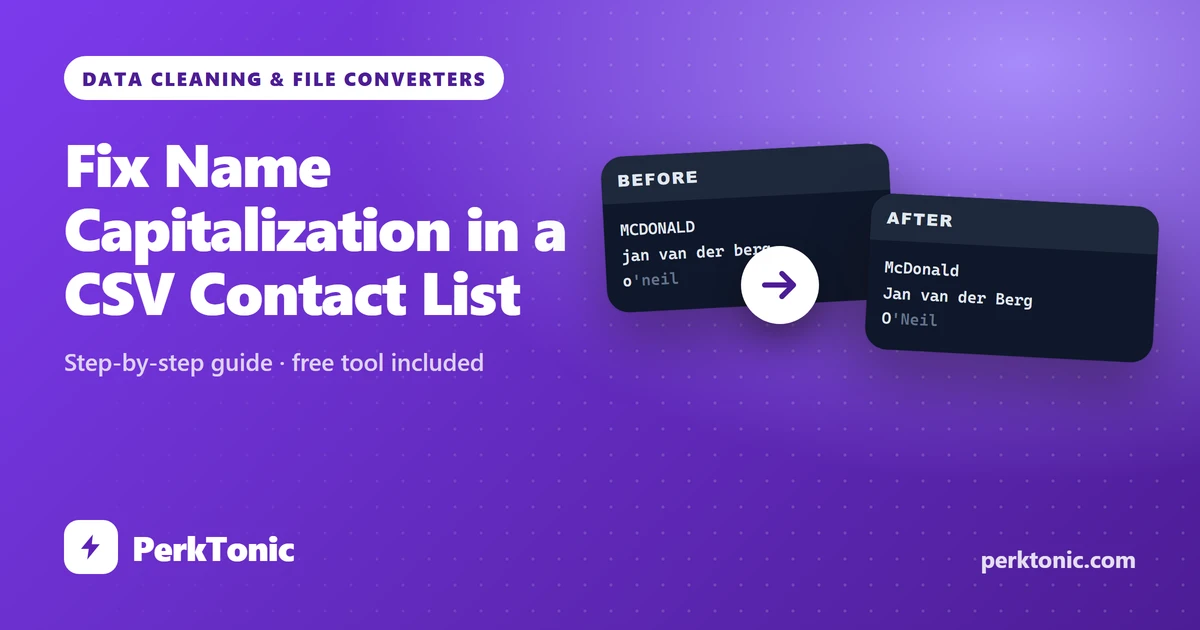
A contact list that mixes MCDONALD, jan van der berg and Jean-Luc looks careless in a mailing. To fix the capitalization of names in a CSV, load the file into the CSV Phone, Email & Name Standardizer and give the name columns the rule Person name → capitalisation. It writes names in proper case and leaves alone the names that already look deliberate.
Which names are changed
The rule changes a word only if it is written in ALL CAPS or in all lower case. A word that has a mix of capital and small letters is assumed to be correct and is left as it is. DeShawn and MacKenzie are kept, because their capitals were probably typed on purpose.
This protects names that a simple "proper case" function would damage. A function that lower-cases everything except the first letter turns MacKenzie into Mackenzie and DeShawn into Deshawn, and the damage cannot be recognised afterwards.
Examples of the changes:
- MCDONALD becomes McDonald.
- jan van der berg becomes Jan van der Berg.
- o'neil becomes O'Neil.
- ibn battuta becomes Ibn Battuta, because a patronymic such as ibn or bin at the start of a name gets a capital.
A value that contains digits or symbols such as @ or # does not look like a name. It is left unchanged and listed as invalid.
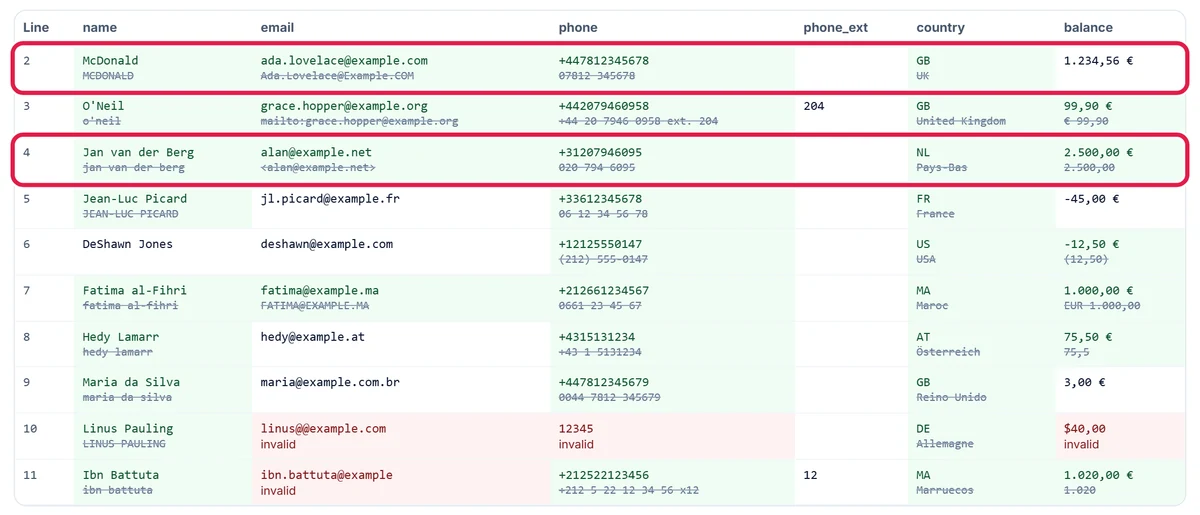
Check the preview before you download. The before and after values are shown side by side, so you can see each change.
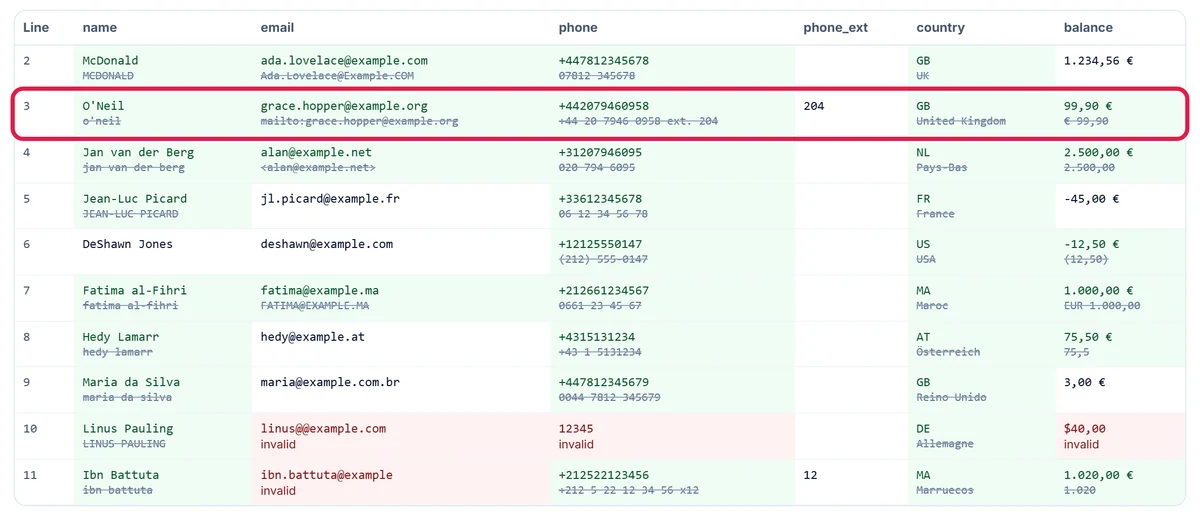
Particles and hyphenated names
Many names contain small words that are written in lower case: van der Berg, da Silva, al-Fihri. These particles stay lower case when they are inside a name, and the other parts get capitals. The result for jan van der berg is Jan van der Berg, not Jan Van Der Berg.
A hyphen separates two parts of a name, and each part gets a capital: Jean-Luc has two capitals, and so would Anne-Marie. A hyphenated name that starts with a particle, such as al-Fihri, keeps the particle in lower case.
These rules cover the common patterns. Names are varied, and some people write their names in their own way, for instance with a lower-case first letter. If a person's own spelling matters, check those rows by hand after the conversion. The standardizer changes only ALL CAPS and all lower-case words, so a name that is already in mixed case is not touched.
Mc and Mac
Names that start with Mc follow a clear pattern: the letter after Mc is a capital. MCDONALD becomes McDonald, and mcdonald does too.
Names that start with Mac are different. Some have a capital after Mac, as in MacKenzie, and others do not, as in Macdonald or Machado. Capitalizing every Mac name would damage the second kind, and the tool cannot know which kind a name is. So Mac names are not given an inner capital. A word in ALL CAPS, such as MACDONALD, gets only the first capital, as in Macdonald, and a name that is already written as MacKenzie stays as it is.
If you have a list of names that need the inner capital, correct them by hand after the conversion.
Countries to ISO codes in the same pass
Contact lists often have a country column with names in several languages. The same tool can convert them to a standard form. The output can be one of three:
- ISO alpha-2 code, such as DE.
- ISO alpha-3 code, such as DEU.
- The English country name.
For example, the values Allemagne, Marruecos and Österreich become DE, MA and AT when the alpha-2 output is selected.
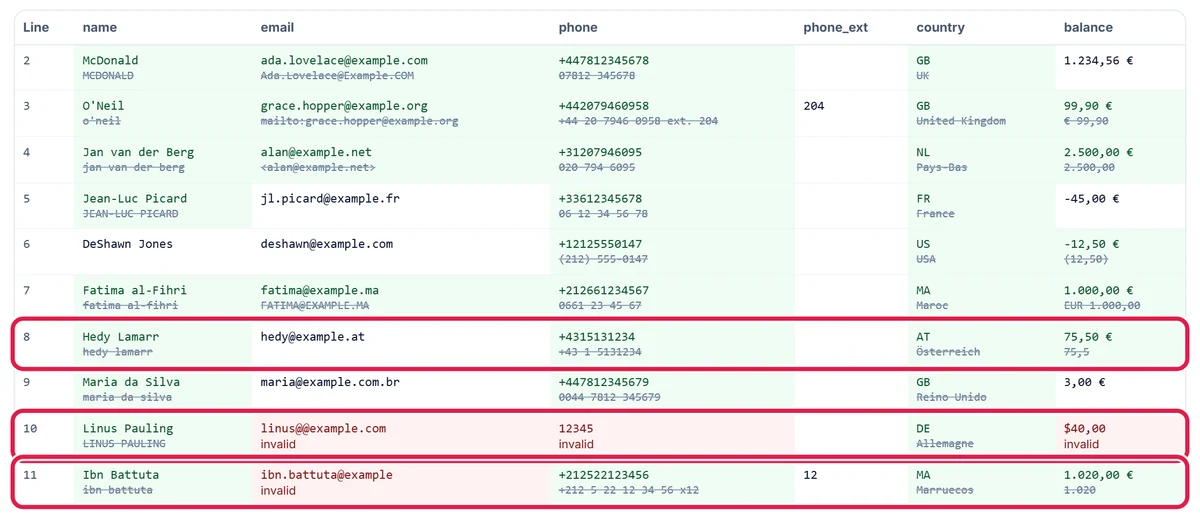
Codes are easier to use than names in a CRM or a database, because they do not change with the language or the spelling. Choose the output setting that your target system expects. The codes are defined in the standard ISO 3166, see the ISO 3166 country codes page. Phone numbers can use the country as well: see Standardize Phone Numbers to E.164 in a CSV.
A value that is not recognised as a country is not guessed. Check the result for entries that stayed unchanged, and correct them in the source. For the other contact columns, see Validate and Clean Email Addresses in a CSV.
Try it
Open the CSV Phone, Email & Name Standardizer, load your contact list and apply the name rule to the name columns. Read the before and after preview for particles, hyphens and Mc names, set the country output if you need ISO codes, and download the file.