
Read European Number Formats on Invoices
How an invoice extractor reads European amounts such as 1.043,00 €: amounts as printed, the numbers style, the currency sign, due dates and what stays Not found.
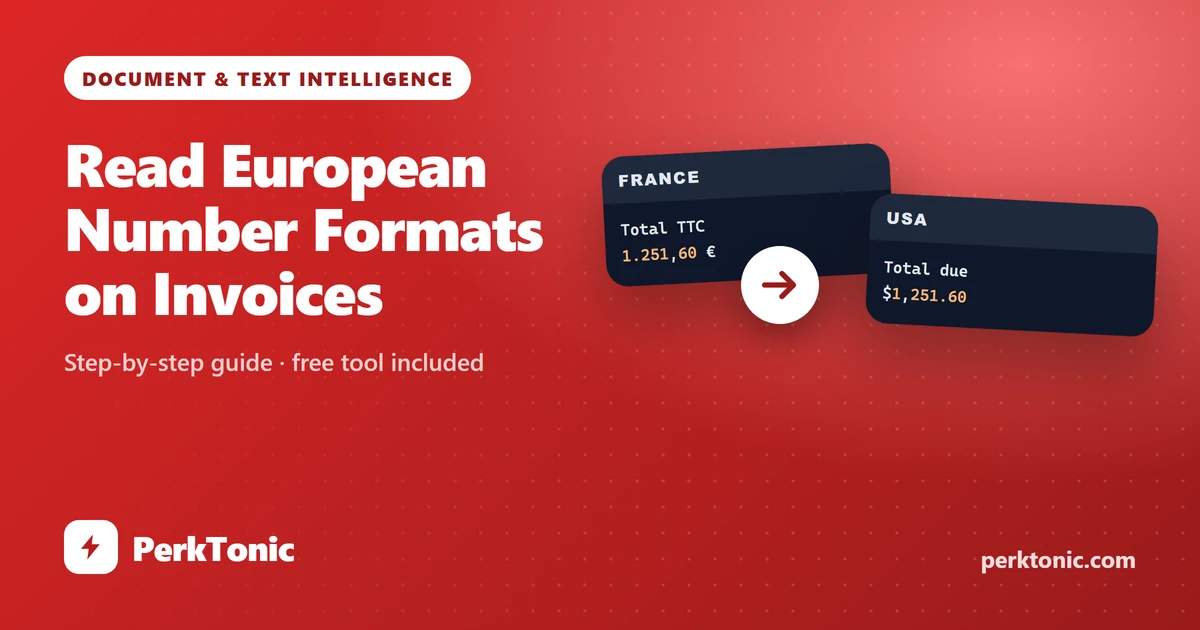
An invoice from France, Germany or Spain writes one thousand and forty-three euros and fifty cents as 1.043,50 €, with a point as the thousands separator and a comma as the decimal mark. A program that expects the English style reads this as a different number, or as text. The Invoice & Receipt Data Extractor shows such amounts as printed and parses them with its own code in the style of the invoice.
How amounts are read
The extractor reads the amounts from the text of the invoice and shows them as they were printed. Under the result it names the style that it found, for example "Numbers style on this invoice: 1.234,56. Amounts are shown as printed; our own code parses them and does the arithmetic." So the screen keeps the printed 1.043,00 €, and the number behind it is 1043.00, which you see in the downloaded Excel, CSV or JSON file.
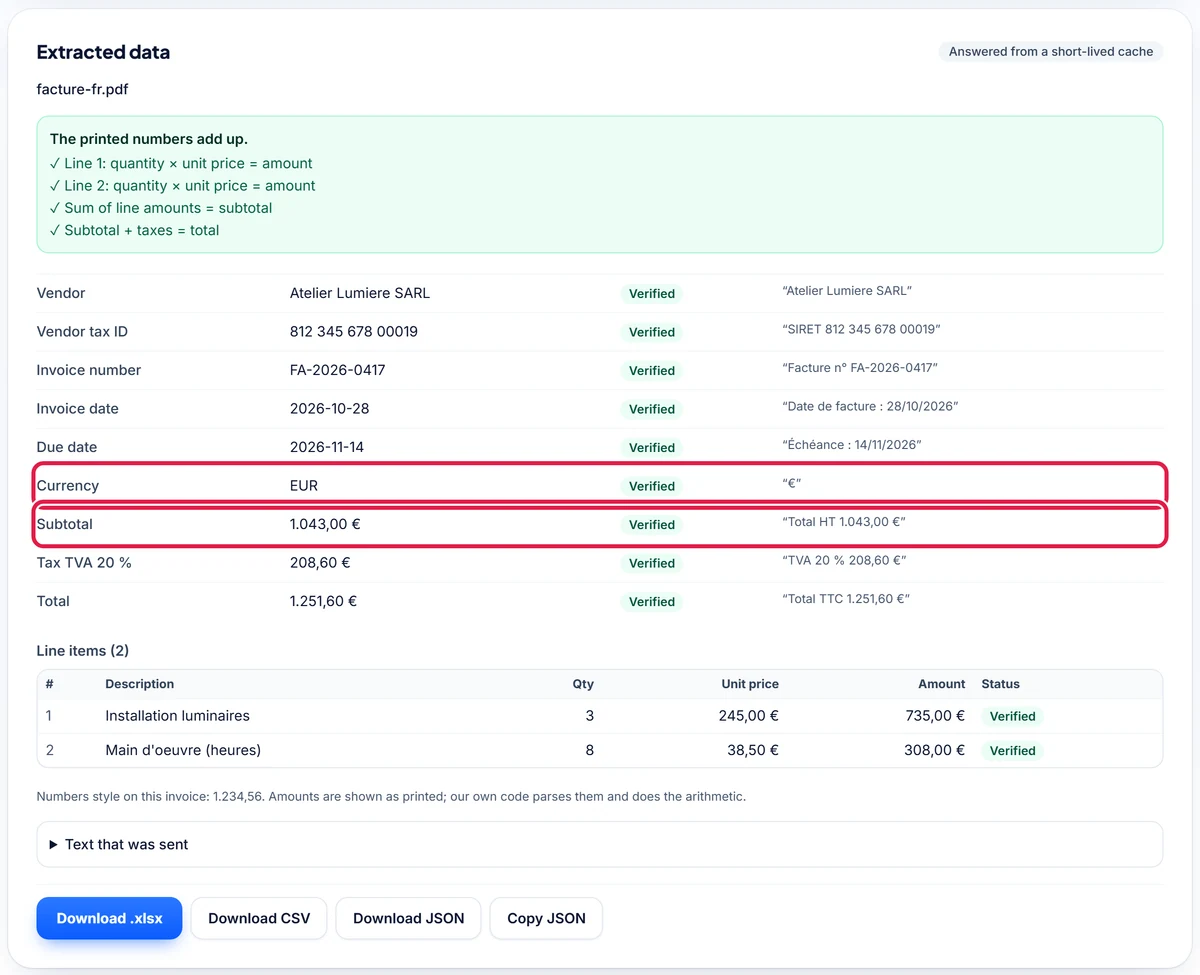
Showing the amount as printed is the safety measure. You can compare it with the paper and see at once that it matches, and the green box "The printed numbers add up" tells you that the lines, the subtotal, the tax and the total are consistent in the style that was read. A wrong reading by a factor of a thousand would break these checks. 1.043 could be one and forty-three thousandths in English notation, or one thousand and forty-three in European notation. The comma that follows makes the European reading clear.
The rule is simple. In a number with both a point and a comma, the last one is the decimal mark and the other one is the thousands separator. A number with only one separator needs more care, such as 1.043 without a comma. Check such amounts against the totals: the lines must add up to the total, and the arithmetic shows which reading is right.
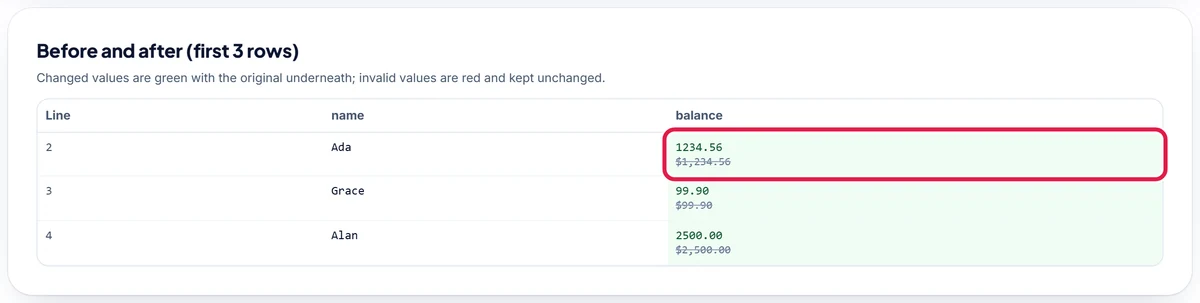
For CSV files with amounts, the same question comes up. In a US-style file, the amount $1,234.56 has a comma as the thousands separator and a point as the decimal mark. The CSV Phone, Email & Name Standardizer has a rule Amount → one currency format. It detects the style of the column, here "Detected 1,234.56 from 3 values; currency USD", and writes the amounts in the format that you choose under Write amounts as, for example 1234.56 for spreadsheets.
Currency from the printed sign
The currency is taken from the sign that is printed on the invoice. The euro sign in 245,00 € gives EUR, and the extractor shows the line that it used as the source. The pound sign gives GBP, and the dollar sign gives USD. A currency that is written as a code, such as CHF, is read as printed.
The extractor does not guess the currency from the country of the supplier. A French company can invoice in dollars, and a German one in Swiss francs. If the invoice has no sign and no code, the currency is left empty, and you fill it from the context.
Pay attention to the dollar sign, which many currencies share. The sign alone does not tell Canadian from US or Australian dollars. If it matters, look for the country or the code in the text of the invoice.
Due dates: printed versus relative
Dates on European invoices are written with the day first. A line such as Échéance : 14/11/2026 gives the due date 2026-11-14. The tool writes dates in the form YYYY-MM-DD, which has no ambiguity.
A due date can also be written as a rule instead of a date. In a test invoice of a translation agency, the payment terms read "Payment: 14 days from the invoice date". There is no calendar date on the page. The due date is marked Not found, and a note says "Payment terms are given as 14 days from the invoice date, so no calendar date due is printed."
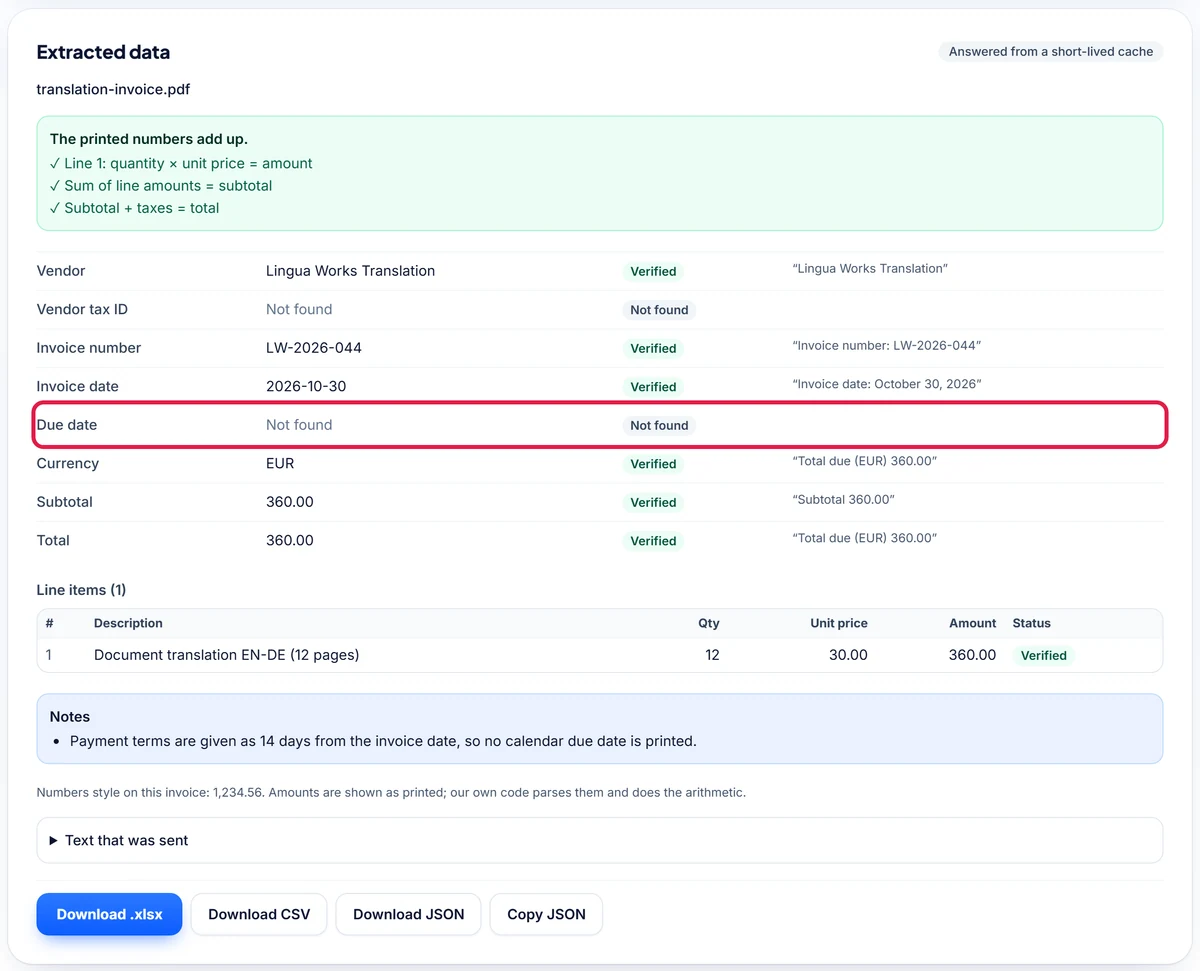
The tool never calculates a due date. This is deliberate: to calculate it, it would have to decide how days are counted and which date is the start, and a wrong date in an accounts payable list can lead to late payment or to a missed discount. When the due date is relative, calculate it yourself from the invoice date and the terms, and enter it by hand. A rule such as "14 days from the invoice date" means that you add 14 days to the invoice date.
Not found instead of a guess
When a field is not on the invoice, the tool says so. If an invoice has no printed total, the total is marked Not found. It does not add up the lines to make one.
This is the same principle as for the due date: a value that was not read from the document is not invented. A Not found mark tells you that the information is missing, and you can look at the invoice, ask the supplier or compute the value on purpose and label it as computed.
Each field shows the line it came from, and fields are marked Verified, Check or Not found. Start with the last two. The whole workflow is described in Extract Invoice Data to Excel: Totals, Dates, Lines.
When you move the extracted data into a spreadsheet, check the decimal separator of your own Excel. A file with 1043.50 opens correctly in an English Excel, and in a European Excel it can be read as text. The Write amounts as menu of the standardizer offers 1234.56, 1,234.56, 1.234,56 and 1 234,56, so you can write the style that your Excel expects, and a check of the first rows after the import avoids surprises.
Try it
Open the Invoice & Receipt Data Extractor, add a European invoice and press Extract data. Compare each amount as printed with its number, check the currency, read the due date, and look at the fields that are Not found.