
Check the Numbers in an AI Summary Before Sharing
How to check an AI summary before you forward it: amber figures, quotes marked not verified, reading each key point with its source quote, and what a summary leaves out.
An AI summary reads fluently, and that is the risk: a wrong figure looks as convincing as a right one. Before you forward one, go through four things: figures highlighted in amber, quotes marked not verified, key points compared with their source quotes, and the parts that a summary leaves out. The AI Document Summarizer does the first two checks automatically.
Figures highlighted in amber
The summarizer compares the figures in the summary with your text. Any figure that is not found in the text is highlighted in amber, with the hint "Not found in your text: check it", and a yellow box above the summary counts them: "1 figure is not found in your text and is highlighted: check it." A number that appears in a summary but nowhere in the source was not taken from the source, and the amber highlight says so.
I have to be honest about one point. The summaries that I generated while preparing this guide, one from the library report of the tool and two from short texts of my own, contained no amber figure, because the AI kept to the figures of the text. The highlight appears only when the AI adds, changes or computes a figure. The checks below are therefore a safety net that you use on every summary, not a feature that you will see every time.
Treat amber as a stop sign for that figure. Do not forward it until you have found out where it came from. There are three usual explanations:
- The AI made an error and invented or changed the number.
- The figure was computed, for example a total of two amounts in the text. Then the sum is not in the source, and you must check the arithmetic yourself.
- The figure is in the source in a different form, such as "412 thousand" for 412,000. Search the original for the words and decide.
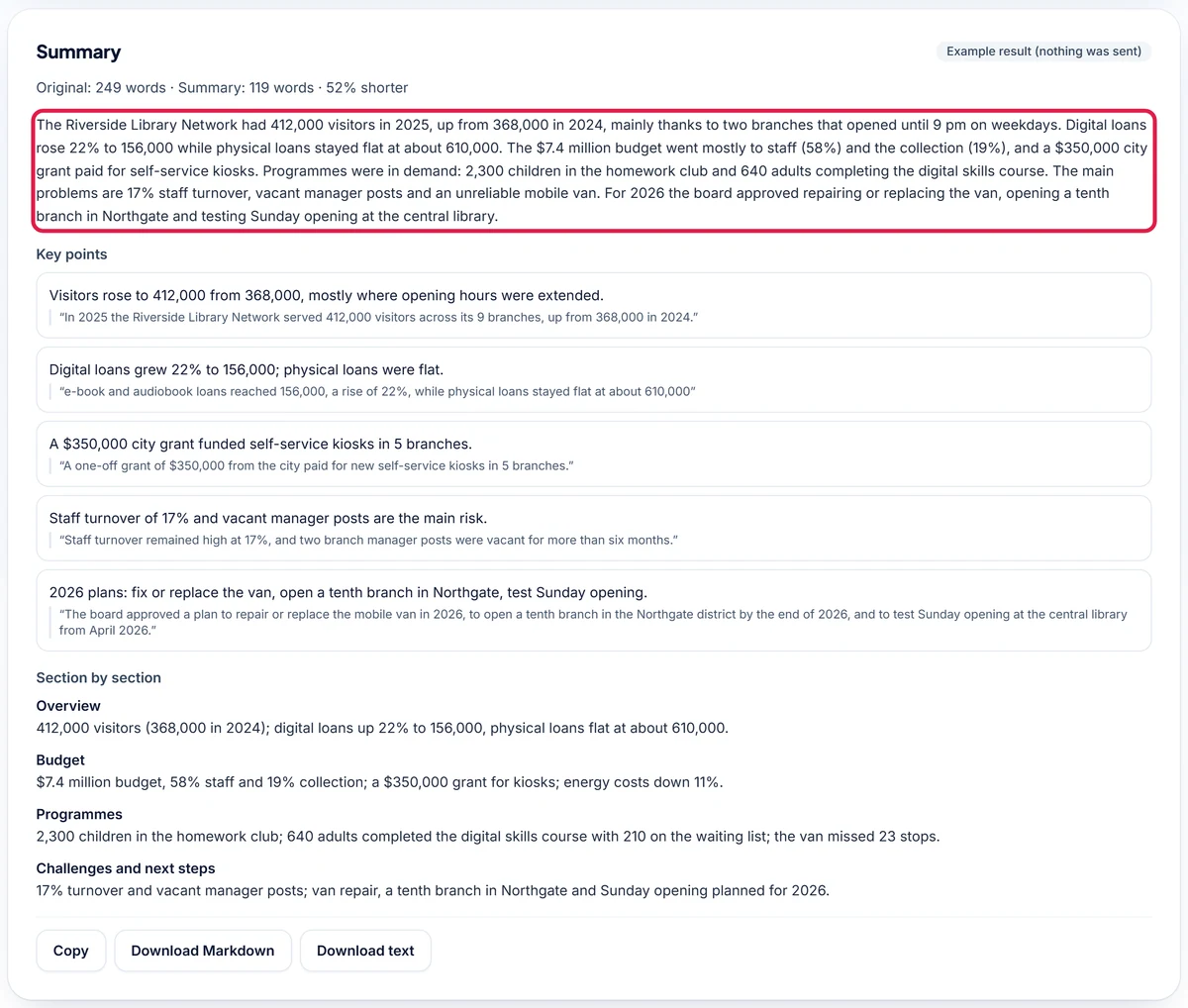
In the example of the Riverside library report, the summary contains the figures 412,000, 368,000, 156,000 and 22%. Look for each of them in the source. When they are found, they are not highlighted, and you can compare the context in which each appears. A figure that is found can still be placed in the wrong context, for example a number for last year given as the number for this year.
Quotes marked not verified
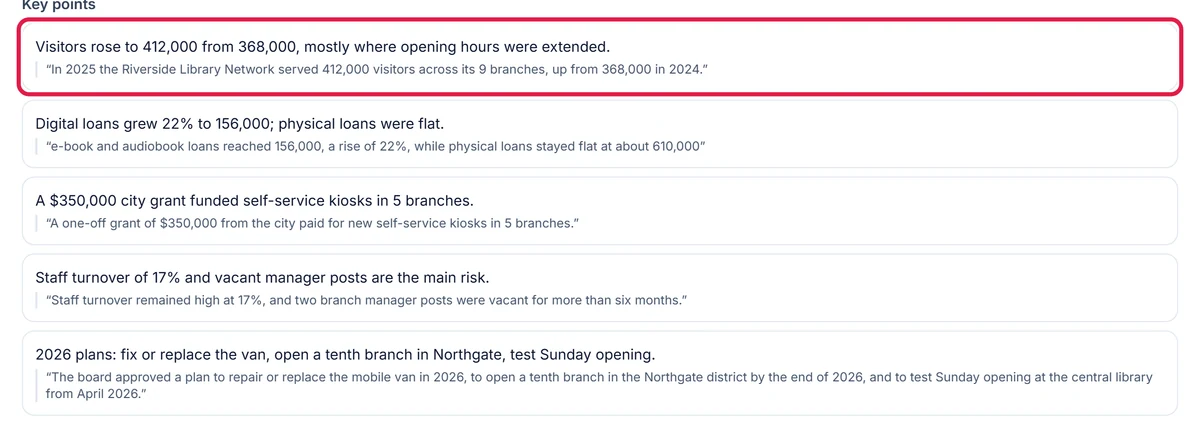
Key points are shown with quotes from your text. The tool checks that each quote is in the text. A quote that cannot be matched is marked not verified, and the yellow box adds "1 key point's quote could not be found in your text".
A quote that is not verified may be changed slightly or made up, or it may come from a line break or a hyphenation in your pasted text that breaks the match. Look at the original sentence. If the meaning is the same and only the formatting differs, the key point is probably right. If you cannot find the sentence, drop the key point.
Never forward a quotation that carries this mark without finding it yourself. A quotation that a person never said, or a sentence that is not in the report, can do more harm than a missing figure.
Compare key points to the source quote
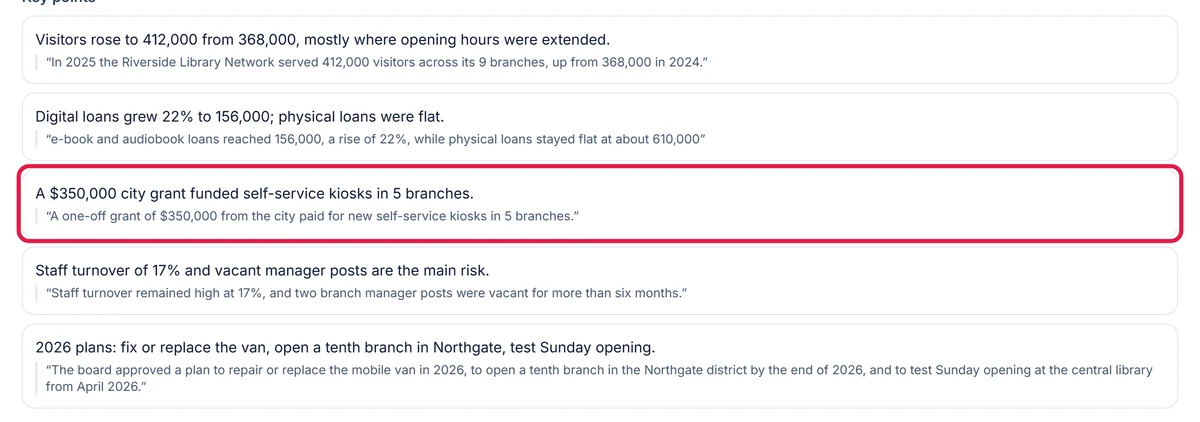
For each key point that you plan to use, read the key point and the quote together.
Ask three questions:
- Does the quote contain every figure of the key point, with the same number and unit?
- Does the quote support the verb of the key point? "Plans to spend" is not "spent", and "up to" is not "exactly".
- Is the quote about the subject that the key point names, and about the same period?
Most errors that pass the first two checks are caught here. They are errors of meaning and not of number, such as a target reported as a result, or a figure for one department reported for the whole organisation. These are the errors that a tool can highlight least, so a human reads them.
If you are not sure, go to the source text and read the paragraph around the quote. It takes a minute and is faster than a correction after the summary has been sent to others.
What a summary leaves out
A summary leaves things out, by design. That is its purpose, and it is also its limit. The parts that did not make it into the summary may be the ones that matter for your decision: a condition, an exception, a deadline, a risk.
Before you decide on the basis of a summary, read the parts of the document that bear on the decision. Use the summary to find the right section and not to replace the reading of it. If the document has sections, the option Add a section-by-section digest shows what each one covers. The steps for choosing length, tone and digest are in Summarize a Long Document Without Losing the Figures.
The same attitude applies to other generated output. A formula from an AI tool needs a test with known results, as described in Check an AI-Generated Excel Formula Before You Use It.
Try it
Open the AI Document Summarizer, summarize your text and look for amber figures and the mark not verified. Search the source for each figure that you will quote, read each key point with its quote, and read the sections of the document that matter for your decision.