
Convert a JavaScript Regex to Python
How to convert a JavaScript regex to Python: named groups, flags as re constants, replacement references, lookbehind and Unicode differences, with the tester's converter.
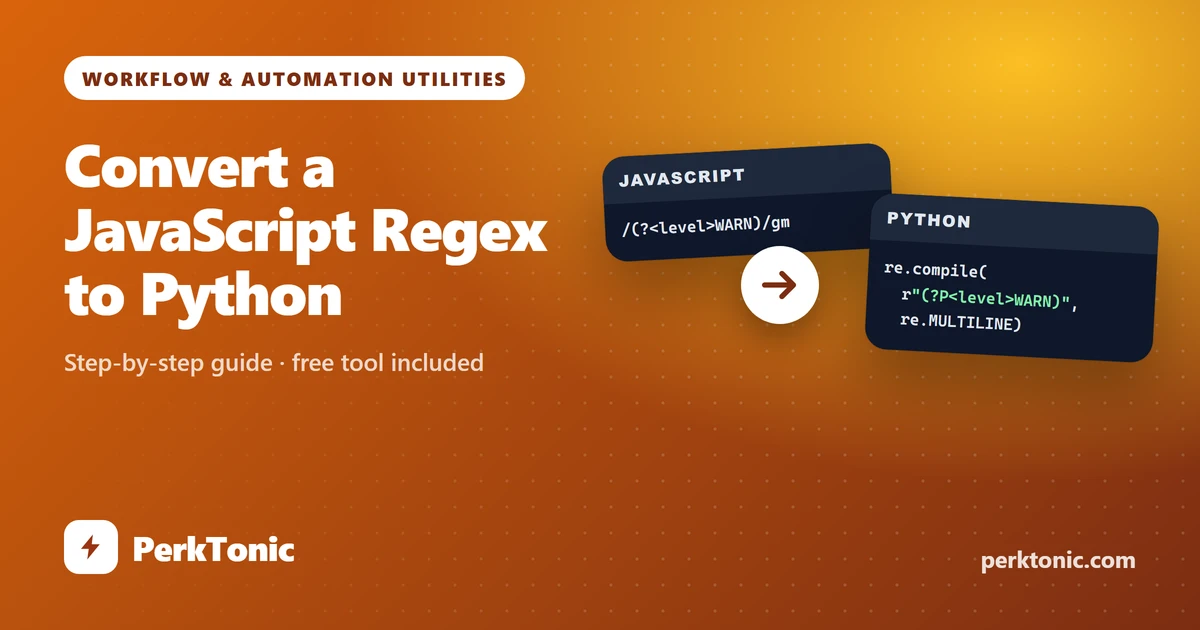
A pattern that you tested in JavaScript does not always work unchanged in Python. The core syntax is shared, but named groups, flags and replacements are written differently. The Regex Tester & Generator tests your pattern in the browser, which uses the JavaScript flavour, and its option Use it in another language converts the pattern for Python and gives a code snippet.
Syntax that differs between languages
The basic building blocks are the same in both languages: character classes such as \d and [A-Z], quantifiers such as + and {4}, anchors and groups. A simple pattern moves over without changes.
The differences are in the details:
-
Named groups: JavaScript writes (?
- Flags: JavaScript puts them after the pattern, as in /pattern/gim. Python passes them as arguments of the function, such as re.IGNORECASE. Replacement references: JavaScript writes $
- Lookbehind: JavaScript allows variable-length lookbehind in modern engines, while Python's re module requires a fixed width.
- Unicode property classes such as \p{L}: Python's re module has none. The tool reports "Will not work as is" and suggests the third-party regex module or a class such as [^\W\d_].
- Enter and test the pattern with the flags that you need, or press Try an example.
- Scroll to Use it in another language.
- Choose Python (re) in the menu.
- Read the converted pattern, the code snippet and the two lists under it.
- Press Copy code and paste the snippet into your script.
Python has no pattern literal in slashes. You write the pattern as a string, usually a raw string with the prefix r, so that backslashes are not interpreted twice. The pattern \d+ is r"\d+" in Python.
Test the pattern in the tester first, with sample text, as shown in Test a Regex Online With Named Groups on Log Lines. Then convert.
Use it in another language
At the bottom of the tool, the section Use it in another language has a menu with JavaScript, Python (re), PCRE / PHP, Java and Go (RE2). Pick Python (re).
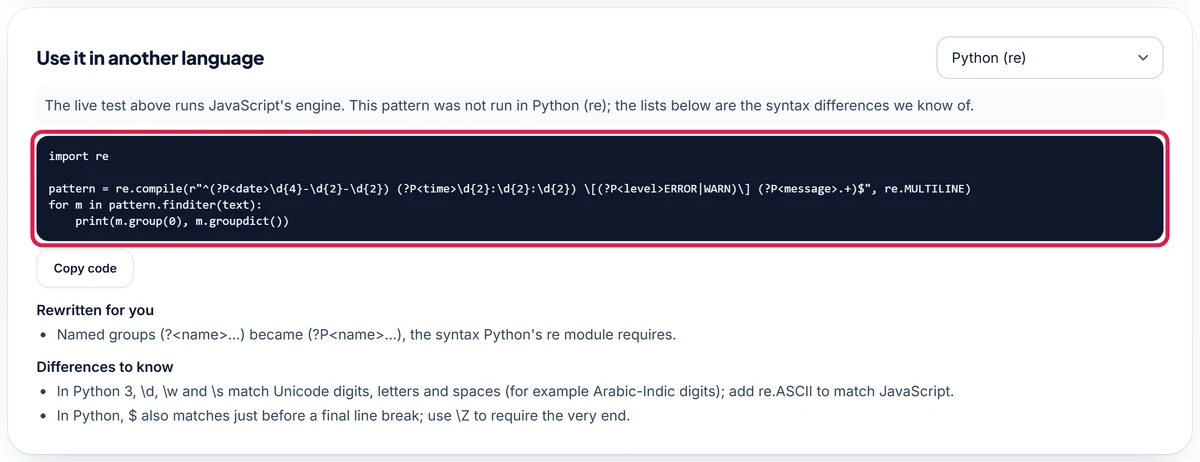
The converter rewrites all named groups. Check the result for each one. A name must be a valid identifier in both languages: letters, digits and underscores, not starting with a digit.
In Python, you read a named group from the match object by its name. For the example of the tool, with the flags g and m, the generated code is:
import re

pattern = re.compile(r"^(?P<date>\d{4}-\d{2}-\d{2}) (?P<time>\d{2}:\d{2}:\d{2}) \[(?P<level>ERROR|WARN)\] (?P<message>.+)$", re.MULTILINE)
for m in pattern.finditer(text):
    print(m.group(0), m.groupdict())

Flags in Python
The flags of the tester have counterparts in Python's re module:
- i: re.IGNORECASE, or re.I
- m: re.MULTILINE, or re.M, so that ^ and $ work on every line
- s: re.DOTALL, or re.S, so that the dot matches line breaks
- u: Python 3 handles patterns of text strings as Unicode by default, so no flag is needed. Note that \d, \w and \s then match Unicode digits, letters and spaces, such as Arabic-Indic digits, and the tool suggests re.ASCII to match JavaScript
- g: there is no flag. Use re.finditer or re.findall to get all matches, and re.search for the first one
- y: there is no flag for sticky matching. The method match of a compiled pattern matches at a given position
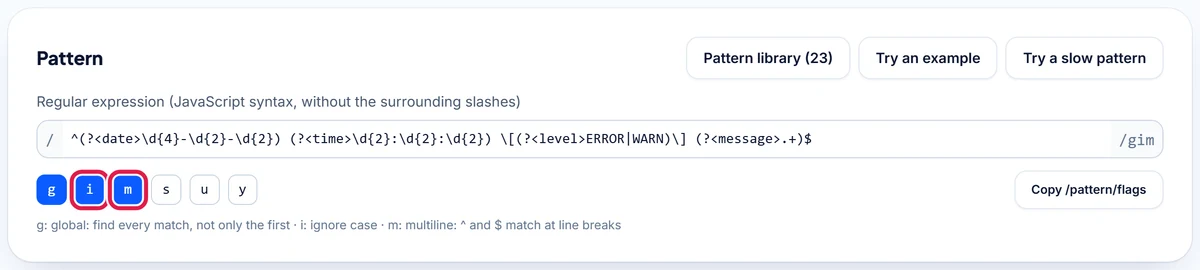
Combine flags with the vertical bar, as in re.IGNORECASE | re.MULTILINE. A common mistake is to forget re.MULTILINE for a pattern with ^ and $ that is meant to work line by line. The pattern then matches only at the start and the end of the whole text, and a log of many lines gives no result.
After the conversion, run the Python code on the same sample text and compare the matches with the tester. They should be the same lines with the same groups. For performance on text that almost matches, see Regex Too Slow: Fix Catastrophic Backtracking.
The syntax and the functions are documented in the Python documentation for the re module. The JavaScript side is described on MDN, in the guide to regular expressions.
Try it
Open the Regex Tester & Generator, test your pattern on a sample, and open Use it in another language. Choose Python, read the converted named groups and the snippet, set the flags as arguments, and run the code on the same sample.