

Regex Tester Online
This regex tester online highlights every match and capture group as you type. It explains each part of your pattern in plain words and shows how to write it for Python, PCRE, Java and Go. A library of 23 ready patterns gives you a starting point.
- Free to use
- No account required
- Instant results
- Private: runs in your browser
Pattern
g: global: find every match, not only the first · m: multiline: ^ and $ match at line breaks
Test text
Paste up to 5 MB or open a file up to 50 MB. Matches are highlighted in the first 20,000 characters and listed for the whole text (up to 10,000). Each run stops after 1 second (2 for texts over 1 MB). Everything runs in your browser.
What the pattern means
^the start of the text (or of a line with the m flag)(?<date>\d{4}-\d{2}-\d{2})Capture group 1, named “date”:\d{4}Repeat exactly 4 times, as many as possible:\da digit (0–9)-the character “-”\d{2}Repeat exactly 2 times, as many as possible:\da digit (0–9)-the character “-”\d{2}Repeat exactly 2 times, as many as possible:\da digit (0–9)␠a space(?<time>\d{2}:\d{2}:\d{2})Capture group 2, named “time”:\d{2}Repeat exactly 2 times, as many as possible:\da digit (0–9):the character “:”\d{2}Repeat exactly 2 times, as many as possible:\da digit (0–9):the character “:”\d{2}Repeat exactly 2 times, as many as possible:\da digit (0–9)\[the text “ [”(?<level>ERROR|WARN)Capture group 3, named “level”:ERROREither this alternative (1 of 2):ERRORthe text “ERROR”WARNOr alternative 2 of 2:WARNthe text “WARN”\]the text “] ”(?<message>.+)Capture group 4, named “message”:.+Repeat one or more times, as many as possible:.any character except a line break (or any character with the s flag)$the end of the text (or of a line with the m flag)
Use it in another language
const re = /^(?<date>\d{4}-\d{2}-\d{2}) (?<time>\d{2}:\d{2}:\d{2}) \[(?<level>ERROR|WARN)\] (?<message>.+)$/gm;
for (const m of text.matchAll(re)) console.log(m[0], m.groups);
Your data: Files and text are processed locally in your browser. Nothing you load here is uploaded to our servers.
How to use
- Type a pattern, or open the pattern library and pick one (email, URL, IPv4, date, phone, UUID and more).
- Turn flags on or off:
g,i,m,s,uandy. Each flag is explained under the buttons. - Paste the text to test, or open a text file. Matches are highlighted at once, and each one is listed with its position and groups.
- Optionally tick "Also test a replacement" and use
$1or$<name>to preview the result. - Read "What the pattern means", then choose a language under "Use it in another language" to get the converted pattern and a code snippet.
- Copy the matches or download them as CSV or JSON.
Examples
Errors and warnings in a log (loaded when the page opens). The pattern
^(?<date>\d{4}-\d{2}-\d{2}) (?<time>\d{2}:\d{2}:\d{2}) \[(?<level>ERROR|WARN)\] (?<message>.+)$with the flags gm matches 3 of the 5 log lines. Line 2 gives date 2026-10-28, time 09:15:47, level WARN and message "Disk usage at 81% on /var". The two [INFO] lines are skipped. Switch the language to Python and the named groups are rewritten for you:
pattern = re.compile(r"^(?P<date>\d{4}-\d{2}-\d{2}) … (?P<message>.+)$", re.MULTILINE)
for m in pattern.finditer(text): ...
A pattern that never finishes. "Try a slow pattern" tests ^(a+)+$ against forty letters a followed by !. Before running anything, the tester warns that the nested repetition can backtrack catastrophically. The run is stopped after 1 second with the message "Stopped after 1 second", and the page stays responsive.
Repeated words. The library pattern \b(\w+)\s+\1\b with gi finds "is is" and "the the" in "This is is a test of the the tool". The explanation describes \1 as "the same text that group 1 matched".
Tips and limits
- Testing uses your browser's JavaScript engine, in a background thread with a time limit, so a slow pattern cannot freeze the page.
- Other languages: Python, PCRE, Java and Go are not run here. The tester rewrites what can be changed mechanically, such as
(?<name>…)→(?P<name>…)for Python and Go,\u{1F600}→\x{1F600}, and[^]→[\s\S]. It lists what it cannot change, such as lookbehind and backreferences in Go,\p{…}in Python'sremodule, or variable-length lookbehind in Python and PCRE. - Highlighting covers the first 20,000 characters of the text. Matches are listed for the whole text, up to 10,000. Patterns can be up to 20,000 characters long.
- You can paste up to 5 MB or open a file of up to 50 MB. Texts over 1 MB get 2 seconds instead of 1.
- Errors are explained in plain words with their position, for example "Unterminated group" with the column of the opening bracket.
- This tool does not write patterns from a description. Start from the library and edit it.
FAQ
How do I write a regex for emails?
Pick "Email address" in the library: `[\w.+-]+@[\w-]+(?:\.[\w-]+)*\.[A-Za-z]{2,}`. It accepts plus-addressing and subdomains. No practical regex covers every address the standard allows, so confirm important addresses by sending an email.
What do the flags mean?
`g` finds every match instead of only the first, and `i` ignores case. `m` makes `^` and `$` work per line, and `s` lets `.` match line breaks. `u` enables Unicode features such as `\p{L}`, and `y` (sticky) matches only at the current position.
Why is my regex slow?
Nested or overlapping repetition, such as `(a+)+` or `(\w|\d)*`, can try an exponential number of ways to match before failing. Make each repeated part match in only one way, and anchor the pattern.
Will my pattern work the same in Python or Java?
Usually, with the changes listed under "Use it in another language". The tester says plainly that it ran only JavaScript, so test the converted pattern once in your target language.
What is the difference between a capture group and a named group?
Both remember the text they match. A named group `(?<year>…)` can also be read by name, which keeps code readable when there are many groups.
Is my text uploaded?
No. The pattern and the text stay in your browser, and the test runs in a background thread on your device.
Privacy note
Patterns, test text and files are processed only in your browser tab. Nothing is uploaded, logged or stored, and everything is gone when you close or reload the page.
Guides for this tool
 Document & Text Intelligence
Extract Order Numbers or Ticket IDs With a Pattern
How to extract ticket IDs or order numbers with your own regular expression in the Text Data Extractor: the pattern field, a worked example, testing first and exporting the list.
4 min read
 Document & Text Intelligence
Extract Email Addresses From Text and Remove Duplicates
How to extract email addresses from a long text: paste it, read the standard form and the count of each address, remove duplicates, and download the list as CSV or JSON.
4 min read
 Workflow & Automation Utilities
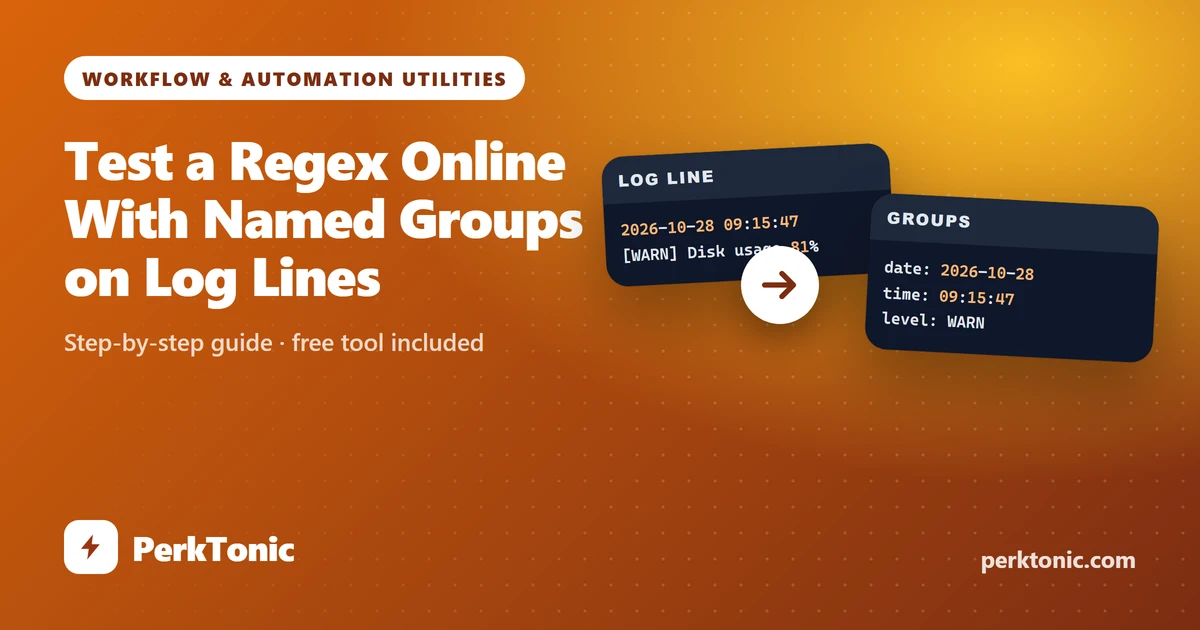
Test a Regex Online With Named Groups on Log Lines
How to test a regex with named groups on log lines: the flags g and m, the matches with positions and groups, the explanation of the pattern and a replacement preview.
5 min read
 Workflow & Automation Utilities
Regex for Email Addresses: Test a Library Pattern
How to use the library email regex of the Regex Tester: pick the pattern, test it on real text, see what it accepts and rejects, and when an extractor is the better tool.
4 min read