
Regex Too Slow: Fix Catastrophic Backtracking
Why a regex can freeze on almost matching text, the example ^(a+)+$, how the tester warns and stops a slow test after 1 second, and how to rewrite the pattern.
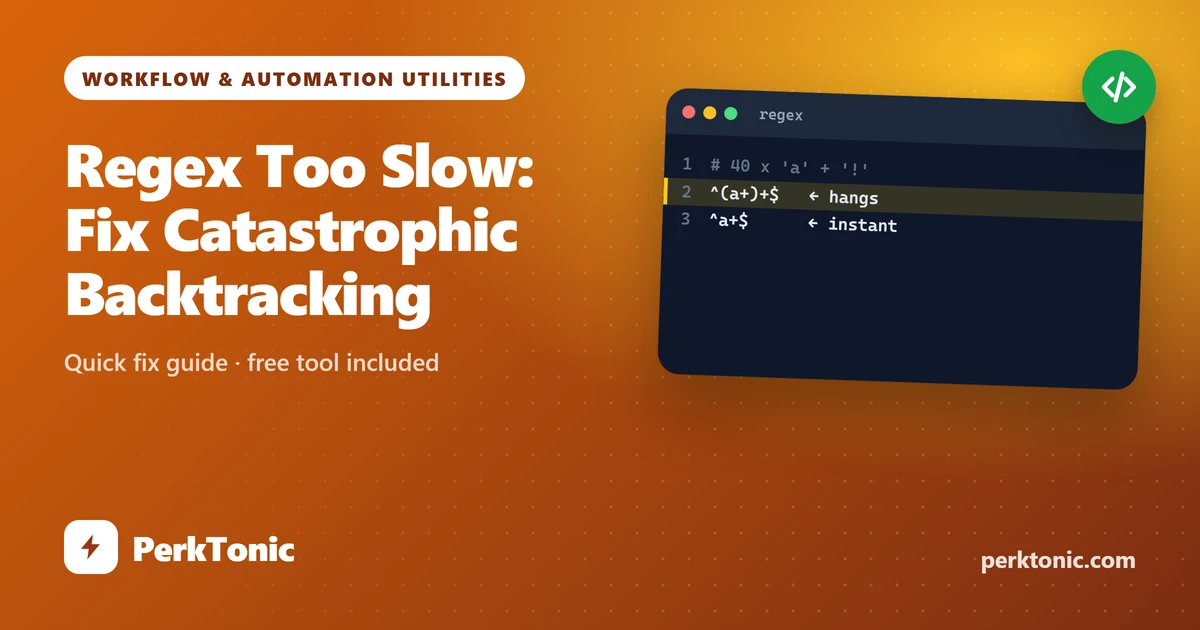
A regular expression that works on normal input and freezes a script or a server on certain other input has usually run into catastrophic backtracking. The pattern is fine for text that matches, and takes exponentially longer for text that almost matches. The Regex Tester & Generator warns about such patterns before it runs them, and stops a test that takes longer than 1 second, so you can find the problem safely.
What catastrophic backtracking is
Most regex engines work by trying. When a pattern can match a piece of text in several ways, the engine picks one, and if the rest of the pattern then fails, it goes back and tries the next way. This going back is called backtracking.
For most patterns, the number of ways is small, and backtracking is cheap. It becomes catastrophic when the pattern has several quantifiers that can share the same characters, especially one repetition inside another, such as (a+)+. A text that almost matches makes the engine try every possible way to divide the characters between the repetitions. The number of ways doubles with each added character, so the time grows exponentially.
The result is a pattern that takes a few milliseconds on a short, matching input and minutes or hours on a slightly longer input that fails at the end. In a server that checks user input with such a pattern, an attacker can send the slow input on purpose and block the process. This is called a regular expression denial of service, or ReDoS, and OWASP describes it on its page about ReDoS.
Worked example: ^(a+)+$
The classic example is the pattern ^(a+)+$. It says: from the start to the end of the text, one or more groups of one or more letters a. For a text that consists only of the letter a, it matches quickly.
Now give it forty letters a followed by an exclamation mark. The final character cannot match, so the whole match must fail. But before the engine gives up, it tries every way to split the forty letters between the inner and the outer repetition. For n letters there are about 2 to the power of n minus 1 such ways, which for forty letters is in the order of hundreds of billions. That is far too many to try in a reasonable time.
The tester has an example for this: the option Try a slow pattern loads ^(a+)+$ and tests it on forty letters a followed by !. Use it to see the behaviour without risk to your own system.
How the tester warns and stops
When you load the example, the tester does two things.
First, it warns about the structure of the pattern. A yellow Edge-case warning says that (a+)+ is a repeated group that itself contains a repetition, that on text which almost matches the engine can try exponentially many ways, and that you should make the inner part unambiguous, for example (a+)+ → a+. The warning comes from the shape of the pattern, which is already a sign of the risk.

Second, the test itself is stopped after 1 second. A red message says "Stopped after 1 second", that the pattern is probably backtracking catastrophically or the text is very large, and that you should make the repeated parts unambiguous, anchor the pattern or test a shorter text. The page shows no matches, because the engine did not finish. The page stays responsive while this happens, so you can change the pattern and run again.

The 1 second limit is a safety measure of the tester. In your own program, there is usually no such limit, and the same pattern would run until it finishes or until the process is killed. If you see the stop message for a pattern from your code, treat it as a defect in the code.
Rewriting the pattern
The cure is to remove the ambiguity, so that there is only one way to match. For the example, the nested repetition adds nothing. The pattern ^a+$ matches the same texts, and it has a single repetition.

Test the rewritten pattern on the same forty letters and the exclamation mark. The result is immediate: no match, and no delay. The ambiguity is gone, so there is nothing to try.
General ways to fix a slow pattern:
- Remove nested quantifiers. A group that is repeated and contains a repetition of the same characters is the typical risk.
- Make alternatives exclusive. In (a|ab)+, the two alternatives can start with the same character, which creates ambiguity. Make them different at the first character.
- Anchor the pattern, and be specific about the characters. Use a class such as [^,]+ instead of .* when you mean "up to the next comma".
- Limit the length of the input before you apply the pattern. A pattern that is slow only on long input is harmless on text that is capped.
- In a service, use a regex engine that guarantees linear time, if your platform offers one, for patterns that you do not control.
Always test the new pattern on the inputs that failed, and on some that match, to be sure that it still does what it did. For the parts of a working pattern, see Test a Regex Online With Named Groups on Log Lines, and for the flags that change its behaviour, the flag buttons under the pattern field, each with a short explanation.
Try it
Open the Regex Tester & Generator, choose Try a slow pattern and read the warning. Run the test to see it stopped after 1 second, then enter ^a+$ on the same text and compare. Test your own pattern on a long, almost matching input.