
Check a Redirect Chain and Collapse It to One 301
Redirect chain checker for 301 and 302: see every hop of a URL, read the collapse recommendation, pick a user agent, export the report and know the tool's limits.

A URL that goes through several redirects before it reaches the page costs time for visitors and for crawlers, and every extra hop is one more place where something can break. A redirect chain checker for 301 and 302 redirects shows each hop in order, with its status code. The Redirect Chain Checker lists every hop of a URL and suggests how to collapse the chain into a single redirect.
Steps: enter the URL, pick a user agent, Check redirects
- Open the Redirect Chain Checker.
- Enter the URL that you want to test.
- Pick a user agent.
- Press Check redirects.
- Read the hops, the recommendation and the findings.
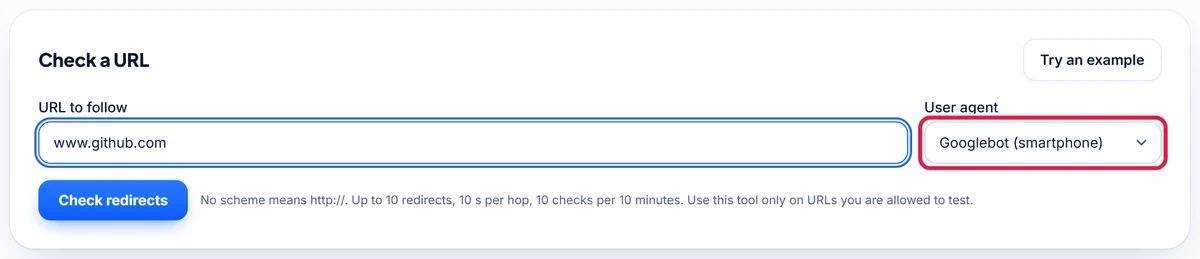
If you enter the address without a scheme, such as www.example.com, the check starts at http://, as a visitor would who types the name without the prefix. This is useful because many old links and typed addresses begin with http. Enter the full address with https:// if you want to start from the secure version.
The user agent is the name that the checker sends to the server. Some sites answer differently to different clients, for example a crawler and a browser. Choose the user agent that matches the question: a normal browser for visitors, or Googlebot (smartphone) to see what the search crawler gets.
Worked example: two redirects that should be one
On 6 November 2026, the tool was used on www.github.com, entered without a scheme, so the check started at http://www.github.com/. The chain was:
http://www.github.com/answered with a 301 redirect tohttps://www.github.com/.https://www.github.com/answered with a 301 redirect tohttps://github.com/.https://github.com/answered with 200, which means that the page was delivered.
There are three hops, two redirects and the final page. The first redirect changes the scheme from http to https, and the second removes the www. Each one is a step that a browser has to follow: a request, a response, and a new request.
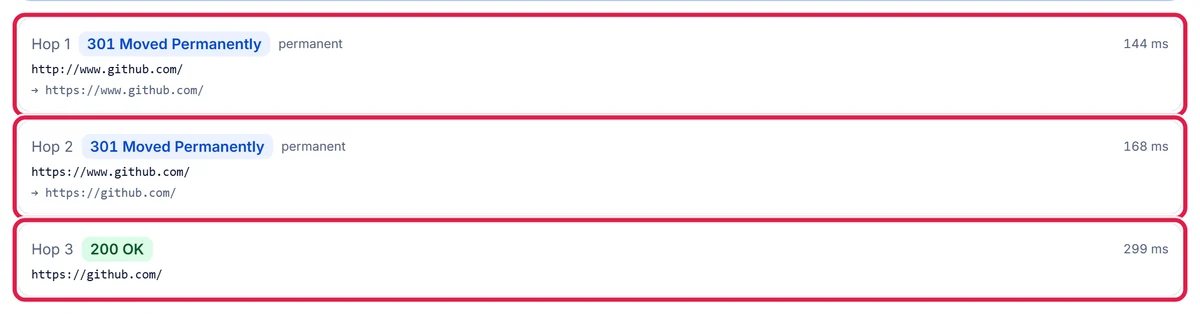
Both redirects are permanent, as the code 301 says, and both are correct. The problem is that they are separate. A visitor who types the old address needs three requests to reach the page, when one redirect could do the job. A site would normally check how its own addresses behave, and the status of a chain at one date can change, so the date of the check is part of the result.
Read the recommendation and findings
Below the hops, the tool gives a recommendation and a list of findings. For the chain above, the recommendation is to collapse it into a single 301: redirect http://www.github.com/ straight to https://github.com/.
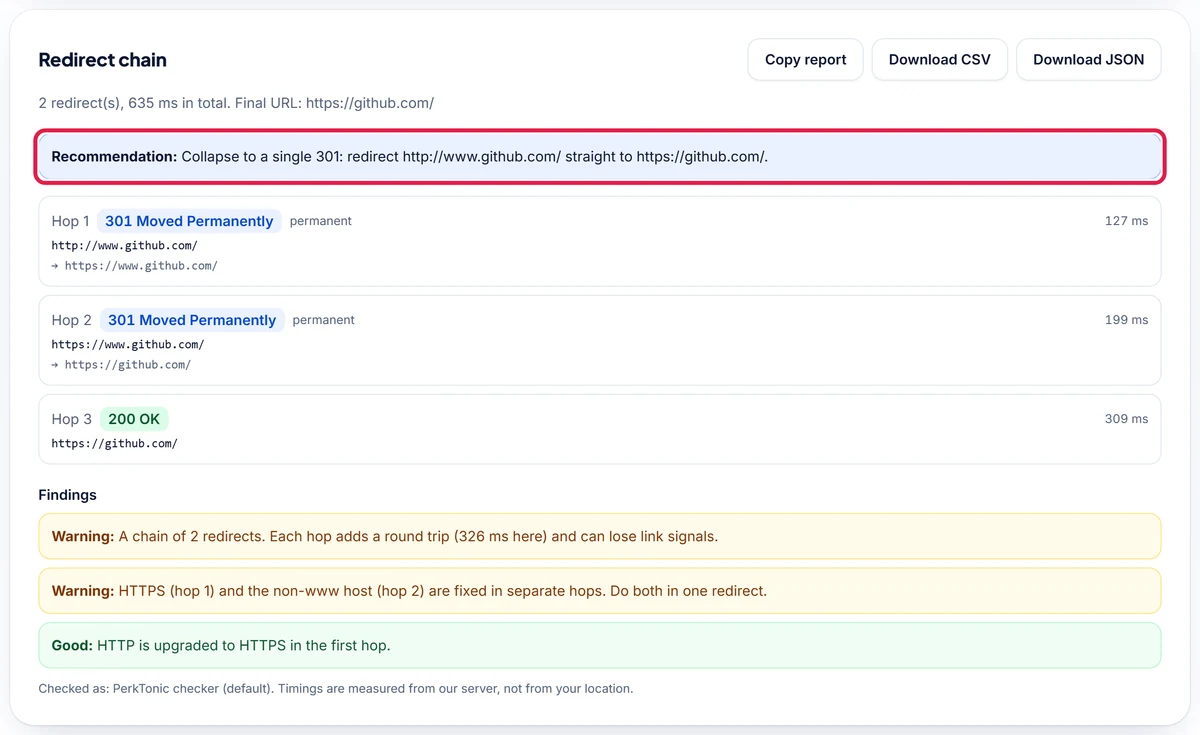
The idea is to send each old variant directly to the final address. The variants are http with www, http without www and https with www. Each of them should answer with one 301 to the preferred address, which here is https without www. A visitor then needs two requests, not three, and a crawler spends less of its budget on redirects.
For this chain the findings say that a chain of 2 redirects adds a round trip, that HTTPS and the non-www host are fixed in separate hops, and, as a good point, that HTTP is upgraded to HTTPS in the first hop. The findings can also report temporary redirects where a permanent one is expected, a switch from HTTPS back to HTTP, a chain that ends on another domain or on an error page, and loops. The difference between the codes is explained in 301 vs 302 vs 307 vs 308 Redirects Compared. To change a chain on your own server, see Redirect HTTP and www to HTTPS in a Single Hop. A chain that points back to itself is a loop, and Fix a Redirect Loop: Find the Hop That Points Back deals with it.
For the background, the MDN page on redirections in HTTP describes the status codes. Google explains how it handles redirects in Redirects and Google Search.
Export the report
After the check, press Copy report, Download CSV or Download JSON. The report records the hops, the codes and the findings, so you can attach it to a ticket, send it to the person who manages the server, or keep it as a record of the situation before the change.
Run the check again after the change and compare. A good result has one redirect or none, and ends at the address that you want to be the main one, with a 200 status. For many addresses at once, use the Bulk URL Status Code Checker. To look at the headers of a response, the HTTP Response Header Analyzer is the tool.
Limits
The checker follows up to 10 redirects. It waits up to 10 seconds for each hop and reads up to 256 KB of each response. You can run 10 checks every 10 minutes, so for a long list of addresses, use the bulk checker or plan the checks.
The timings in the report come from the server of the tool, not from your location. A page that seems slow to a visitor in another country can be fast from the checker, and the other way round. Use the timings to compare hops with each other, and not as a measure of the experience of a person.
The tool shows what a server answers to this request at this time. A site can behave differently for logged-in users, for different countries or for different devices, so test the variants that matter.
Try it
Open the Redirect Chain Checker, enter your address without a scheme and pick a user agent. Press Check redirects, count the hops, read the recommendation to collapse the chain into a single 301, and export the report before you change the server.