
301 vs 302 vs 307 vs 308 Redirects Compared
301 vs 302 redirect and the codes 303, 307 and 308: which are permanent, which keep the request method, how mixed chains are flagged and which code to use.
Five status codes in the 3xx range look similar, and the choice between them has two effects: how search engines treat the move, and whether a POST request survives it. In the 301 vs 302 redirect comparison, 301 means moved permanently and 302 means found temporarily, and 307 and 308 are the versions that keep the request method. The Redirect Chain Checker shows which code each hop of a URL uses and warns about mixed chains.
Permanent and temporary codes
The first split is between permanent and temporary moves.
- Permanent: 301 and 308. The old address is replaced for good. Clients and search engines can update their records and use the new address from now on.
- Temporary: 302, 303 and 307. The old address stays the main one. The new address is used for now, and clients should ask the old one again next time.
For search, the difference decides which URL is kept in the index. A permanent redirect tells a search engine to move its records of the old page to the new address and to treat the new one as the main page. A temporary redirect tells it that the old address is still the one that counts. Google describes how it treats the different kinds in its page on redirects and Google Search.
Using a temporary code for a permanent move is a frequent mistake. The site then works for visitors, and search engines may keep the old address in the results for a long time.
Which codes keep the method
The second split is about the HTTP method. A browser that follows a redirect after a POST, for example from a form, may or may not send the second request as a POST.
- 301 and 302: clients may change a POST into a GET when they follow the redirect. In practice, most do. The body of the form is lost.
- 303: the redirect means "see other". The client always continues with a GET. This is intended for the pattern of showing a result page after a form was posted.
- 307 and 308: the client must repeat the same method with the same body. A POST stays a POST.
So 307 is the temporary redirect that keeps the method, and 308 is the permanent redirect that keeps the method. The codes are defined in the redirection section of RFC 9110.
| Code | Permanent | Keeps the method |
|---|---|---|
| 301 | yes | no, may change to GET |
| 302 | no | no, may change to GET |
| 303 | no | no, continues with GET |
| 307 | no | yes |
| 308 | yes | yes |
For ordinary pages that are only read, the method does not matter, because every request is a GET. It matters for forms, APIs and webhooks, where a redirect that turns POST into GET loses data.
Mixed chains
A chain with several hops can mix permanent and temporary codes. For example: a 302, then a 308, then a 307, and then a 301. For the test I built exactly this chain with the redirect service of httpbin.org, which can answer with any 3xx code, and made it end at https://example.com/. The checker reports four redirects and a final 200.
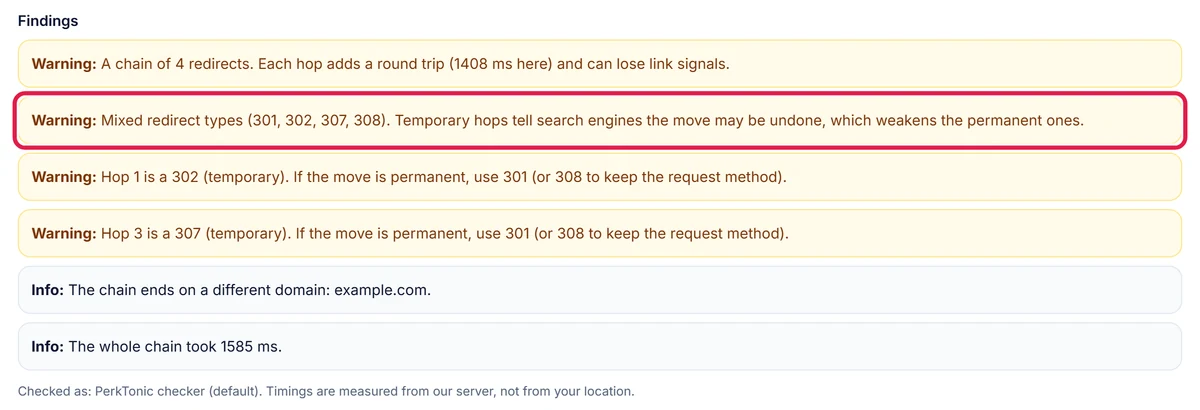
The mixture is a warning sign. It usually means that several systems each added a redirect for their own reason: the application, the web server, a CDN. Nobody planned the whole path. The effect for search engines is unclear, because the first hop says "temporary" and the last says "permanent". The effect for visitors is extra requests.
The first step is to collapse the chain into one hop, as shown in Check a Redirect Chain and Collapse It to One 301. Choose the code once, for the whole move, and send each old address straight to the final one.
What the checker warns about
The Redirect Chain Checker gives a warning when a chain mixes permanent and temporary redirects: "Mixed redirect types (301, 302, 307, 308). Temporary hops tell search engines the move may be undone, which weakens the permanent ones." It adds a further warning for each temporary hop, here "Hop 1 is a 302 (temporary)" and "Hop 3 is a 307 (temporary)", and it advises: if the move is permanent, use 301, or 308 to keep the request method.
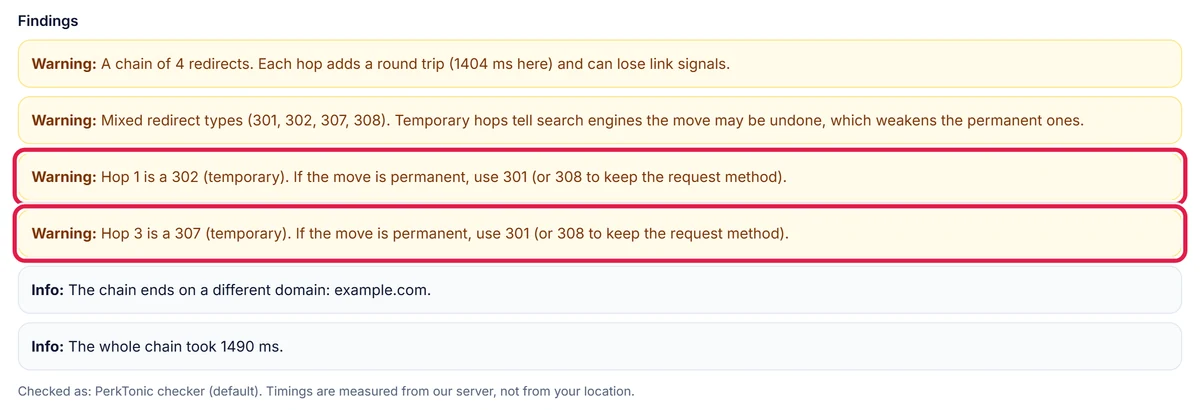
Read the warning for a temporary hop as a question: did you mean this to be temporary? Sometimes the answer is yes, for example during a short test or a maintenance page. If the move is permanent, replace the 302 or 307 by a 301 or 308.
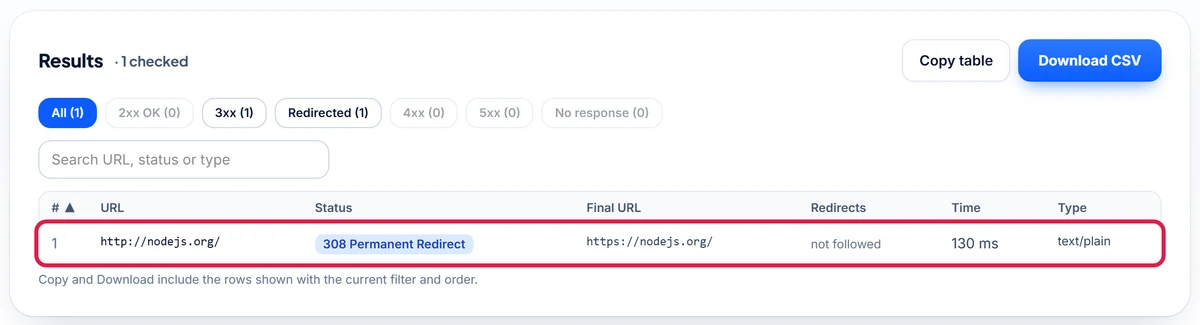
To look at the code of a single address without following the redirect, use the Bulk URL Status Code Checker. With the option Follow redirects (up to 10) unticked, a check of http://nodejs.org/ on 6 November 2026 shows the first response itself: 308 Permanent Redirect, with the final URL https://nodejs.org/ and the word "not followed" in the Redirects column.
The tool also checks many addresses at once, as in Check HTTP Status Codes for a List of URLs. A redirect that points back creates a loop, which is described in Fix a Redirect Loop: Find the Hop That Points Back.
Which to use
A short guide:
- A page has moved for good, and it is read by browsers and search engines: 301. It is the most widely known and supported code.
- A permanent move of a resource that receives POST, PUT or other methods, such as an API endpoint: 308.
- A short-term move, for example a maintenance page or a test: 302, or 307 when the method must be kept.
- A redirect after a form submission to a result page: 303.
- HTTP to HTTPS: a permanent redirect, 301 or 308. Make it a single hop to the final address.
Whatever you choose, make it one redirect per old address, and update your internal links and sitemap to point to the final address directly.
Try it
Open the Redirect Chain Checker, enter an old address and press Check redirects. Read the code of every hop, check for the warning about mixed types and for temporary hops, and replace temporary codes with 301 or 308 if the move is permanent.