
Test robots.txt for Googlebot and Other Crawlers
Robots.txt tester: check a URL for Googlebot and other crawlers, see which rule decides and on which line, find typos and invalid lines, and know what a 404 or 5xx answer means.
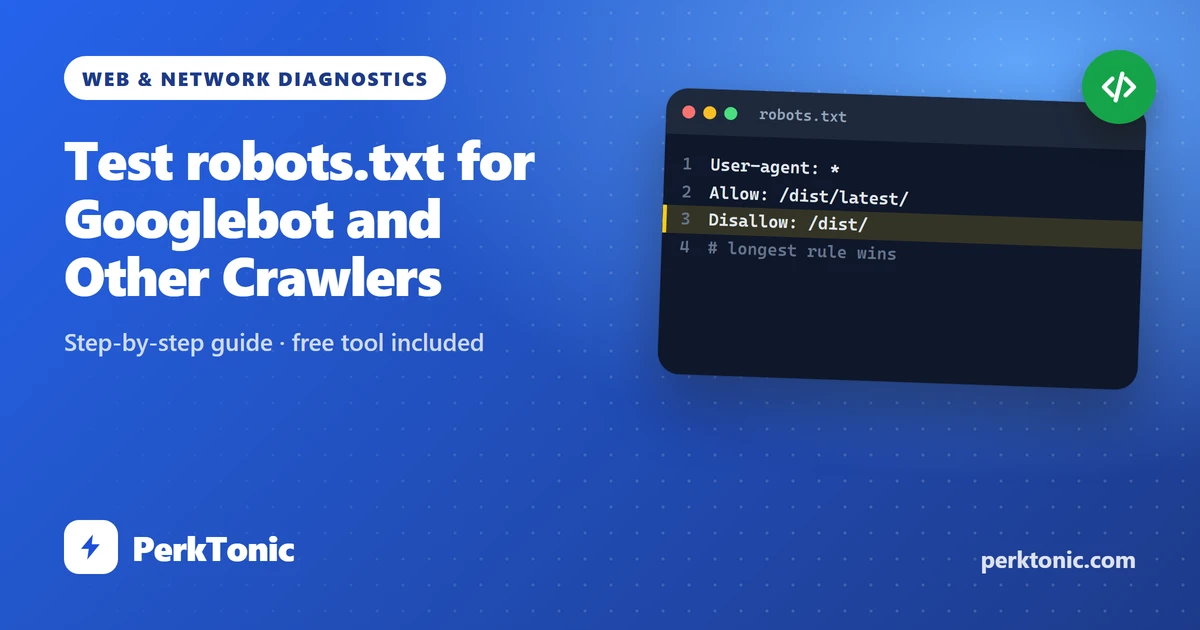
A robots.txt file tells crawlers which parts of a site they may fetch, and a single wrong line can hide a section from search engines. A robots.txt tester answers two questions: is this URL blocked for this crawler, and which rule decides. The Robots.txt Tester & Sitemap Validator reads the live file of a site and shows the verdict for each URL and crawler, with the line of the rule.
Steps: domain, test URLs, crawlers
- Open the Robots.txt Tester & Sitemap Validator.
- Enter the domain.
- Enter the URLs that you want to test, up to 10.
- Choose the crawlers, up to 5, such as Googlebot or another bot.
- Press Check robots.txt and sitemaps.
The tool fetches robots.txt from the domain and also reads the sitemaps that it lists. It reads the first 500 KiB of robots.txt. A file that is larger is cut at that point, as crawlers also do. After the check, you can change the URLs or the crawlers and the verdicts update without a new check, because the file is already loaded.
A crawler follows the group of rules that names it. If a crawler has no group of its own, it uses the group with the most specific matching name, and when there is none, the group for *, which stands for all crawlers. The tool applies the same fallback, so you can test a crawler without writing its name in the file.
Worked example: Allow wins over Disallow
Two rules in the same group can match one URL. Which one wins? The rule with the longest matching path wins. If an Allow and a Disallow match with the same length, the Allow wins. The symbols * and $ are supported: * matches any characters, and $ marks the end of the URL.
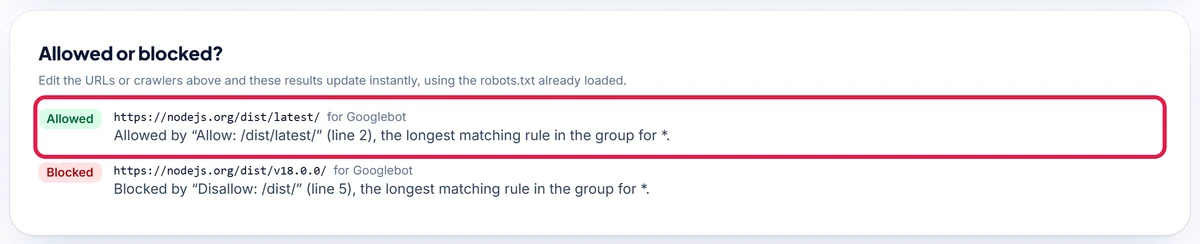
On 6 November 2026, the robots.txt of nodejs.org had one group, for *, with two relevant rules: a Disallow for /dist/ on line 5, and an Allow for /dist/latest/ on line 2. For the URL https://nodejs.org/dist/latest/ both rules match, and the longer path belongs to the Allow rule. The verdict is Allowed, and the tool names the rule and the line: "Allowed by “Allow: /dist/latest/” (line 2), the longest matching rule in the group for *." Googlebot has no group of its own in this file, so it uses the group for *.
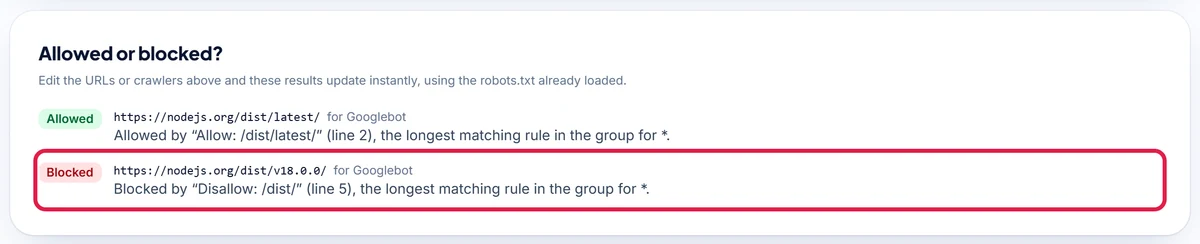
For https://nodejs.org/dist/v18.0.0/ only the Disallow rule matches. The verdict is Blocked: "Blocked by “Disallow: /dist/” (line 5), the longest matching rule in the group for *."
The order of the lines does not matter. Only the length of the matching path counts, and for a tie the Allow. This surprises people who expect the first rule to win, as in some other systems. Test your exceptions this way: add an Allow for a subfolder, and check that the longer rule beats the Disallow.
Typos and invalid lines
A misspelled directive does not give an error. Crawlers ignore a line that they do not understand, and the rule that you meant does not exist. The tester lists such lines under Problems, with the number of the line.

A line that reads Dissallow, with a double s, gets the warning "Unknown directive “Dissallow”; crawlers ignore it.", and the folder that it was meant to block is open to crawlers. I did not find a public site with this typo, so the screenshot shows what the tester reports for the file of wpengine.com on 6 November 2026: 1 error and 1 warning. The error is on line 3: "Crawl-delay before any User-agent line is ignored. Add “User-agent: *” above it." The warning is on line 5: "Unknown directive “Content-Signal”; crawlers ignore it." Content-Signal is not a directive of RFC 9309, which is why the tool does not know it. Other typical mistakes are a path without a leading slash, a rule with a full URL instead of a path, and rules before the first User-agent line, which belong to no group.
Fix each marked line, upload the file and run the check again. Test the URLs that matter, such as the cart, the admin area and any folder that you meant to hide. Keep in mind that robots.txt is a request for well-behaved crawlers and not a security measure. A blocked URL can still be visited, and a URL that is blocked in robots.txt can appear in search results if other sites link to it.
Missing robots.txt and 5xx answers
What the server answers for the file itself matters as much as the content.
- A missing file, answered with a 4xx status such as 404, means that everything is allowed. Crawlers treat the site as open.
- A server error, answered with 5xx, is treated differently. Google pauses crawling of the site while the file cannot be read, because it cannot tell what is allowed. A robots.txt that fails with 5xx for a longer time can reduce crawling.
The tester shows the status of the file: "Found (HTTP 200)", or for a missing file "No robots.txt (HTTP 404). Crawlers treat a missing file as “everything is allowed”." For a 5xx answer it warns that Google treats it as “disallow everything” and pauses crawling until the file can be read. If you see a 5xx, fix the server first, and then the rules.
Rules follow RFC 9309
The matching rules of the tool follow the Robots Exclusion Protocol, which is standardised in RFC 9309. Google describes how it interprets the file in Search Central. Other crawlers may differ in details, so test the crawlers that matter to you, and read their own documentation for extra directives.
The sitemap that robots.txt points to can be validated too, see Validate a Sitemap XML: URLs, Hosts and lastmod. Pages that you want indexed also need to be free of broken links, as in Find Broken Links and Missing Images on a Website, and their tags can be checked with the OpenGraph & Meta Tag Validator. The Broken Link Checker finds dead links. For a broader list, see Technical SEO Checklist Using Free Checkers.
Try it
Open the Robots.txt Tester & Sitemap Validator, enter your domain and up to 10 URLs, and choose Googlebot and other crawlers. Read the verdicts and the rule that decides, fix any line marked as a typo, and check the status of the file.