
Redirect HTTP and www to HTTPS in a Single Hop
HTTP to HTTPS redirect check: why www and https cause two hops, how to test without a scheme, one nginx rule for both changes and how to confirm a single 301.

A visitor who types http://www.example.com often goes through two redirects: first to HTTPS, then from www to the bare domain. Each one is a full request and response before the page even starts. An HTTP to HTTPS redirect check shows how many hops your site needs. The Redirect Chain Checker lists them and tells you when the change of protocol and the change of host were done in separate steps.
Why two hops happen
Two hops come from two rules that were added at different times, often in different places. One rule, in the web server, a CDN or the hosting panel, forces HTTPS. Another rule, often in the application or a CMS, makes the host canonical, for example by removing www.
Each rule does only its own job. The first redirects http://www.example.com/ to https://www.example.com/. The second then redirects that address to https://example.com/. The result is a chain of two redirects and a final page, although a single redirect could go from the first address straight to the last.
In the check of www.github.com on 6 November 2026, the findings say it directly: "HTTPS (hop 1) and the non-www host (hop 2) are fixed in separate hops. Do both in one redirect." The chain has two 301 redirects and a final 200, and the tool also notes the good point that HTTP is upgraded to HTTPS in the first hop.
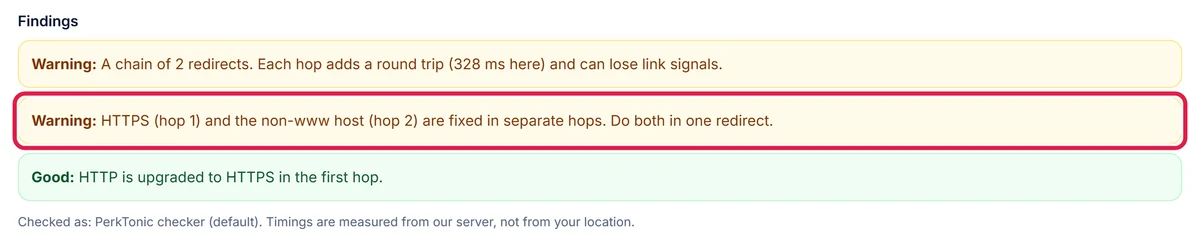
The extra hop is not free. A redirect adds a full round trip for the visitor: the browser asks, waits for the answer, and asks again. On a slow mobile network, one extra round trip is noticeable, and it comes before any content.
Test without a scheme
Test the way a visitor would. Enter the address without a scheme, for example www.example.com. The checker starts at http://, because that is what a browser does when a person types a bare name. This reveals the full path from the weakest starting point.
Test every variant that people can reach:
http://example.com/http://www.example.com/https://www.example.com/https://example.com/, which should answer 200 directly, if it is your canonical host.
Write down the number of hops for each. The goal is a single redirect for the three variants that are not canonical, and none for the canonical one.
The checker also resolves a relative Location header. A server may answer with Location: /new-path, without the scheme and the host, which is allowed. The tool turns it into the full address and shows a note as information. It is not an error, but it explains why the target in the list is longer than what the server sent.
Write one rule for both changes
The fix is to send every non-canonical variant straight to the canonical address. In nginx, the plain-HTTP names can share one rule:
server {
    listen 80;
    server_name example.com www.example.com;
    return 301 https://example.com$request_uri;
}
The rule matches both http://example.com and http://www.example.com, and it redirects each one in a single step to https://example.com, keeping the path and the query. A second block handles https://www.example.com the same way:
server {
    listen 443 ssl;
    server_name www.example.com;
    # certificate that is valid for www.example.com
    return 301 https://example.com$request_uri;
}
The www host needs a valid certificate for its own name on port 443, or browsers show a warning before the redirect can happen. A certificate that covers only the bare domain causes this, see Certificate Name Mismatch: www vs Bare Domain. The SSL Certificate Checker shows the names that a certificate covers.
Use a permanent redirect, such as 301 or 308, for this move. Remove the older rules in the application, so that they no longer add a second hop.
Check again
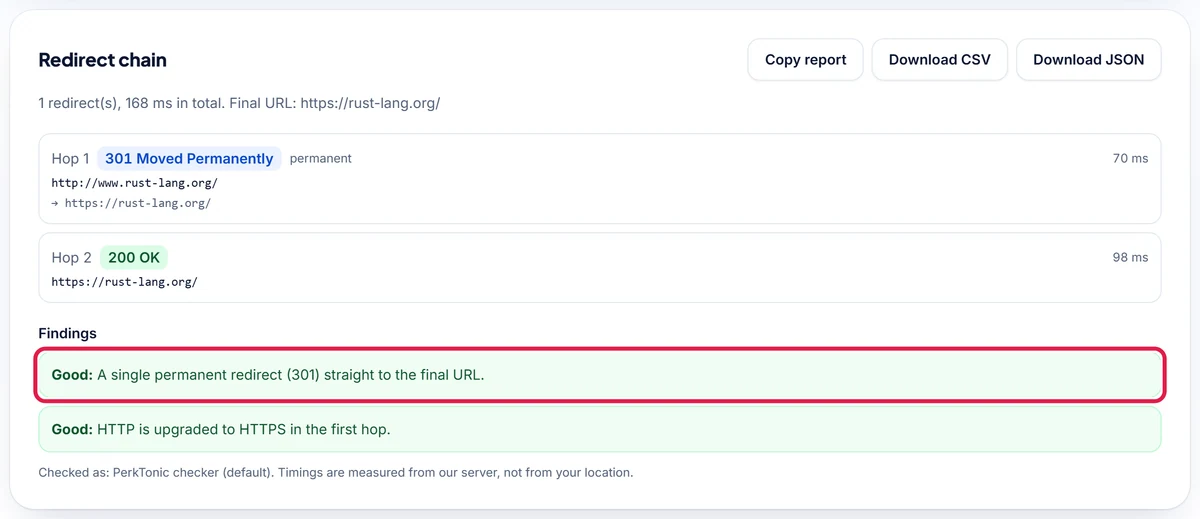
Run the checker again for each variant. A good result for http://www.example.com/ is one 301 to https://example.com/, then a 200. The findings about separate hops should be gone. On 6 November 2026, http://www.rust-lang.org/ gave this result: a single 301 straight to https://rust-lang.org/ and then a 200, and the findings say "A single permanent redirect (301) straight to the final URL." and "HTTP is upgraded to HTTPS in the first hop."
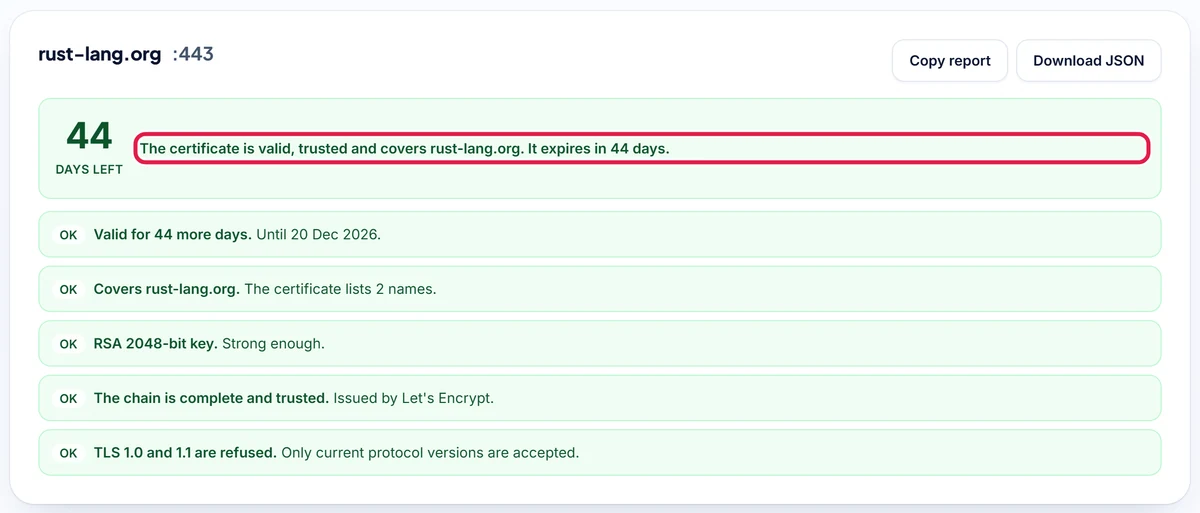
The canonical host must also be healthy on HTTPS, with a valid certificate. The verdict of the certificate check for the final host should be good: for rust-lang.org it reads "The certificate is valid, trusted and covers rust-lang.org."
To measure what you saved, use the TTFB & Server Response Time Test. When you test an address that redirects, the tool tells you so, and the time that it shows is for the redirect response and not for the final page. For http://nodejs.org/ the message reads: "This URL redirects (308) to https://nodejs.org/. The times above are for the redirect response only, not for the page itself." A button, Test the redirect target, runs the test on the final address for the real time of the page.

Once the redirect is a single hop, you can tell browsers to remember to use HTTPS with the HSTS header, as described in Add an HSTS Header and Check It Works. The header is explained on MDN under Strict-Transport-Security. Do it only when HTTPS works everywhere on the site, because browsers remember the setting.
If other chains remain, see Check a Redirect Chain and Collapse It to One 301.
Try it
Open the Redirect Chain Checker, enter your domain with www and without a scheme, and press Check redirects. Count the hops, read the findings about HTTPS and the host, write one rule for both changes, and test the four variants again.