Is This Website Legit? 6 Free Checks Before You Enter a Card
Is this website legit? Run six free checks, from Google Safe Browsing to domain age, before you pay, and see what each result does and doesn't prove.
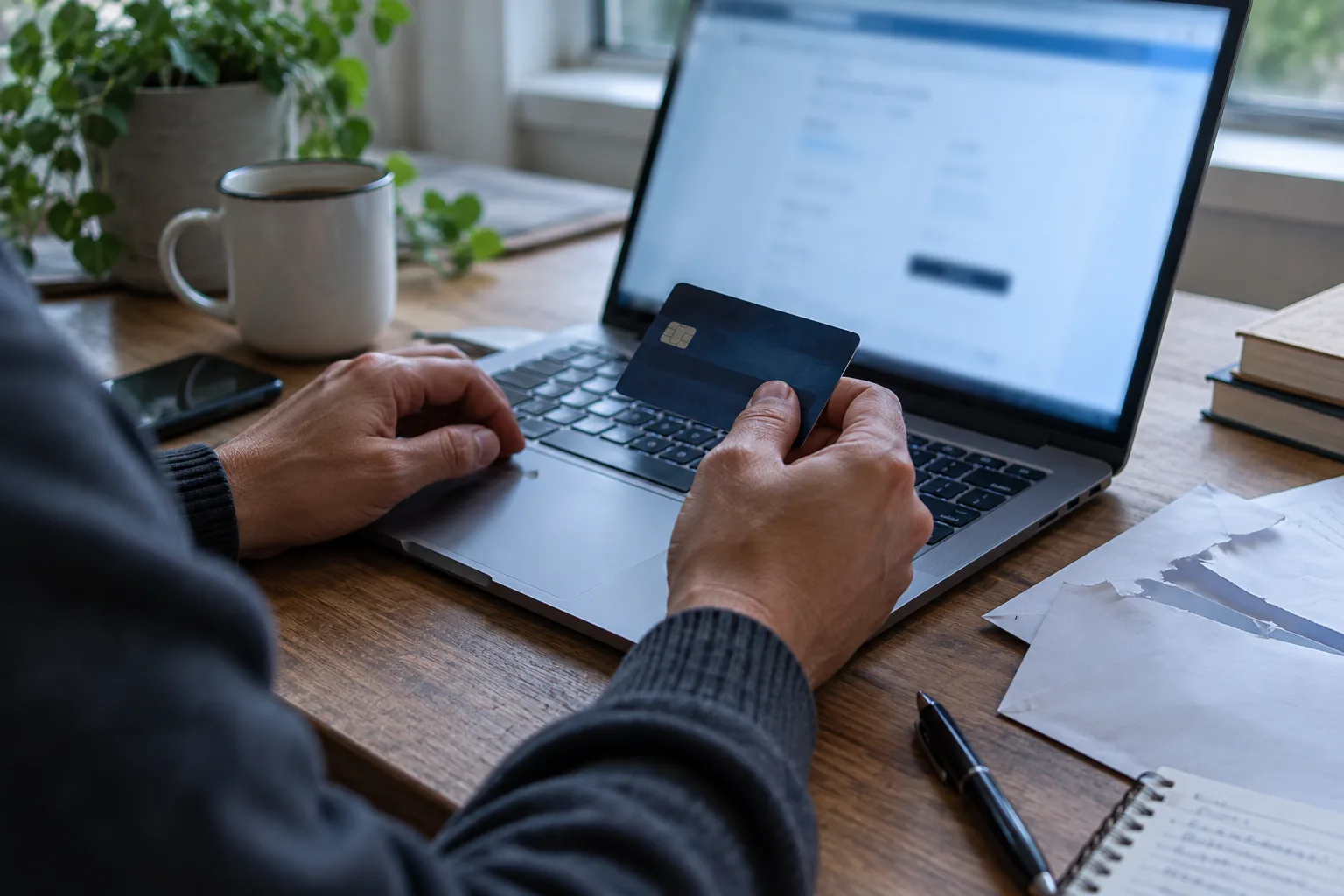
Picture a sneaker store at 70% off. The photos are crisp, checkout has a padlock, the reviews glow. It has exactly one thing wrong: everything.
Before you type a card number into a site you don't know, ask "is this website legit?" and answer it with six free checks. Each has a limit, and this guide says what each result proves and what it doesn't. I read the official pages on 14 October 2026. I haven't timed these on real scam sites, so I won't promise any of them takes under a minute.
Quick answer: Read the web address for lookalike spellings, check the site on Google's Safe Browsing status page, then look up its domain age, contact details and independent reviews. Scan the link on VirusTotal if you're still unsure. The padlock proves nothing, and no single check proves a site is honest.
Does the padlock mean a website is legit?
No. The padlock says the connection is encrypted, not that the owner is honest. Chrome's help page says a secure connection keeps what you send private between you and the site, then tells you to stay careful with sensitive information anyway.
The FBI's Internet Crime Complaint Center put it bluntly. Its notice warned that criminals are banking on trust in "https" and the lock icon, and told people not to trust a site just because it has either. That notice is from June 2019, but it's still the clearest official statement I found.
The catch: a missing padlock is still a stop sign on a payment page. Present proves nothing, absent is a problem.
Is this website legit? 6 free checks to run before you pay
This order is mine, not an official one. The first two catch the most obvious fakes, and the rest build the case. Stop at the first failure.
1. Read the web address
- Verdict: the strongest check, and it costs nothing but attention.
- What it is: a close look at the domain, the part between "https://" and the first slash. UK government fraud guidance lists a domain that doesn't look quite right, such as one that resembles a real name or includes a trusted brand, as a sign of a fake.
- How to use it: read the domain letter by letter. Look for swapped or doubled letters, extra words like "outlet" or "deals," and unusual endings. Better, don't trust the link you were given: the UK's National Cyber Security Centre advises typing the organisation's official address yourself or searching for it.
- The catch: a clean-looking name can still be fake, and a young brand has no known address to compare against. This check catches imitation, not invention.
- Best for: sites you reached from an ad, a social post or an email.
2. Google's Safe Browsing site status
- Verdict: the fastest second opinion, and it can say "known bad" in seconds.
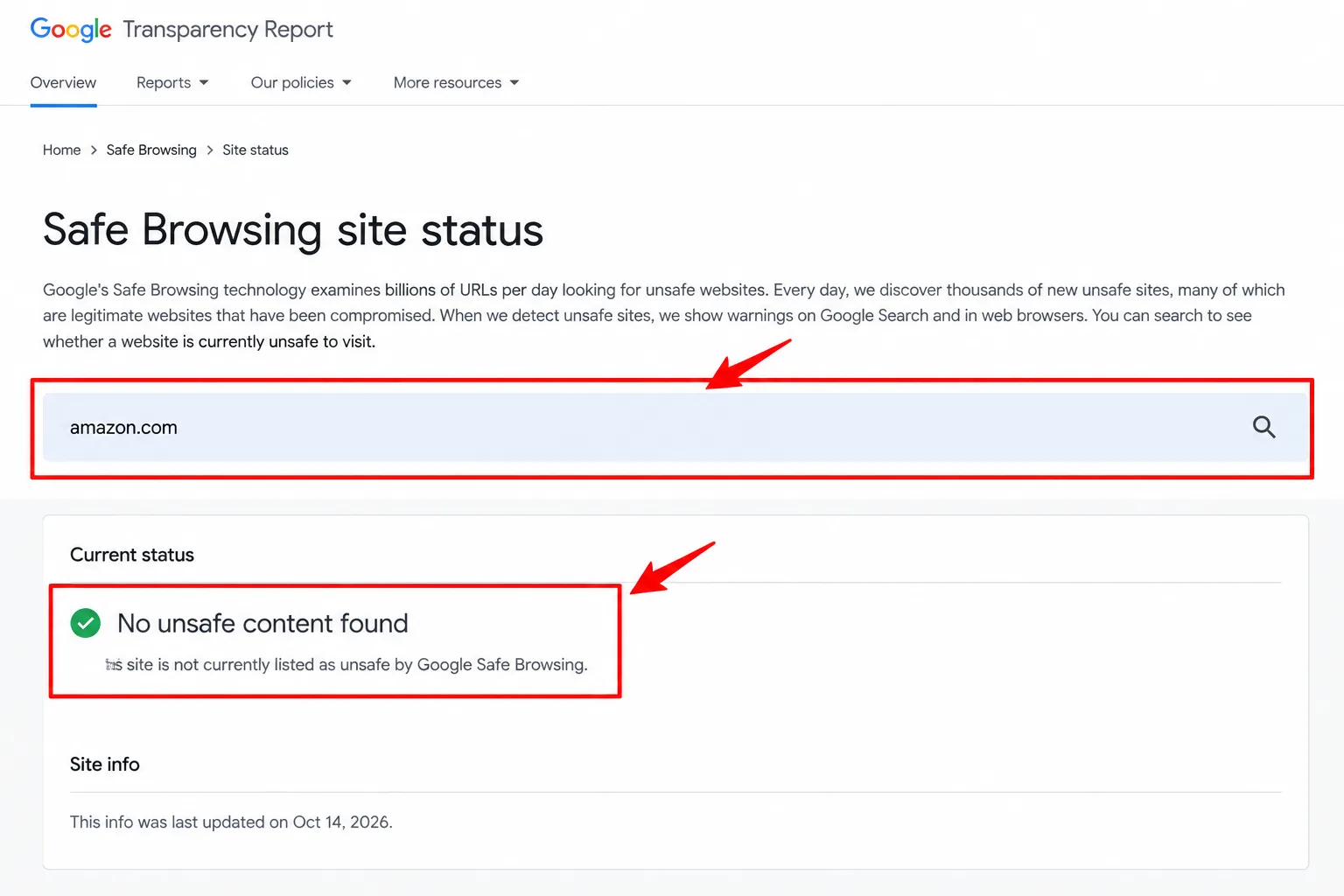
- What it is: a lookup in Google's Transparency Report. A 2015 post on Google's security blog says you can search a site there to learn why Safe Browsing flagged it. Chrome's help page adds that flagged sites get a "Dangerous" label.
- How to use it: open the Transparency Report, go to Safe Browsing and its site status search, then paste the domain. The page didn't load in my tools, since it's built for a browser, so I can't quote its exact wording. Read what it shows you.
- The catch: a clean status means Google hasn't flagged the site. A site nobody has reported yet can come back clean, so it clears you of known problems only.
- Best for: any unfamiliar shop, before anything else.
3. Domain age with a WHOIS lookup
- Verdict: a quick way to catch a shop that appeared last week.
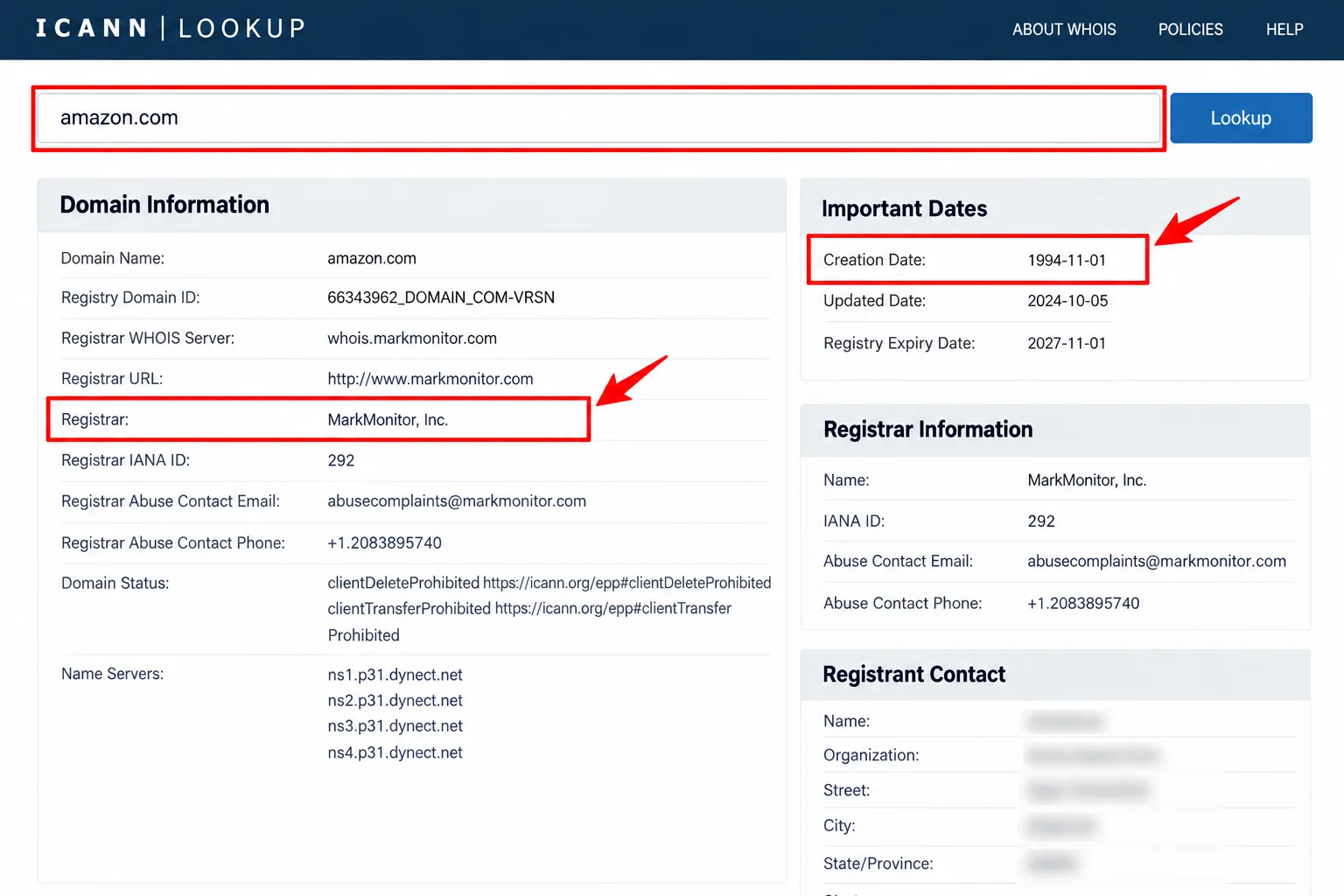
- What it is: a registration-record search. ICANN's lookup tool, which says its results may be redacted for privacy, uses the modern RDAP protocol and falls back to the older WHOIS if it must.
- How to use it: go to lookup.icann.org, enter the domain and look for the registration or creation date. A "heritage" brand claiming 30 years of history on a domain registered last month is a loud mismatch. I couldn't confirm which fields every record shows, so if there's no date, treat it as a blank, not a pass.
- The catch: new doesn't mean fake. Palo Alto Networks' Unit 42 research from 2019 found newly registered domains get flagged at a far higher rate than popular established ones, but it also notes they have honest uses, like launching a new brand. An old domain isn't proof either, since domains can change hands.
- Best for: a store that claims to be long-established.
4. Contact details and the returns page
- Verdict: the dullest check, and a thin page is a known warning sign.
- What it is: the About, Contact and returns pages. The same UK guidance flags very little company information on the About and Contact pages. The FTC's retailer advice says to read the refund policy, including who pays return shipping and whether there is a restocking fee.
- How to use it: look for a full business name, a street address, a phone number and an email on the company's own domain. Check the total with shipping, and the delivery date. A rule of thumb of mine: paste the address into a map search, and treat a house or empty lot posing as a "warehouse" as a red flag.
- The catch: details can be invented or copied from a real firm, so a full page isn't proof. A thin page is the clearer signal.
- Best for: shops you found through ads.
5. Search the name with "scam" or "complaint"
- Verdict: the check that finds other people's bad experiences.
- What it is: an outside search, which the FTC recommends. Its advice is to search the business name with words like "review," "complaint" or "scam" and to be wary of brand-name goods at steep discounts. The NCSC says to rely on reviews from people or organisations you trust.
- How to use it: search the exact shop name and the domain in quotes, plus one of those words. Read results from independent sites and forums, not the shop's own testimonials. Our Google search operators guide covers the quote trick.
- The catch: a brand-new shop has no history either way, and no complaints doesn't mean a clean record. Reviews on the shop itself are the easiest thing to fake.
- Best for: brand-name goods at prices that look too good.
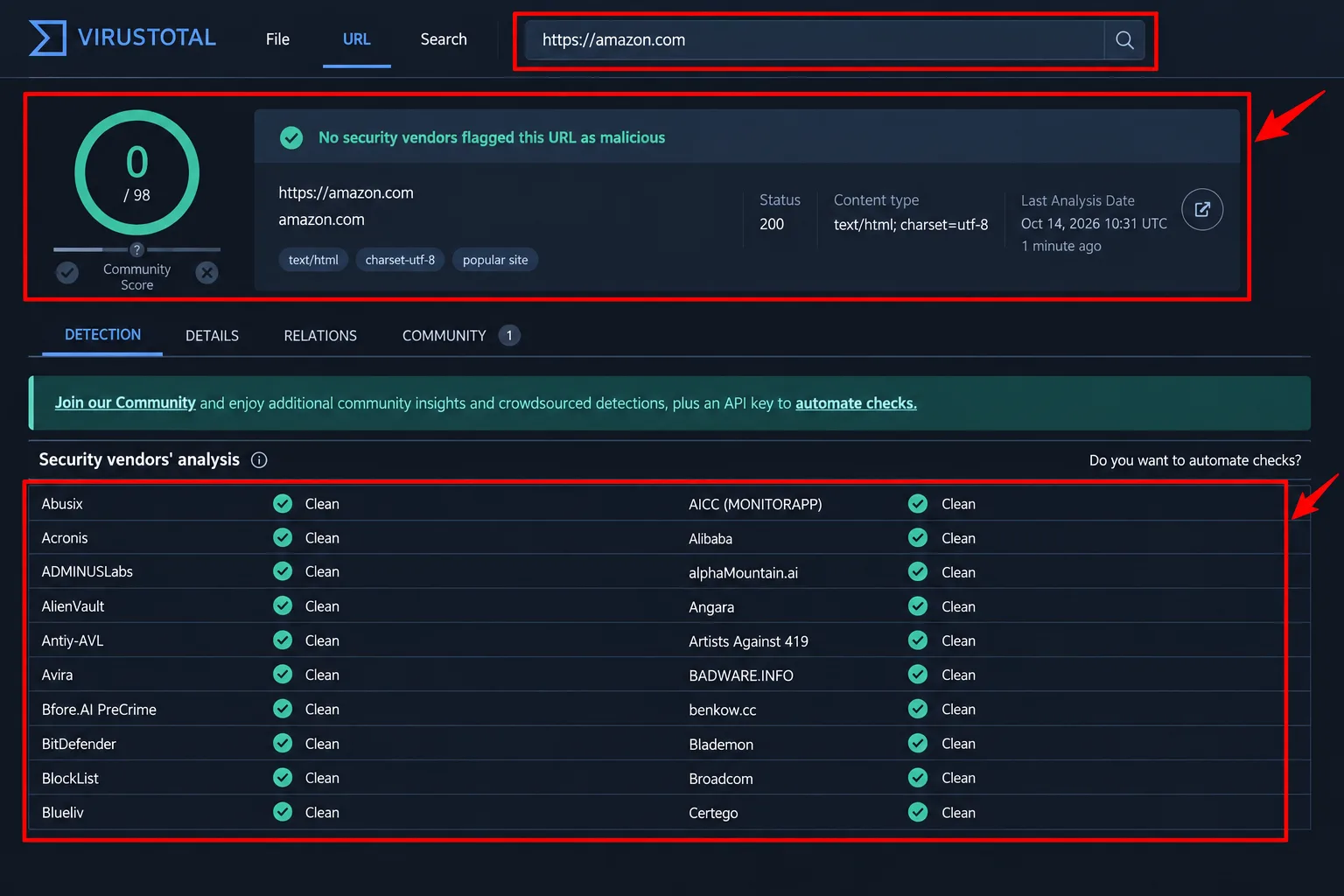
6. A VirusTotal URL scan
- Verdict: a useful tiebreaker when the earlier checks are clean but your gut isn't.
- What it is: a free service that checks a link against many security vendors' blocklists. Its documentation says website verdicts come partly from vendor databases and partly from queries to antivirus products.
- How to use it: open virustotal.com, choose the URL tab and paste the shop's home-page address. Read the number of flags and which vendors raised them. VirusTotal says submitted pages may be shared with premium customers, so my advice is to scan only the public home page, never a link with an order number in it.
- The catch: coverage depends on what vendors have blocklisted, so zero flags may only mean no vendor has listed it yet. One flag from an unfamiliar vendor can also be a false positive.
- Best for: a final check on a site you're still unsure about.
No check is proof
Every item above has a catch, and that's the point. A scam site can pass any one of them, which is why you stack them.
My rule: if checks 1 to 3 fail, don't pay. If everything passes but you still feel uneasy, either skip it or pay with a credit card. The FTC says credit cards carry federal-law protections, so you needn't pay for things you ordered but didn't get. The FTC also says a seller demanding a gift card, wire transfer, payment app or cryptocurrency is probably a scam.
Check the discount too. Our price history checker guide shows how to spot a fake sale, and our fake free offers list covers the "free" version of the same trap.
My take and next step
When the question is whether a website is legit, these six checks are free and take little skill, which is why I'd run them every time. My pick: checks 1 and 2, then 5 if the price is too good. Skip this if: you typed a household-name retailer's address yourself, since the risk I'm worried about is unfamiliar sites reached through links you were handed.
Next step: before your next unfamiliar checkout, spend two minutes on checks 1 and 2. If you've already given a site your number or address, our results about you google guide shows how to ask Google to hide it from Search. More tools like this sit in the Internet Secrets & AI Tools hub.
Last checked: 14 October 2026, against the FBI IC3, Google Security Blog, Chrome Help, ICANN, VirusTotal, FTC, NCSC, UK government fraud guidance and Palo Alto Networks pages named above. Some are older posts, and tools change, so confirm each on its official page.
Frequently asked questions
What should I do if I already entered my card details?
Contact your card issuer, explain what happened and ask about disputing the charge. The FTC says credit cards carry protections under federal law, and it advises keeping your receipt and order confirmation number. I can't judge your case, so ask the issuer what applies.
Should I avoid sites with no https at all?
Yes, on payment pages at least. UK government fraud guidance lists missing website security on payment pages as a sign of a fake and says not to use the site. A missing lock is a clear warning, even though a present one proves nothing.
Should I trust a paid website-scoring tool?
I haven't tested those tools and wouldn't pay for one. A score hides its evidence, while these six checks show you theirs. If you try one, treat its result as a reason to look closer, never as a verdict.
Quiz
Is This Website Legit? 10 Scam-Spotting Questions
10 quick questions — think you know this one?
Test Your Knowledge →Comments (5)

Tiziana Lucas
6 days ago
I found this post useful and informative.

Raffaele Chevalier
Oct 9, 2026
This is a helpful website with some interesting content.

Helene Castro
Sep 27, 2026
Keep up the good work, Perktonic!

Niilo Ramo
Sep 16, 2026
This article was easy to read and understand.

مهدي گلشن
Aug 22, 2026
Great effort from the writer. Thank you!