Price History Checker: How to Spot a Fake Sale in 10 Seconds
Use a price history checker to tell a real sale from a fake one in 10 seconds, then set an alert for the low point. Free steps for Google and Amazon.
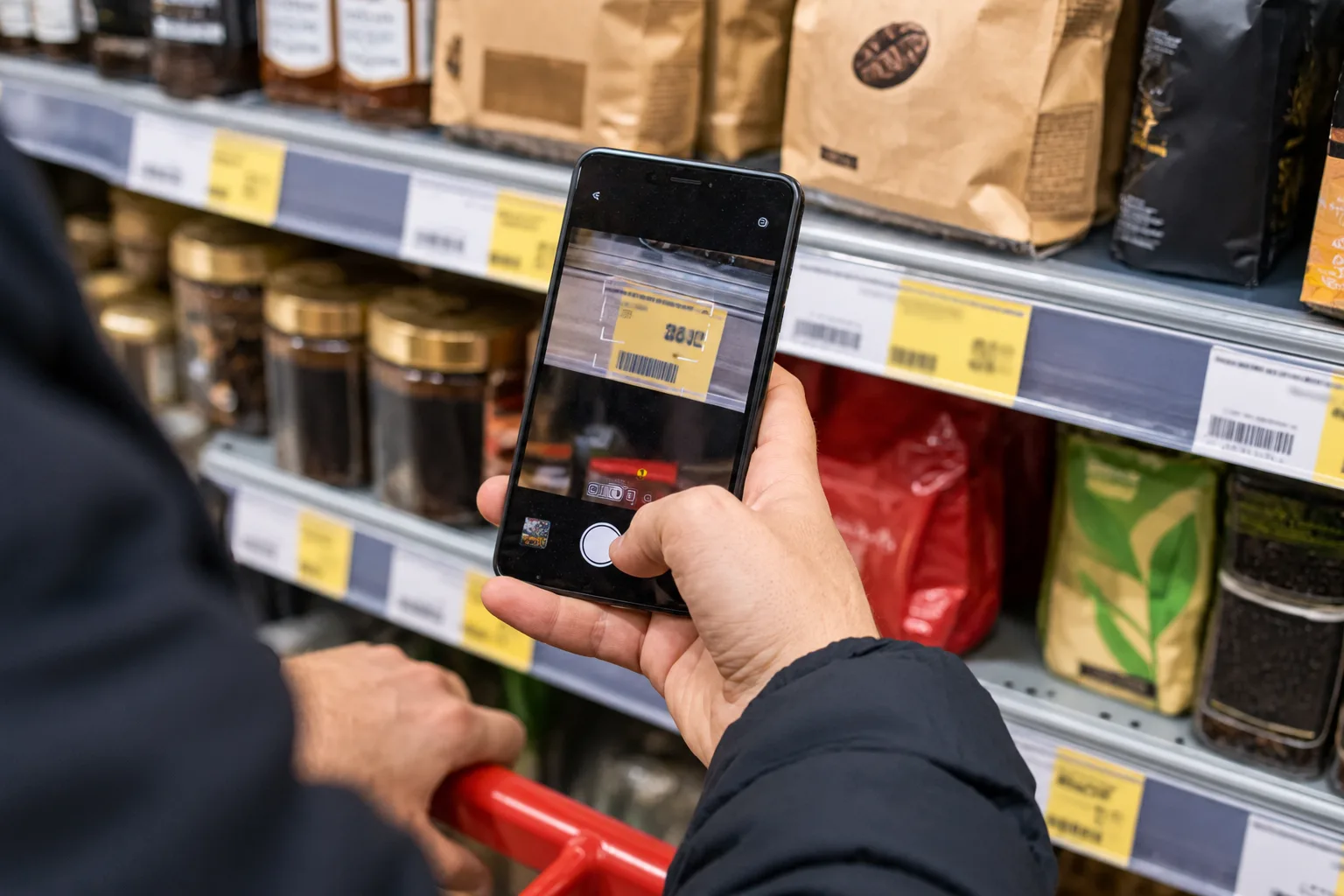
Picture a tag that reads "was $149, now $99" on a product that has always cost $99. Nobody lied, exactly. The "was" price just never happened.
Here's how to use a price history checker to catch that in about 10 seconds, then set an alert so you buy near the low point. I haven't run this on a live product for this piece. The steps come from Google's, Keepa's, the FTC's and the EU's own pages, checked on 14 October 2026.
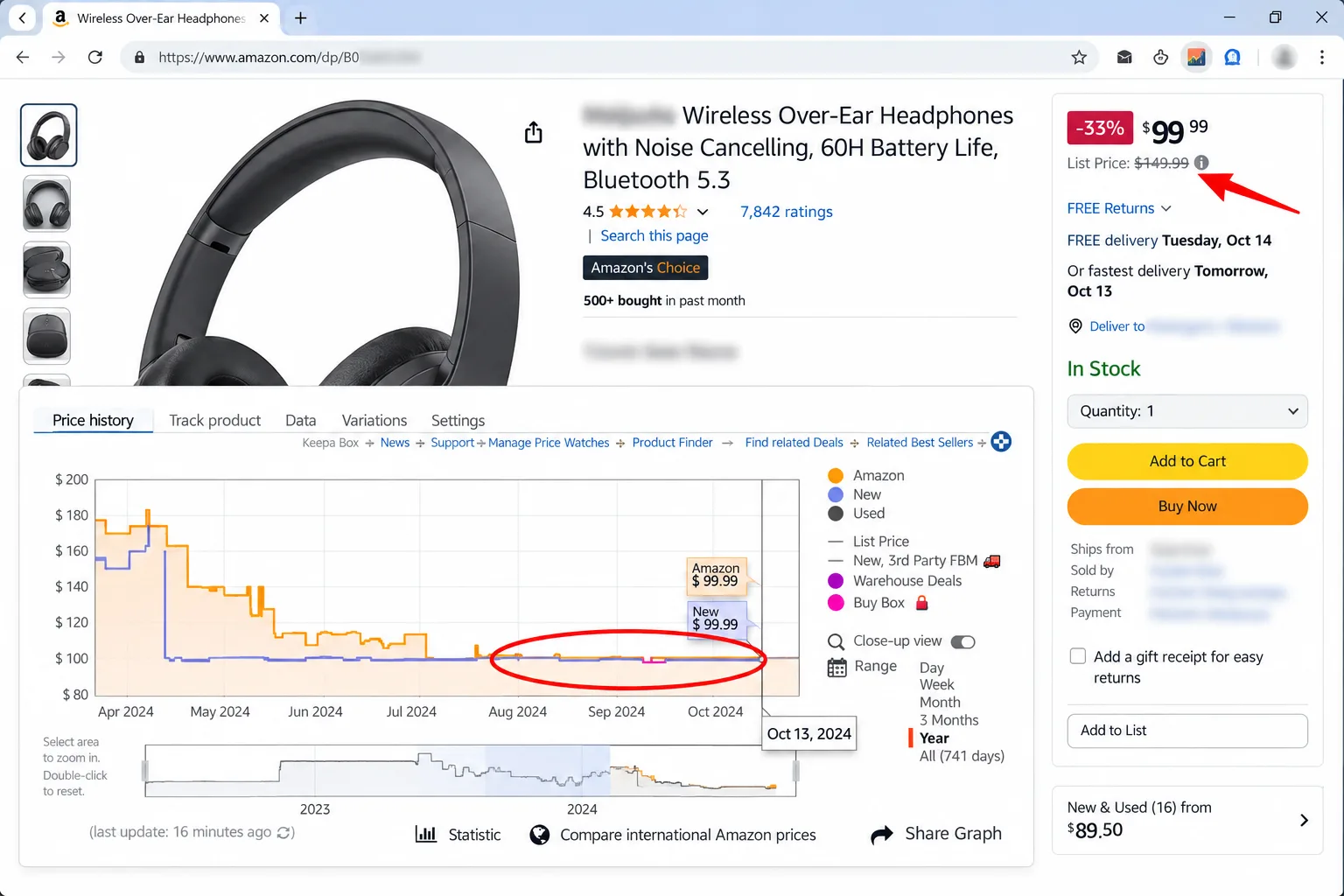
Quick answer: To check whether a sale is real, open the product's price history and look for the "was" price on the chart. If it was actually charged for weeks, the discount may be genuine. If the item has long cost about today's price, it's a fake sale. Then set an alert near the past low.

What do you need, and how long does it take?
The check takes about 10 seconds. Setting an alert adds a couple of minutes. You'll need:
- The product page and the exact model, size or colour.
- Chrome, signed in to a Google account, for Google's tools.
- For Amazon, optionally a price tracker extension such as Keepa.
The catch: availability is patchy. Google's price insights, for one, are for US shoppers only, so check what your country gets before you rely on any tool.
How to use a price history checker: 6 steps
Step 1: Copy the claim
Write down the "was" price, the sale price and the exact variant. A 128 GB model and a 256 GB model have different histories.
Step 2: Open the price history
Pick whichever tool fits the store:
- Google Shopping: Google says clicking a product shows whether its price is high, low or typical compared with how stores have priced it over the past three months. Search the product at shopping.google.com and scroll to the price insights section.
- Chrome: select the Shopping Insights icon on a product page to see its price history and range, including variants like colour or storage size. You need to be signed in, with syncing on.
- Amazon: Keepa's extension adds price history charts to Amazon product pages and sends alerts when a price drops below your target. Our Keepa vs CamelCamelCamel comparison covers the alternatives.
The catch: Keepa's store listing shows it handles personally identifiable information and rates 3.4 out of 5, so read the listing before you install.
Step 3: Run the 10-second test
Ask three questions of the chart:
- Does the "was" price appear on it?
- Did it last weeks, or just a few days?
- Is today's price below the typical price, or the same as usual?
Then read the result:
- Looks real: the "was" price held for a good stretch and today's price is below typical.
- Looks fake: the line sits at the sale price for months, or the "was" price shows up only briefly before the sale.
- Looks ordinary: the price is normal and the "sale" label is decoration.
The yardstick is the FTC's: a legitimate former price is the actual, bona fide price offered to the public on a regular basis for a reasonably substantial period. A "was" price that fails that test is a red flag.
Step 4: Check the total price
Compare like with like. Google's 30-day low flag uses the total price, which includes the item price, discounts and shipping, so a cheap item with expensive delivery won't register as a deal. Check the same variant and the same seller type, not a marketplace reseller against the store itself.
Step 5: Set an alert for the low point
If the sale looks fake or ordinary, don't buy yet. Track the price instead.
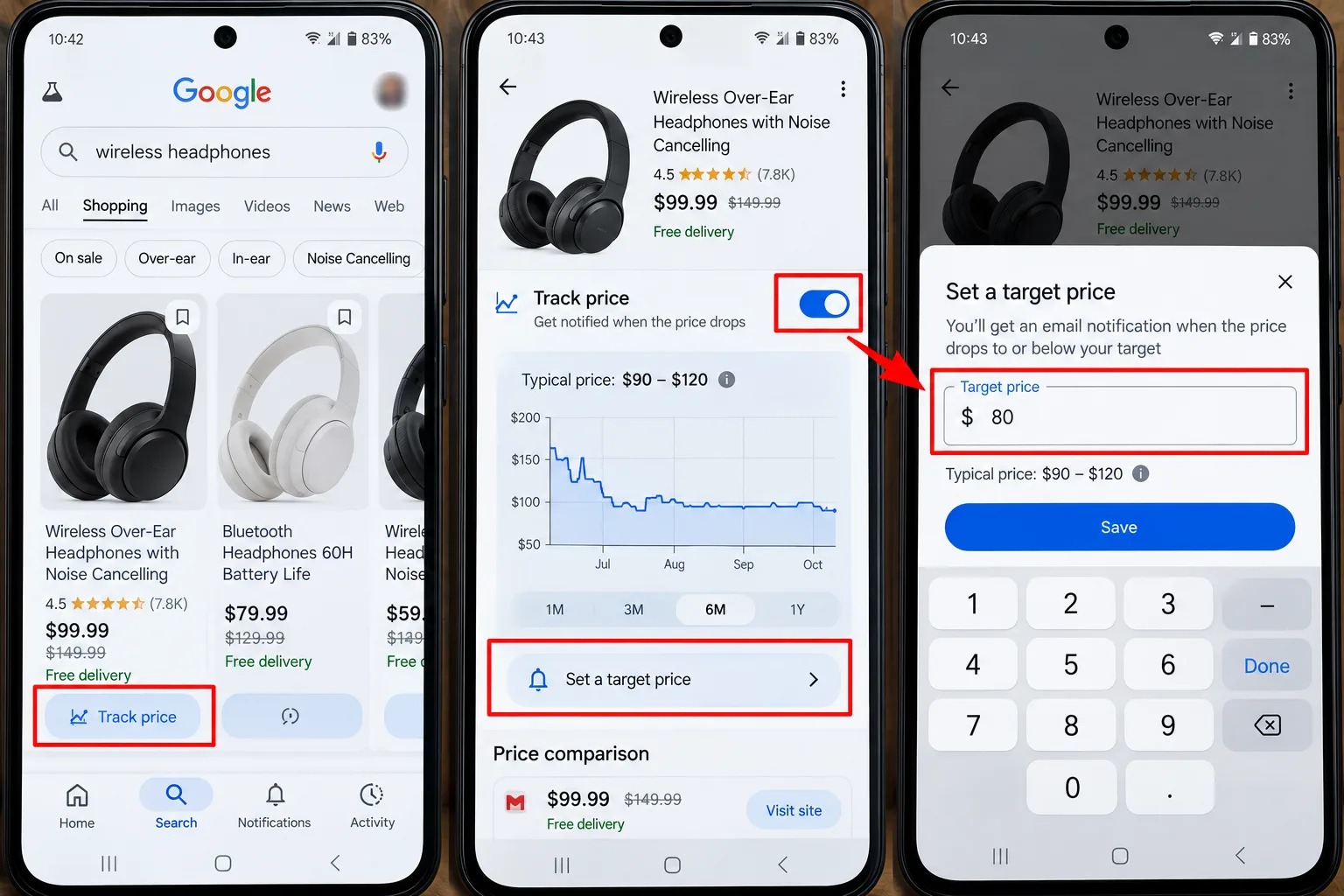
- In Google Search, open the product and tap Track price, or in Chrome use the Bookmark icon on the product page.
- Choose the options you want, such as size or colour.
- Set a target price near the lowest point on the chart.
- Keep notifications on. Google's Chrome page says price drops appear in your Shopping list, and email alerts are optional.
Step 6: Decide, then wait if you can
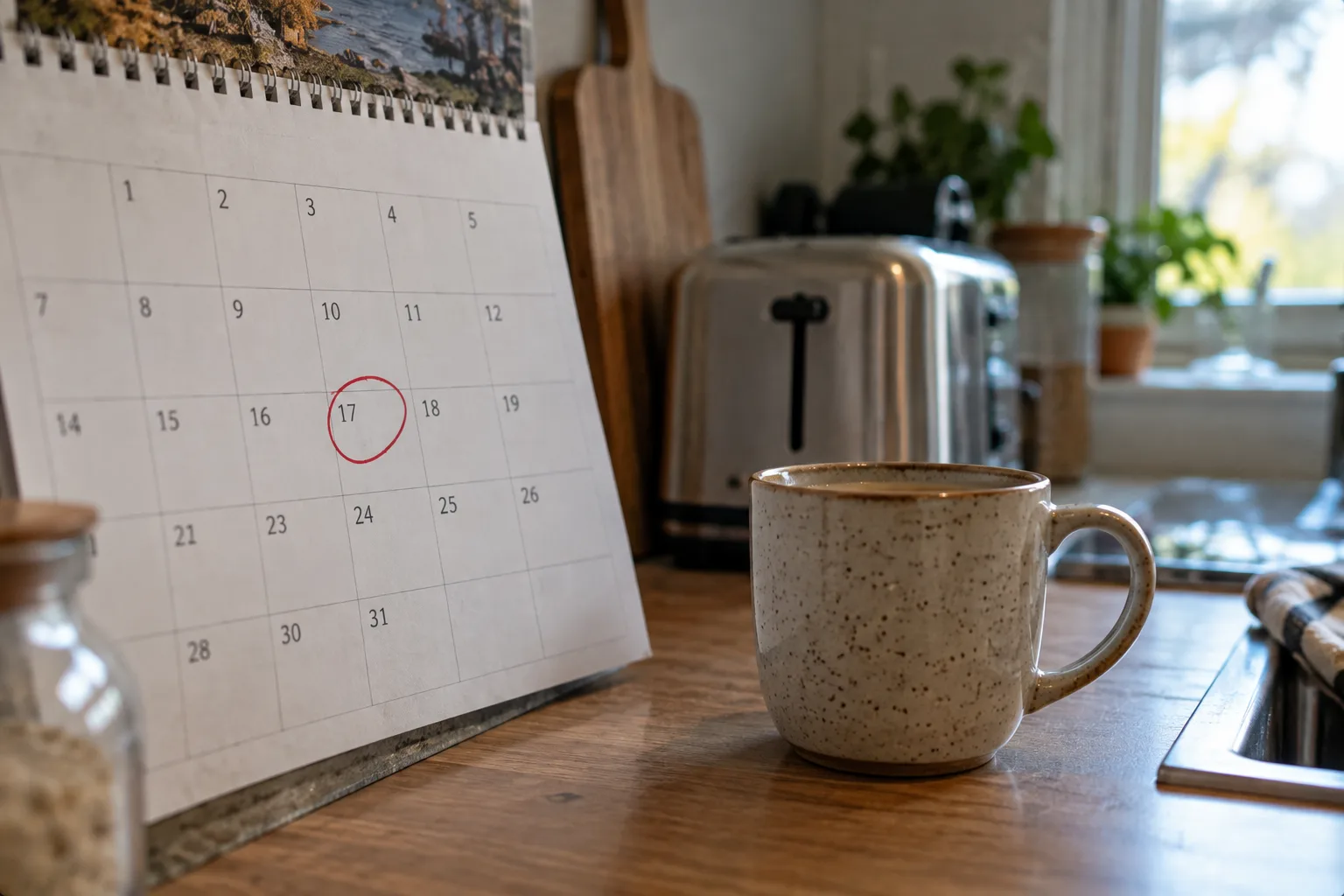
Buy now if the price is at or near the past low and you need it. Otherwise let the alert do the work. For the habit that stops you buying on the spot, see how to stop impulse buying online.
After you buy, watch the price for a short while. Some stores will refund a later drop, as explained in our guide to the price adjustment policy.
Are fake sales allowed?
Regulators frown on them, though enforcement varies. The FTC's pricing guide says a former price must be genuine, and gives the example of a pen raised from $7.50 to $10 for a few days and then cut back to $7.50 and advertised as a bargain. It calls that "obviously a false claim".
In the EU, traders must show the lowest price applied in the 30 days before a reduction was announced. UK rules differ, and I haven't verified them for this piece.
The catch: a rule is not a refund. A chart gives you evidence to walk away, but it won't stop the store running the tag.
What mistakes make a price history checker useless?
- Trusting the "was" price. It's the store's claim, not a record.
- Comparing different variants. Colour, storage and bundle all change the history.
- Looking at a few days only. A short window can make an ordinary price look like a bargain.
- Ignoring shipping and seller. A lower price from a marketplace seller may not be the same deal.
- Treating "lowest" as a prediction. History shows what happened, not what happens next.
What if there's no history, or it disagrees with the tag?
- No chart for a new product: wait, or compare the same item at other sellers before buying.
- No tracking option: the product may not be trackable. Chrome says only trackable products are saved to your Shopping list.
- Chart and tag disagree: trust the chart's pattern, screenshot both, and ask the store to explain its "was" price.
- Different tools disagree: tools can sample different sellers and dates, so use two and look for the shared pattern.
This is general information, not legal advice.
My take and next step
A price history checker won't make a bad price good, but it stops you paying for a story. My pick: start with Google's tools, because they work across stores and cost nothing to try, and add Keepa only if you buy mostly on Amazon. Skip this if: the item is small and you need it today.
Next step: open the last "sale" you were tempted by and look up its history. For a wider routine, see how to find hidden discounts online, or browse the Money-Saving Guides hub.
Last checked: 14 October 2026, against the Google, Chrome Web Store, FTC and EU pages named above. Features, countries and prices change, so confirm them in each tool.
Frequently asked questions
Can a price tracker predict when a price will drop?
No. Google's own help page says its low-price flag doesn't predict how a price may change in the future. A tracker shows past prices and tells you when a price reaches your target, so set a realistic target and be willing to wait.
How far back should I look?
Google compares prices over the past three months, and EU traders must show the lowest price from the 30 days before a reduction. Looking back a few months is a sensible window, but check the chart for seasonal swings too.
What data do price tools want from me?
Chrome's tracking needs you to sign in, turn on syncing for tabs and history, and enable a browsing setting. Keepa's listing says it handles personally identifiable information. Read each tool's privacy information, and use a separate browser profile if you'd rather keep shopping apart.
Quiz
Price History Checker: Never Overpay Again
10 quick questions — think you know this one?
Test Your Knowledge →Comments (8)
- P
Pat
Oct 8, 2026
I found this post useful and informative.
- J
Jordan
Sep 30, 2026
Thanks to the writer for putting this together.
- C
Casey
Sep 29, 2026
This is a helpful website with some interesting content.
- M
Morgan
Sep 23, 2026
Very helpful and easy to follow.
- J
Jess
Sep 13, 2026
Really nice article. I appreciate the effort!
- J
Jordan
Sep 9, 2026
Well done! I hope to see more articles like this.
- D
Dana
Sep 6, 2026
A useful article that gets right to the point. 👍
- J
Jamie
Sep 2, 2026
Great effort from the writer. Thank you!