Useful Websites: 12 You Haven't Heard Of, Safety-Checked
Twelve useful websites most people haven't heard of, each with one real scenario, the catch and a safety check, so you can try them today.

If I could send one link to my younger self, it would be a site that tells you whether a state is holding your money. It's free, it takes a minute, and most people have never heard of it.
These twelve useful websites each solve one real problem, from lost cash to a suspicious link to a PDF you can't open. I checked who runs each one, read its official page or documentation on October 11, 2026, and noted what it does with your data or files. I didn't benchmark them, so the verdicts reflect what the sites themselves say.
Quick answer: The most useful lesser-known websites are MissingMoney.com for unclaimed cash, Have I Been Pwned for breach alerts, Libby for library books, the Wayback Machine for deleted pages and VirusTotal for suspicious links. Most are free, but each has a catch, listed below.

Which useful websites are worth bookmarking?
The first two are the ones I'd open today. The rest are ordered roughly by how often a normal week calls for them.
1. MissingMoney.com
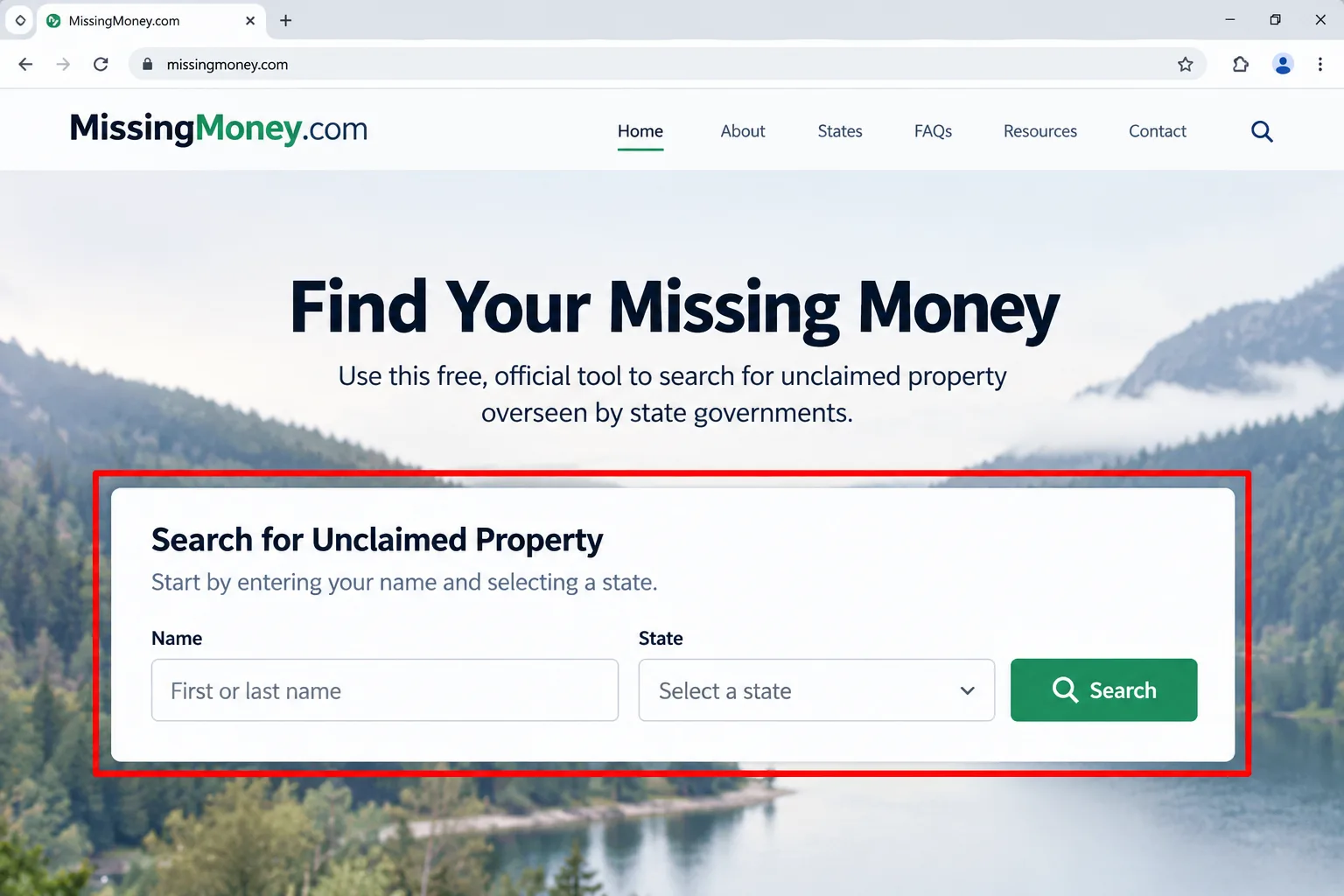
Verdict: A free search for cash that states are holding in your name.
What it is: A multi-state search sponsored by the National Association of Unclaimed Property Administrators. Per the association's announcement, it carries no ads and charges no fee to search.
Try it when: You've moved house or left an old bank account or utility deposit behind. Enter your name, check each state you've lived in, then follow the link to that state's official site to start a claim.
The catch: "Most states" take part, not all, so search your state's own program too. Treat anything that asks for a fee to find your money with suspicion.
Skip it if: You've never lived in the US or Canada.
2. Have I Been Pwned
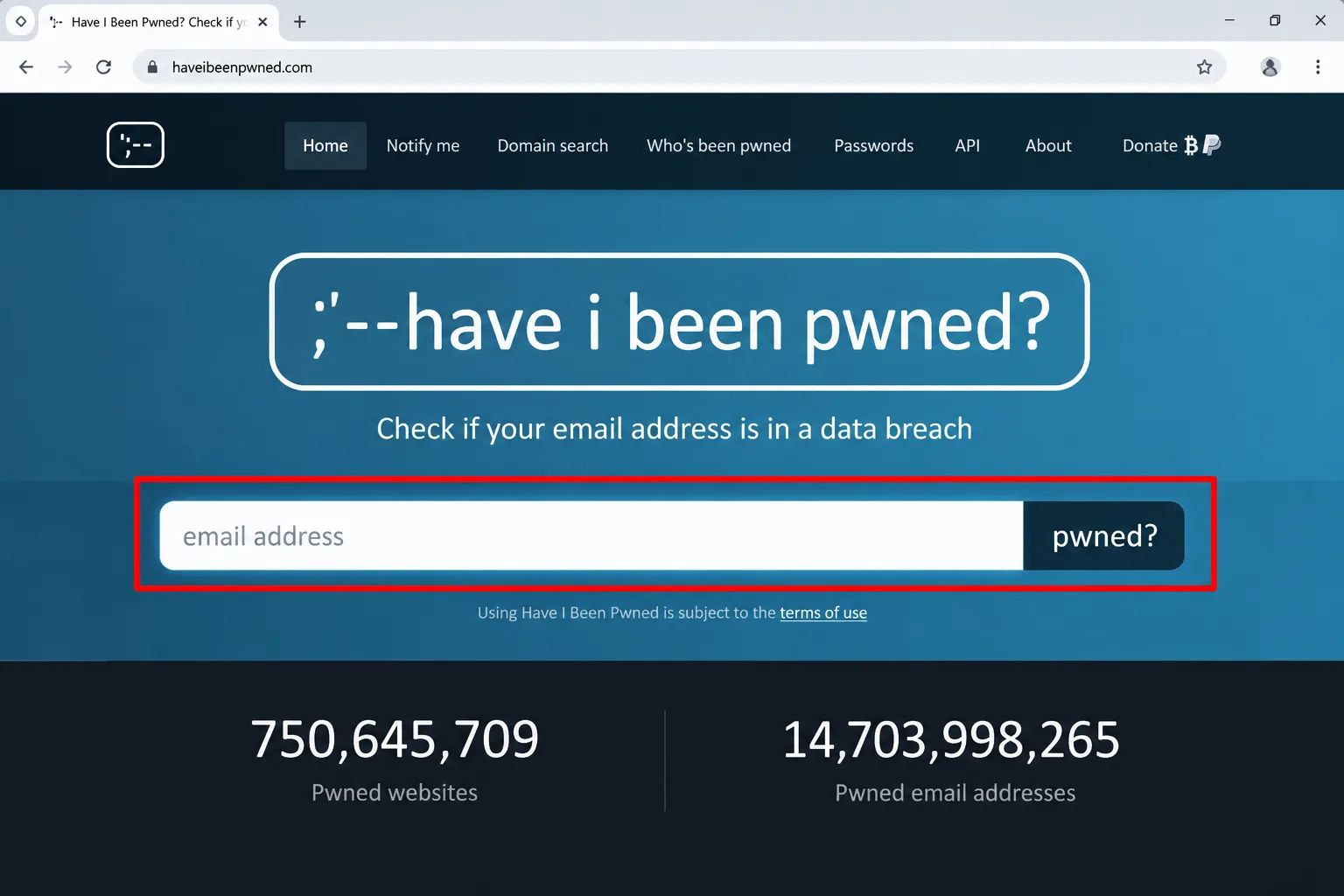
Verdict: The fastest way to learn whether your email turned up in a known data breach.
What it is: Have I Been Pwned is a breach search and notification service. When I opened it, the page showed 1,043 pwned websites and 17,845,484,926 pwned addresses.
Try it when: You're deciding which passwords to change first. Enter your email, read the list of breaches, then use Notify Me to get an alert if it appears in a new one.
The catch: A clean result only means no known breach. The page carries sponsored password-manager placements, and extras such as domain search sit on a pricing page.
Skip it if: Your password manager already monitors breaches for you.
3. Libby
Verdict: Library books and audiobooks on your phone, with no shop in sight.
What it is: The library reading app, according to its help center, which also explains how to get a library card.
Try it when: You're about to buy an ebook or audiobook. Check whether your library has a copy first.
The catch: You need a library card, and popular digital titles can have a waiting list. The help center has a whole article on why.
Skip it if: You need the book today and the wait is long.

4. Wayback Machine
Verdict: See what a page said before it changed or vanished.
What it is: The Internet Archive's service for visiting archived versions of websites. Its help center says you search by URL and can narrow by date range.
Try it when: A product page, policy or dead link has changed. Paste the address into the search box and pick a date from the calendar. A Save Page Now option can preserve a page as it looks today. It pairs well with Google search operators when you're hunting for old pages.
The catch: Not every page is archived, and site owners can exclude pages, which shows up as a robots.txt error.
Skip it if: The page you want sits behind a login.
5. VirusTotal
Verdict: Check a suspicious link or file against dozens of scanners at once.
What it is: Per VirusTotal's documentation, a service that is free to end users for non-commercial use and returns each engine's verdict on a file or URL.
Try it when: A text or email link looks off. Paste it into the URL tab and read the results before you tap.
The catch: The docs say scan reports are shared with the public community, and submitted files or pages may reach premium customers. Never upload a private document. A clean report isn't a guarantee either.
Skip it if: The file contains anything personal.
6. TinEye
Verdict: Find where a picture really came from.
What it is: A reverse image search. TinEye's guide says it shows where an image appears online and doesn't save your search images.
Try it when: A profile photo or viral image seems off. Upload it or paste its address, then compare dates and captions across results.
The catch: Finding a copy doesn't give you permission to reuse it, and the guide has a section on why "no results" isn't proof. TinEye has said searches are free for non-commercial use.
Skip it if: You need to identify a product, not trace an image.
7. Photopea
Verdict: A browser photo editor that opens PSD files.
What it is: A free online editor. Its page says files open on your device and never leave it, and it lists layers, masks and support for PSD, PDF, SVG and RAW formats.
Try it when: Someone sends a .psd and you don't own Photoshop. Open photopea.com and drop the file in. It's one of many free alternatives to paid software.
The catch: It runs on your processor, and the page admits better hardware runs it better.
Skip it if: You only need to crop or resize. Your phone does that.
8. Squoosh
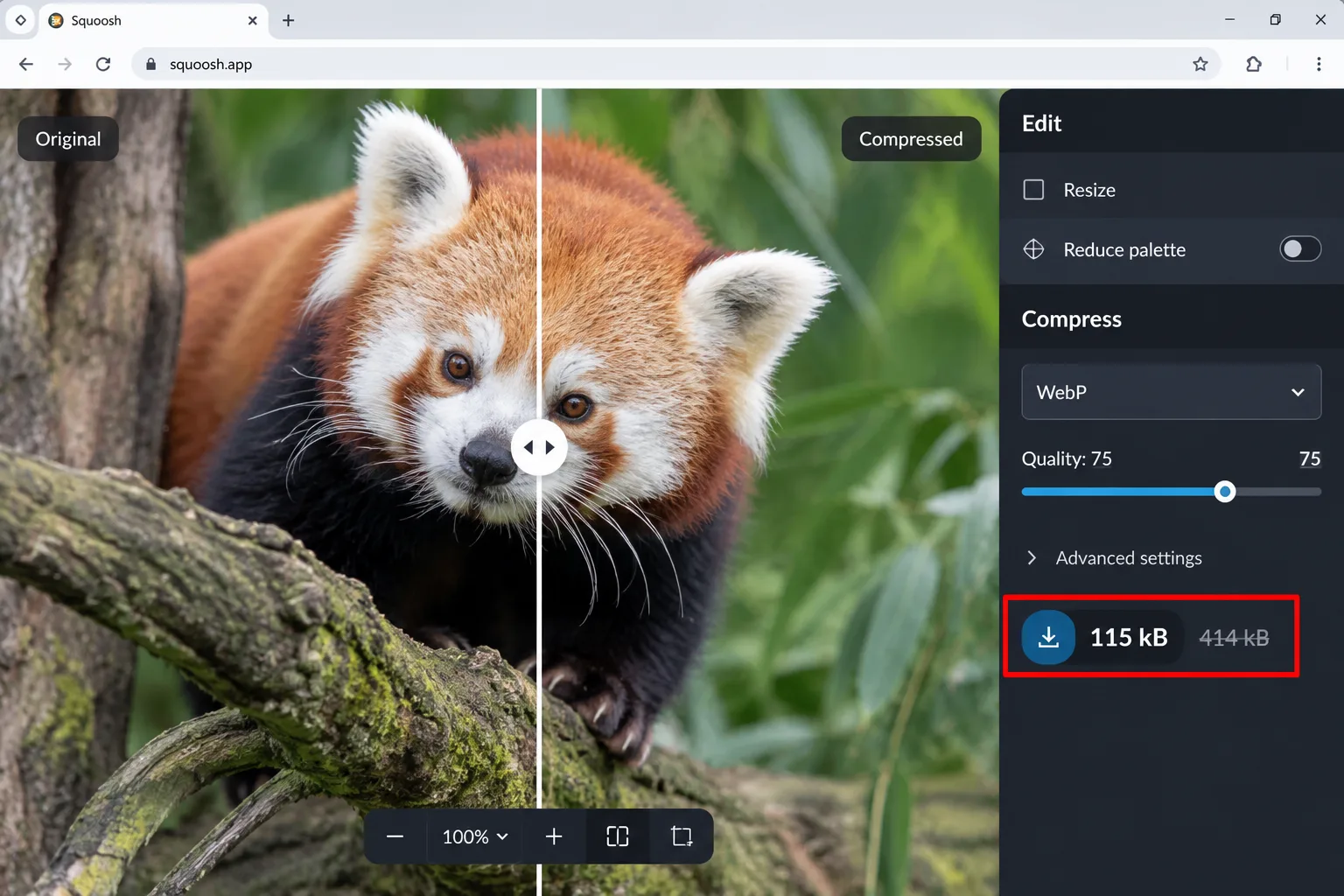
Verdict: Shrink a photo before it gets rejected by a form.
What it is: An image compressor from Google Chrome Labs. Its page says it lets you compare codecs and that images never leave your device.
Try it when: A form refuses your 3 MB photo. Drop it in, adjust the quality while watching the preview, and save the smaller file.
The catch: It needs JavaScript switched on.
Skip it if: A quick resize from your phone's share menu is enough.
9. Openverse
Verdict: Image search where every result is openly licensed.
What it is: A WordPress project that searches openly licensed images and audio.
Try it when: You need a picture for a blog post or slide. Search, check the license on the result, and copy the attribution text the site provides.
The catch: Licenses differ. Some require credit or rule out changes, so read each one.
Skip it if: You need current product shots.
10. Down for Everyone or Just Me
Verdict: Settles whether it's your connection or their server.
What it is: Type a site or service name, and it tells you if the problem is widespread. Its footer credits UpDownSideways, LLC.
Try it when: A bank or streaming login fails. Check here before you reset your router.
The catch: The page carries ads and affiliate links, and an "up" result doesn't rule out a problem with your own account.
Skip it if: The service has its own status page.
11. Windy
Verdict: A weather map built for wind and rain.
What it is: Windy's page describes weather radar, wind and wave forecasts, 50+ layers and the ECMWF and GFS forecast models.
Try it when: You're planning a hike, a sail or a barbecue and want to see the rain or wind layer, not just a percentage.
The catch: It's dense, and the page I opened didn't say which features cost extra, so check before relying on one.
Skip it if: You only need today's forecast.
12. Excalidraw
Verdict: A whiteboard that makes diagrams look hand-drawn.
What it is: A free, collaborative whiteboard with a hand-drawn look, per its own page title.
Try it when: You're explaining a process to a teammate. Open excalidraw.com and sketch boxes and arrows.
The catch: The page I opened didn't spell out sharing or storage rules, so keep sensitive diagrams off shared links until you've read them.
Skip it if: You want polished, pixel-perfect diagrams. The sketchy style is the point.
How were these useful websites safety-checked?
I looked for three things on each one.
Who runs it: a nonprofit, a state-endorsed association, Google Chrome Labs, the WordPress project or a named company.
What it asks of you: an email, a library card, or nothing at all.
What happens to your files: processed on your device, or shared with others, as with VirusTotal.
This is a read of official pages, not a malware scan. Type the addresses yourself or bookmark them, because lookalike sites exist for anything popular.
Choose the right site for the job
Choose MissingMoney.com if you've ever moved or closed an account.
Choose Have I Been Pwned or VirusTotal if you're worried about a breach or a link.
Choose TinEye or the Wayback Machine if you need to verify where something came from.
Choose Photopea, Squoosh or Openverse if you work with images.
Choose Libby if you read a lot and have a library card.
My take and next step
My pick: MissingMoney.com, because it's the only one here that can put cash in your pocket. Skip the weather and whiteboard entries if you don't need them.
Next step: bookmark three useful websites from this list today. For more quiet tricks, see our hidden Google features and the Internet Secrets & AI Tools hub.
Last checked: official pages and documentation reviewed on October 11, 2026. Features and limits change, so confirm anything important on the site itself.
Frequently asked questions
How do I avoid lookalike versions of these sites?
Type the address yourself or use a bookmark, and don't click search ads for them. For unclaimed money, never pay anyone to find it. Official state programs say searching their own sites is free, and MissingMoney is sponsored by the state administrators' association.
Do these sites ask for my personal details?
It varies. MissingMoney asks for your name, and claims happen on your state's official site, where you prove ownership. Have I Been Pwned asks for an email. Libby needs a library card. Photopea and Squoosh say your files stay on your device.
Are these websites really free?
Mostly, for basic use. TinEye and VirusTotal are free for non-commercial use, and Have I Been Pwned has a pricing page for extras. I couldn't confirm Windy's paid features, so check before you rely on it.
Quiz
10 Useful Websites You’ll Wish You Knew Earlier
10 quick questions — think you know this one?
Test Your Knowledge →Comments (10)

Faith Garrett
Oct 6, 2026
Thanks to the writer for putting this together.

Liliane Lenz
Oct 6, 2026
Really appreciate the quality of this content.

Nicklas Jensen
Oct 5, 2026
I’m definitely adding Perktonic to my list of websites to follow.

Carlos Castro
Oct 1, 2026
Well done! I hope to see more articles like this.

آدرین نجاتی
Sep 28, 2026
A useful article that gets right to the point. 👍

Ethan Kennedy
Sep 27, 2026
I appreciate you sharing this information with us.

Wilma Moreno
Sep 24, 2026
Good job covering the important details.

Gianna Dumas
Sep 21, 2026
This article was both interesting and informative.

Tomé Rezende
Sep 17, 2026
Thanks for another great article!

Isak Stensrud
Sep 17, 2026
I found this post useful and informative.