Buy Nothing Group: How to Join, Ask and Get a Yes
A buy nothing group lets neighbors give things away free. See how to join, the message that gets a yes, and a pickup safety checklist before you go.
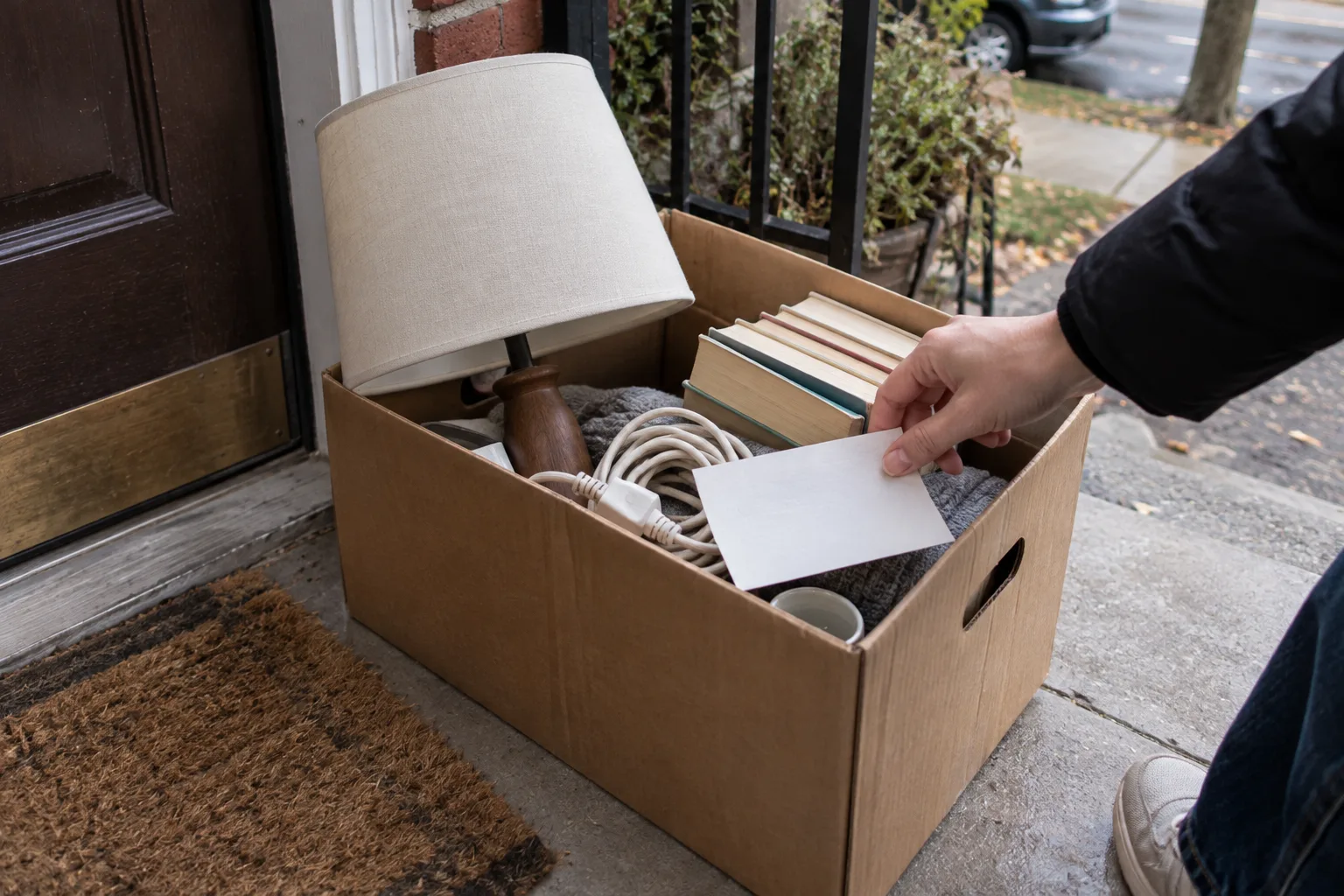
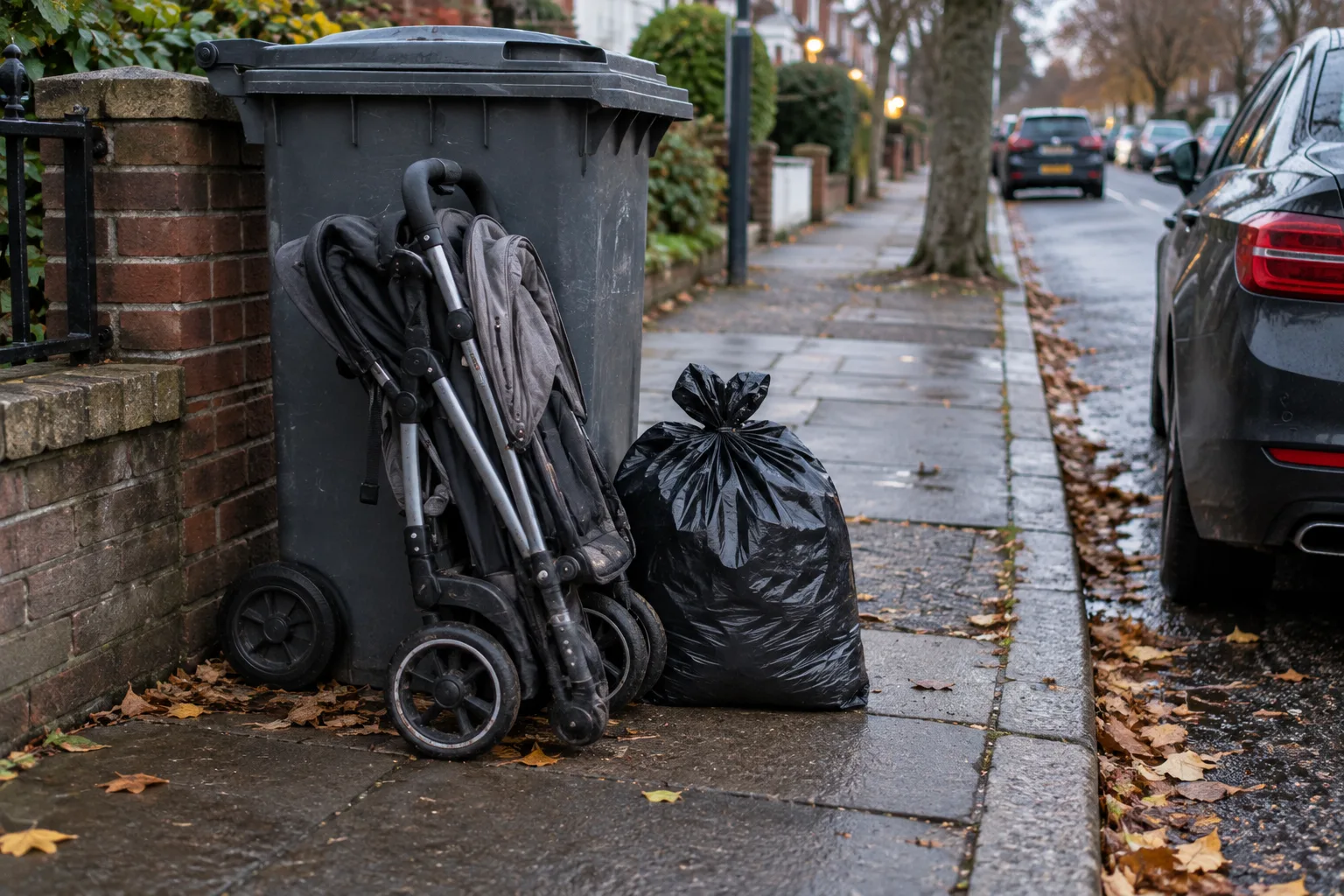
Your neighbor is about to put a perfectly good stroller out with the trash. You know someone who'd love it. A five-minute message, sent in time, saves a real chunk of money.
That's what a buy nothing group is for, and this guide shows how to join one, write an ask that gets answered and pick things up safely. I haven't posted in a group for this piece, so there's no personal haul here. The facts come from the Buy Nothing Project's own pages, Freecycle, NHTSA, the CPSC and a campus police department, which I read on 14 October 2026.
Quick answer: A buy nothing group is a local gift community where neighbors give and ask for items with no money, swaps or selling. Join through the Buy Nothing app or a local Facebook group, read the rules, post a specific ask with your pickup window, then say thanks. Results depend on how active your area is.
What do you need, and how long does it take?
Allow about 15 minutes to join and write your first post. Replies take whatever your neighborhood takes, so don't plan around a deadline. Have these ready:
- A phone or laptop, and either the Buy Nothing app or a Facebook account.
- A clear idea of what you want, or what you're ready to give away.
- A photo of any item you're offering, taken in daylight.
- A pickup window you can actually keep.
The catch: a group is only as good as its members. A busy area can answer an ask in hours, and a quiet one may not answer at all. I found no official figures on how active groups are, so test yours before you count on it.
Buy Nothing app or Facebook group: which should you join?
There are two doors. The Buy Nothing Project's help center has a page on the differences between the app and Facebook groups, and these points come from it.
The Buy Nothing app
- Area: you choose your own sharing radius and see posts from neighbors around you.
- Setup: one searchable community, or Private Communities you can join.
- Data: the page says no ads, no data mining and no algorithm.
- No local group? The help center says you can start using the app straight away, and no local volunteer is needed.
The catch: some posting features cost money. The help center says the Flash and Simmer badges, which control how quickly a gift is handed over, need a subscription. I couldn't find a price.
A local Facebook group
- Area: geography and membership are set by the group's admins.
- Setup: no separate app, since it lives inside Facebook.
- Visibility: depends on Facebook's algorithm, and rules vary from group to group.
- Data: Facebook collects data for advertising.
The catch: groups can be capped. The help center says volunteer admin teams cap a group, usually after it grows very large, and a capped group isn't accepting new members. A group also exists only if a local volunteer starts one.
Choose the app or the group
- Choose the app if there's no group near you, yours is capped or you'd rather set your own radius.
- Choose a Facebook group if you're already on Facebook and a healthy local one exists.
- Join both if you want more chances of a yes. Just keep each platform's rules straight.
There's also Freecycle, a volunteer-run, not-for-profit network where membership is always free. It's separate from the Buy Nothing Project. I couldn't read its guidelines page, so check its rules before you post.
How to join a buy nothing group in 6 steps
Step 1: Read the rules first
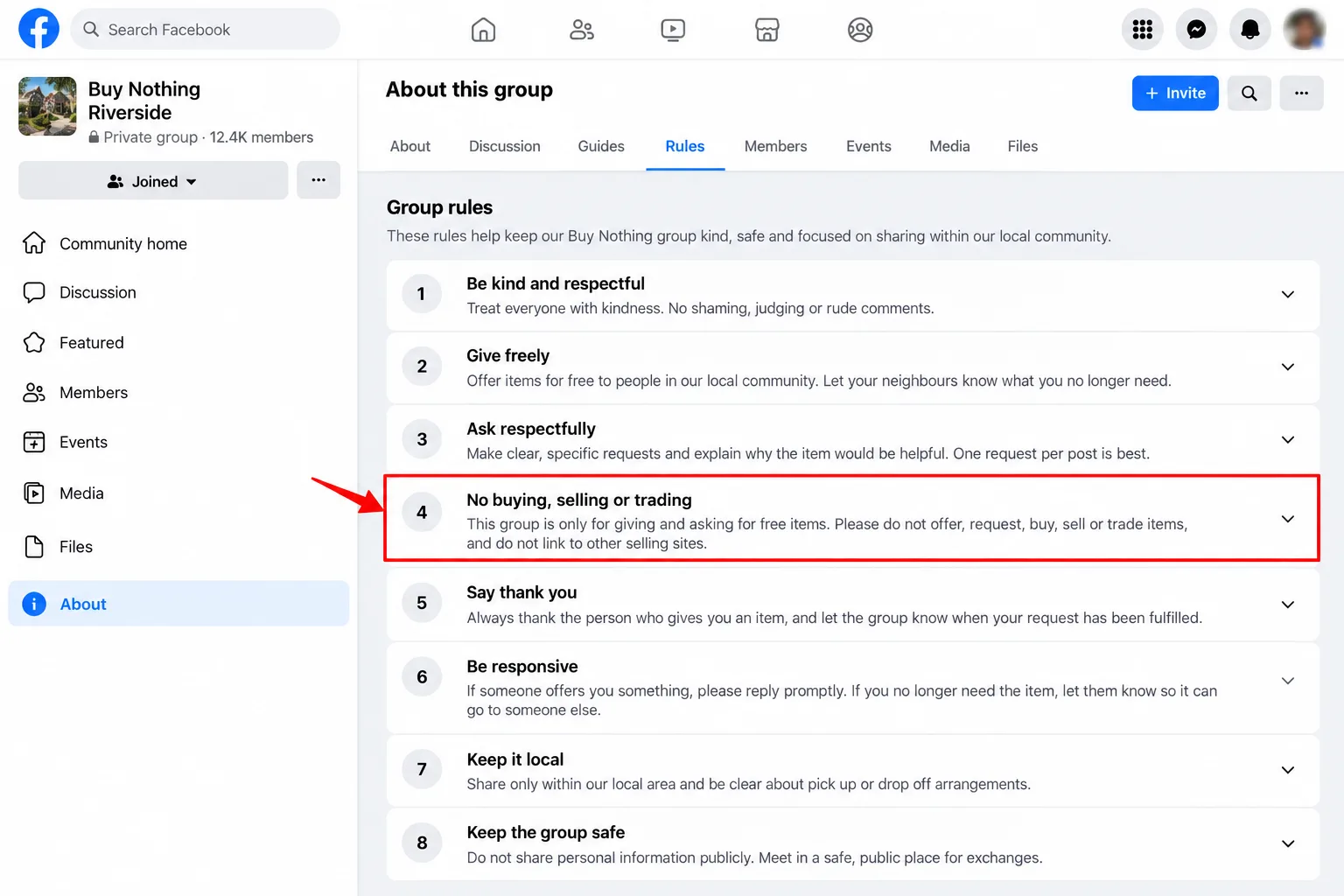
The Buy Nothing Project's rules page says gifts are given and asked for without buying, selling, bartering, trading or advertising, and without expectation of reward. It also bans pressuring people through private messages. Read your group's pinned post too, because local groups can add their own rules.
Step 2: Join as yourself
The rules page says to join as yourself, using your personal Facebook profile, not a business or other identity. In the app, set your sharing radius to something you can drive or walk. A closer pickup is usually easier to arrange.
Step 3: Watch for a few days
Scroll before you post. See what gets given, how people ask and how long a gift lasts. Your local posts will teach you more than any guide, this one included.
Step 4: Write an ask that gets a yes
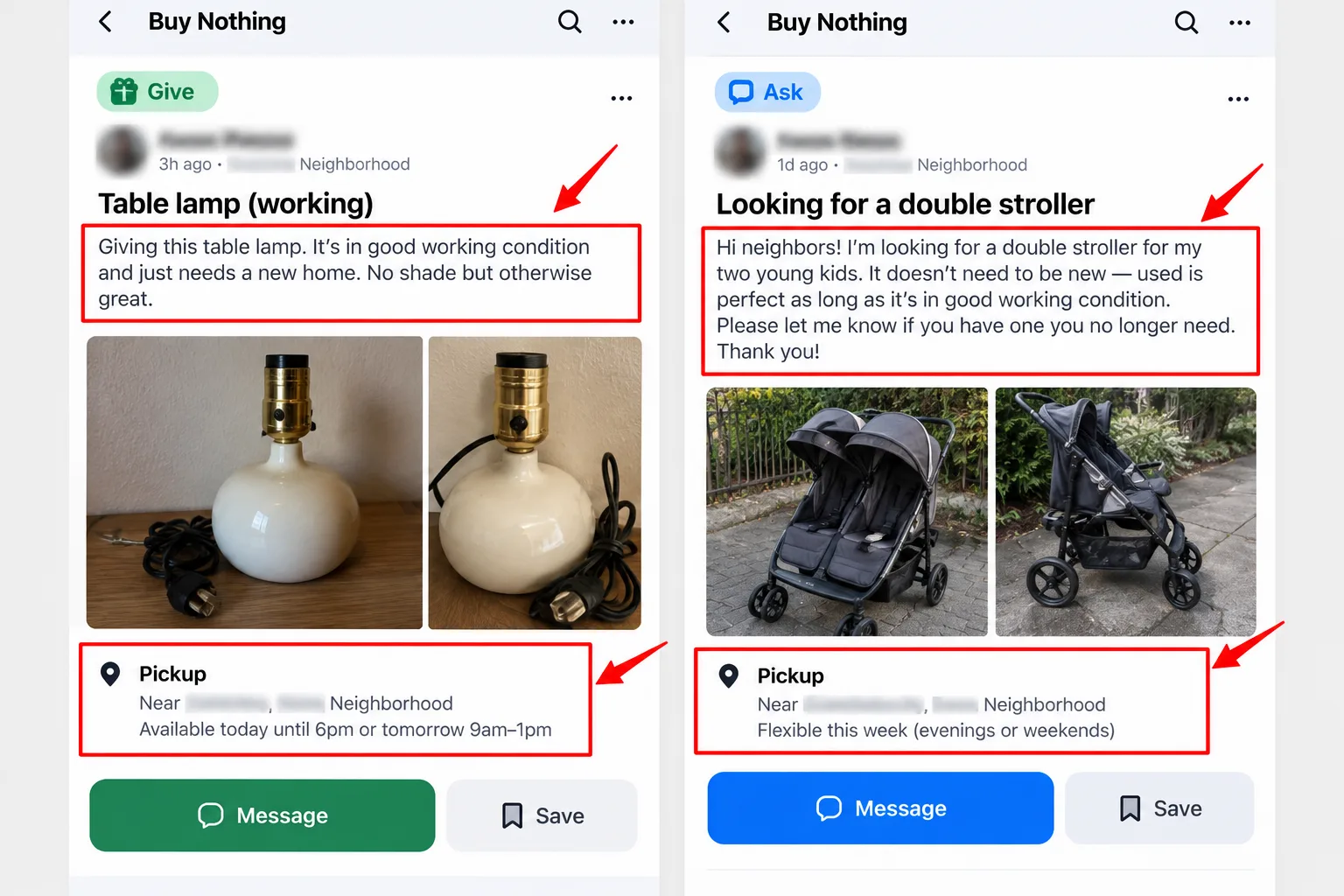
The app's help page says a post needs a title, a description and, optionally, a photo, and that posts with photos usually get much more interest. For an ask, be specific and easy to say yes to. Here's wording I'd use, my own and not an official template:
ASK: Folding stroller, any condition that still folds. Our first baby is due soon and we're starting from nothing. I can collect any day after 5pm or at the weekend, and I'll bring a friend to carry it. Thank you for reading.
Name the item, say why in one line, give your pickup window and offer to do the work. Don't write a sob story, and don't offer money. Selling and buying are against the rules.
Giving is the same craft. The app's help page says to add the condition, size, pickup window and a nearby landmark or cross streets, not your exact address.
GIVE: Floor lamp, works, shade has a small stain. Porch pickup in the morning or after 6pm. First person who can confirm a time gets it.
Step 5: Reply fast and arrange pickup
When a giver picks you, answer within the hour if you can. Confirm a time, then be there. If you can't make it, say so early so the item goes to someone else. Once you've said you'll take it, going quiet is the quickest way to get ignored next time.
Step 6: Say thanks in public
The app has a Gratitude post type for thanking a neighbor. Use it, and mention what you used the item for. Thank-yous are what keeps a group friendly, and they cost nothing.
How do you stay safe on a pickup?
The Buy Nothing Project's Community Commitment says to participate at your own risk and do your own research to stay safe, and it lets you block anyone you don't want to connect with. It sets no pickup rules, so these are mine:
- Pick up in daylight. A campus police page on safe exchanges recommends daytime meetings in a public area, telling someone the details and not going inside anyone's home.
- Use the porch. Ask the giver to leave the item on the step, or collect it at the door without going in. The same page suggests not going alone for exchanges.
- Keep your address vague until you're picked. Share it only with the person who'll collect or deliver.
- Walk away from money requests. The Commitment bans fundraising and requests for money. A "small fee" or a "deposit" breaks the rules, and our fake free offers checklist covers more red flags.
- Report crime to the police. The project's guidelines say to contact local authorities as you would for any situation.
Used baby gear needs extra care. NHTSA's checklist says a used car seat should never have been in a moderate or severe crash, should have no open recalls and should have all its parts. For strollers, the CPSC's stroller recall page lists current recalls. Check the brand and model before you say yes. This is general information, not safety advice for your child.
The catch: a free gift doesn't mean a checked gift. Nobody in the group has tested what you're given, and the project says it takes no responsibility for losses or injuries.
What mistakes get asks ignored?
- Vague asks. "Anything for the kitchen" gives a giver nothing to act on.
- No pickup window. A vague "sometime" is harder to say yes to than a named time.
- Asking for pricey things with no reason. Say what you need it for.
- Chasing in private messages. Pressuring people in private messages is against the rules.
- Offering money or a swap. Buying, selling, bartering and trading are all banned.
- Skipping the thank-you. It costs nothing, and it keeps a group friendly.
What if nobody answers or the group is capped?
- No replies in a few days: add a clear photo or shorten the ask to one item, then repost once.
- Group is capped: use the app, or start a new group by following the project's guidance.
- No group nearby: join the app and set a wider radius.
- Still quiet: try Freecycle, or look at our guide to free samples by mail and how to get free products to review.
- The giver flakes: move on. Don't chase, just post another ask.
If it's plants you're after, our guide to free seeds covers other places to look.
My take and next step
A buy nothing group is the best free route I know for bulky, boring and expensive things, and the worst one for anything you need by Friday. My pick: start with the app, post one specific ask with a photo of any gift you're offering, and thank whoever helps. Skip this if: you need a safety-critical item right now, such as a car seat, and can't check its history first.
Next step: join today, read the rules and watch for three days. Then post your first ask. More ways to get things for free are in the Free Samples & Products hub.
Last checked: 14 October 2026, against the Buy Nothing Project, Freecycle, NHTSA, CPSC and campus police pages named above. Features, prices and rules change, so confirm them in the app or group you join.
Frequently asked questions
Is the Buy Nothing app free?
The help pages I read don't state a price for joining. They do say the Flash and Simmer badges need a subscription. Check the app store listing and the app's settings before you assume everything is free.
Do I have to use my real name?
Mostly, yes. The project's rules page says to join as yourself, using your personal Facebook profile, and the Community Commitment says "Real Humans Only", with no bots or fake accounts. A business identity isn't allowed.
Is Freecycle the same thing?
No. Freecycle is its own volunteer-run, not-for-profit network. Its site says membership is always free and local towns are moderated by volunteers, with zero tolerance for scams and spam. The Buy Nothing Project is separate, so rules differ.
Quiz
Buy Nothing Groups: Get Free Stuff in Your Community
10 quick questions — think you know this one?
Test Your Knowledge →Comments (8)
- A
Alex P.
4 days ago
Great article! I really enjoyed reading this.
- J
Jamie
Oct 9, 2026
I really like the content on this website.
- D
Dana
Oct 3, 2026
This was helpful and gave me a new perspective.
- P
Pat
Sep 24, 2026
This was worth my time. Great read!
- R
Riley
Sep 14, 2026
A very solid article with plenty of useful information.
- D
Dana
Sep 10, 2026
Great work by the team behind Perktonic.
- P
Pat
Sep 9, 2026
This was a really good read. Keep up the great work!
- R
Robin
Sep 8, 2026
I always enjoy discovering helpful websites like this one.