
Check Security Headers and Read the Score
Security headers checker: the six graded headers, the score and the grade, copy the Nginx, Apache or Caddy config, and read the caching, compression and cookie checks.
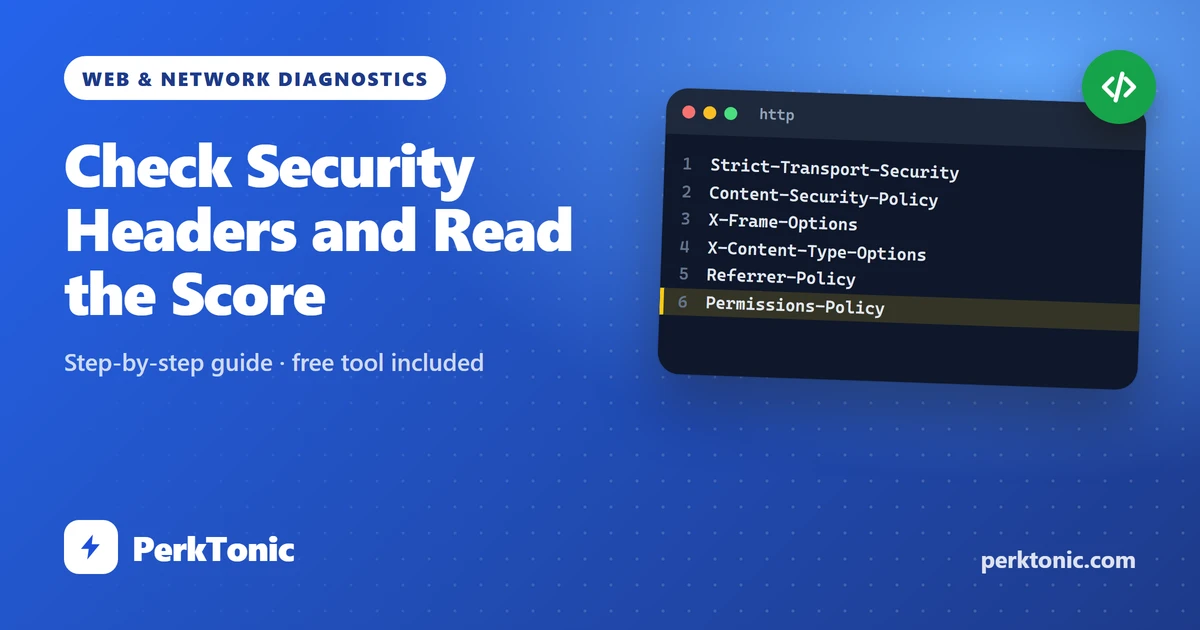
Security headers are instructions that a server sends with every page to make browsers behave more safely: use HTTPS only, do not allow framing, do not guess content types. A security headers checker shows which ones your site sends and which are missing. The HTTP Response Header Analyzer grades six of them, gives a score out of 100 and offers configuration to add the missing ones.
The six graded headers
The score is built from six headers, each with its own weight:
| Header | Points |
|---|---|
| Strict-Transport-Security (HSTS) | 25 |
| Content-Security-Policy (CSP) | 25 |
| X-Frame-Options | 15 |
| X-Content-Type-Options | 15 |
| Referrer-Policy | 10 |
| Permissions-Policy | 10 |
Together they add up to 100. HSTS tells browsers to use only HTTPS for the site. CSP limits where scripts, styles and other content may come from, which is the main defence against injected scripts. X-Frame-Options controls whether other sites can embed the page in a frame, which stops clickjacking. X-Content-Type-Options stops browsers from guessing the type of a file. Referrer-Policy limits what is sent in the Referer header when a visitor follows a link, and Permissions-Policy limits the browser features, such as the camera and the microphone, that the page may use.
The score becomes a grade: A+ from 95 points, A from 85, B from 70, C from 55, D from 40, and F below that. The headers are described in the MDN HTTP headers reference and in the OWASP Secure Headers Project.
Worked example: a grade A site
Enter an address, such as https://github.com/, and press the check button. On 6 November 2026, the result for github.com was 90 out of 100, which is grade A. The only header that loses points is Permissions-Policy, which is missing.

Read the result header by header. A score of 90 means that 10 points are missing, so one header of weight 10 is missing or weak, or several headers lose part of their points. The list shows each header with the points earned out of the points possible, so you see where the points were lost: for github.com it reads 25/25 for HSTS and for CSP, 15/15 for X-Frame-Options and for X-Content-Type-Options, 10/10 for Referrer-Policy and 0/10 for Permissions-Policy.
A good grade is a good sign and not a guarantee. The score measures the presence and the quality of six headers. It does not test your application for vulnerabilities, and a site with an A can still have problems elsewhere. On the other hand, a site with a low grade has easy improvements available.
Check the HTTPS side with the SSL Certificate Checker, because HSTS only makes sense with a working certificate.
Copy the Nginx, Apache or Caddy config
Under the findings, the block Configuration to fix it holds the lines for the headers that are missing or weak. It has tabs for Nginx, Apache and Caddy and a button that copies the tab, such as Copy Nginx config. For github.com, where Permissions-Policy scores 0 of 10, the Nginx tab holds one line.
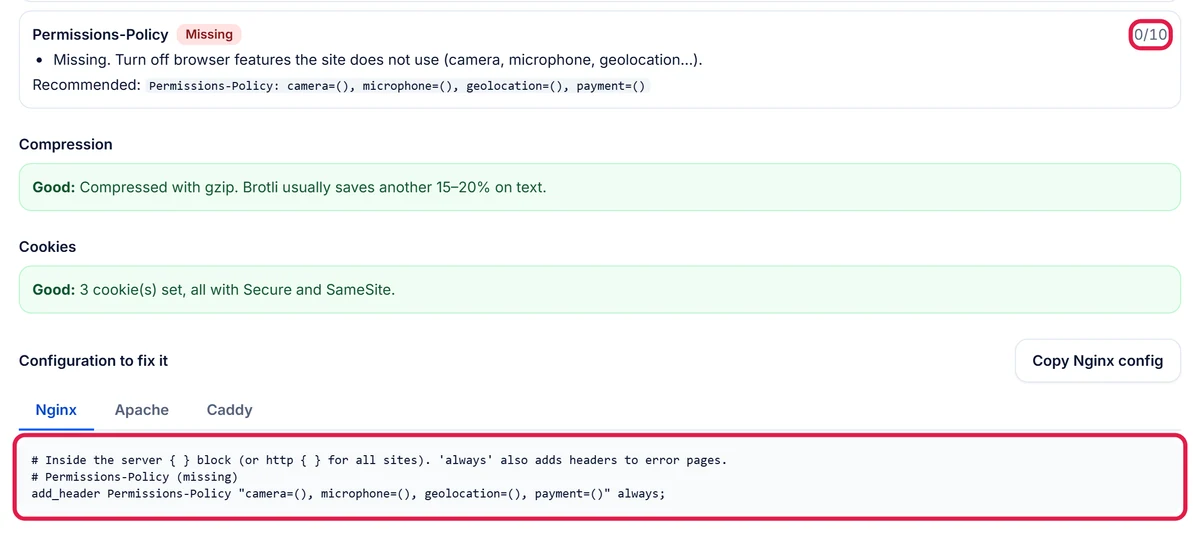
The line of the tool is:
add_header Permissions-Policy "camera=(), microphone=(), geolocation=(), payment=()" always;
The word always makes Nginx send the header also on error responses. Place the line in the right server block, reload the server and check again.
Take care with CSP. A policy that is too strict breaks the site, because scripts, fonts or images from other places stop loading. Start with a policy in report-only mode, or with a permissive one, and tighten it step by step while you look at the browser console. HSTS has its own risks, since browsers remember it for the time you set. See Add an HSTS Header and Check It Works.
Caching, compression and cookies
The analyzer reads more than the six headers. It also shows the caching headers, whether the response is compressed, and the cookies that the server sets.

For cookies, look at the flags on each Set-Cookie header. Secure means that the cookie is sent only over HTTPS. HttpOnly keeps scripts from reading it. SameSite limits when it is sent with requests from other sites. For github.com the tool says: "Good: 3 cookie(s) set, all with Secure and SameSite." A cookie that lacks these flags is reported in the same place, and a session cookie without Secure and SameSite is a point to fix.
Other headers leak information that you do not need to share, such as the server version. See Hide Server Version Headers Like X-Powered-By.
Limits
You can run 30 checks every 10 minutes. The tool looks at the response of one address, at one moment. Different pages of a site can send different headers, so check the home page, a page after a login and a static file if they are served by different systems.
By default the analyzer follows up to 10 redirects and grades the final response, and the result says how many redirects it followed, for example "After 1 redirect(s) from http://github.com/". If you untick Follow redirects, the headers belong to the first response, which may be the redirect and not the final page. To see the chain itself, use the Redirect Chain Checker. For the wider list of checks before a launch, see Pre-Launch Website Checklist: Technical Checks.
Try it
Open the HTTP Response Header Analyzer, enter your final HTTPS address and run the check. Read the score and the grade, copy the configuration for the headers that lose points, test CSP carefully, and check again after the change.