
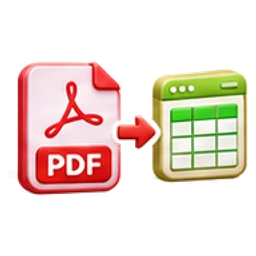
Extract Tables from a PDF to Excel
Extract tables from PDF to Excel without uploading the file. The PDF is read in your browser. Every table it finds is shown in a preview, and you download the ones you want as one .xlsx file.
- Free to use
- No account required
- Instant results
- Private: runs in your browser
PDF file
The PDF is read in your browser and is never uploaded. Current file: sample-invoice.pdf.
Tables found
Example result (sample PDF)2 tables on 1 of 1 page read (1 in the file). Complex layouts need checking in the preview.
- Ruled lines: cell borders found
SKU Description Qty Unit price Amount 00417 Nitrile gloves, box of 100 20 8.90 178.00 00982 Printer paper A4, 5 reams 4 21.50 86.00 01233 Hand sanitiser 1 L 6 6.75 40.50 02310 Waiting room chair 2 149.00 298.00 - Text alignment: check the columns
Subtotal 602.50 USD Sales tax 8% 48.20 USD Total due 650.70 USD
Your data: Files and text are processed locally in your browser. Nothing you load here is uploaded to our servers.
How to use
- Choose a PDF (up to 20 MB and 50 pages). If you only need some pages, type a range such as "1-3, 5".
- Wait a moment while the pages are read. A progress bar shows each page, and you can cancel.
- Check each table in its preview. Untick the ones you do not need, and turn "First row is a header" on or off.
- Choose how numbers are written (1,234.56 or 1.234,56), or leave it on Automatic.
- Press Download .xlsx. You get one sheet per table, named like "Table 1 (p2)", or all tables on one sheet if you prefer.
Examples
A supplier invoice with a ruled table. The SKU column "00417" stays text, so the leading zeros are kept. Quantities and prices such as "8.90" become numbers you can add up. The sheet is called "Table 1 (p1)" and its header row is bold and frozen.
A bank statement over three pages. The header "Date | Description | Reference | Amount" is printed at the top of every page. The tool joins the pages into one table of 65 rows, removes the repeated header twice, and tells you it did.
A report with a merged header. "Revenue" spans the "Q1" and "Q2" columns. In Excel it becomes a merged cell over two columns. In the preview its text is repeated in both columns so you can check it.
Tips and limits
- Two methods find tables. Ruled lines uses the cell borders drawn in the PDF. Text alignment groups words into rows and finds columns shared by at least three rows. Automatic uses ruled lines where there are some and alignment elsewhere, and you can force either one.
- Complex layouts need checking in the preview. Text alignment is labelled "check the columns" for that reason.
- Identifiers with leading zeros, phone numbers, anything starting with "+", and dates stay text. A cell that starts with "=" is never written as a formula.
- Right-to-left tables (Arabic, Hebrew) keep their reading order, and the sheet opens right to left.
- Rotated pages are read in the orientation you see on screen.
- Scanned PDFs have no text layer. The tool detects this and points you to the scanned-table tool, which uses OCR.
- Password-protected PDFs open after you type the password. It stays in your browser.
- The work stops after 60 seconds. For long documents, use a page range.
FAQ
How do I extract a table from a PDF to Excel?
Open the PDF here and check the preview of each table. Then press Download .xlsx; each table you ticked becomes a sheet.
Why is my table split into two?
A table that continues on the next page is joined only when its columns line up with those of the previous page. If the layout changes, or a page in between is not in your range, you get two tables. Tick both and use "All tables on one sheet".
Does it work with scanned PDFs?
No. A scan is an image without text, and this tool says so when it sees one. The Scanned Table to Spreadsheet tool reads scans with OCR, also in your browser.
Why are some numbers left as text?
Values like 00417, +44 20 7946 0958 or 2026-09-04 are identifiers, phone numbers or dates. Turning them into numbers would lose zeros or change them, so they stay as written.
Can I copy a table instead of downloading it?
Yes. Each preview has a Copy button that copies tab-separated cells, which paste directly into Excel or Google Sheets.
Is my PDF uploaded?
No. The file never leaves your device: a worker in your browser reads it, and nothing is sent to a server.
Privacy note
Your PDF is read and converted entirely in your browser, inside a Web Worker. It is not uploaded, stored or logged, and the page sends no request with your data. Closing the tab discards everything. The .xlsx file is created on your device.
Guides for this tool
 Document & Text Intelligence
Extract a Table From a Password-Protected PDF
How to convert a password-protected PDF table to Excel in the browser: where the file is processed, the password step, choosing pages, and exporting to Excel or CSV.
4 min read
 Document & Text Intelligence
PDF Table Columns Come Out Wrong in Excel
Why PDF table columns come out wrong in Excel: ruled lines against text alignment, forcing one method, merged headers and a checklist for the preview.
4 min read
 Document & Text Intelligence
Extract Invoice Data to Excel: Totals, Dates, Lines
How to extract invoice data to Excel: what is read in your browser and what is sent, hiding account numbers, the Verified, Check and Not found marks, and the arithmetic checks.
5 min read
 Document & Text Intelligence
Convert a PDF Table to CSV for Excel or a Database
How to convert a PDF table to CSV: the preview, delimiter, encoding and line endings, ZIP or one combined CSV, and which encoding Excel reads correctly.
5 min read