
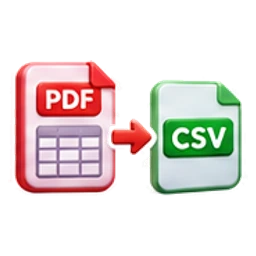
PDF to CSV Table Converter
This pdf to csv table converter online finds the tables in a text-based PDF and writes each one as a CSV file. You choose the delimiter, the encoding and the line endings. The PDF never leaves your browser.
- Free to use
- No account required
- Instant results
- Private: runs in your browser
PDF file
The PDF is read in your browser and is never uploaded. Current file: sample-invoice.pdf.
Tables found
Example result (sample PDF)2 tables on 1 of 1 page read (1 in the file). Complex layouts need checking in the preview.
- Ruled lines: cell borders found
SKU Description Qty Unit price Amount 00417 Nitrile gloves, box of 100 20 8.90 178.00 00982 Printer paper A4, 5 reams 4 21.50 86.00 01233 Hand sanitiser 1 L 6 6.75 40.50 02310 Waiting room chair 2 149.00 298.00 SKU,Description,Qty,Unit price,Amount 00417,"Nitrile gloves, box of 100",20,8.90,178.00 00982,"Printer paper A4, 5 reams",4,21.50,86.00 01233,Hand sanitiser 1 L,6,6.75,40.50 02310,Waiting room chair,2,149.00,298.00
- Text alignment: check the columns
Subtotal 602.50 USD Sales tax 8% 48.20 USD Total due 650.70 USD Subtotal,602.50,USD Sales tax 8%,48.20,USD Total due,650.70,USD
Your data: Files and text are processed locally in your browser. Nothing you load here is uploaded to our servers.
How to use
- Choose a PDF (up to 20 MB and 50 pages), and type a page range such as "2-4" if you need only part of it.
- Check the tables found. Each one has a grid preview and a preview of the CSV text exactly as it will be written.
- Pick the delimiter (comma, semicolon, tab or pipe), the encoding and the line endings.
- Keep "Protect against spreadsheet formulas" on if the file will be opened in Excel or Google Sheets.
- Download one CSV per table: a single file for one table, or a ZIP for several. You can also download one combined CSV with a "table" column.
Examples
One invoice table, comma, UTF-8 with BOM. The download is invoice-table-1-p1.csv: Item,Qty,Unit price,Amount and Laser paper A4 (box),12,24.50,294.00. A description that contains a comma is quoted: "Gloves, box of 100".
Two tables on one page, semicolon. The ZIP holds table-1-p1.csv and table-2-p1.csv, in page order, and each file starts with Office;2025;2026. With "One combined CSV", you get one file whose first column is the table number.
A cell that looks like a formula. =SUM(A1:A9) is written as '=SUM(A1:A9), and +44 20 7946 as '+44 20 7946. A plain number such as -12.50 is left alone.
Tips and limits
- Tables are found with the same engine as the PDF to Excel tool. It reads ruled tables from their cell borders and borderless tables from text alignment, and joins tables that continue over several pages (a repeated header is dropped).
- Values are written exactly as printed in the PDF: "1.234,56" stays "1.234,56". Choose the delimiter to match: semicolon is safer when the numbers use decimal commas.
- Encodings: UTF-8, UTF-8 with BOM (best for Excel), Windows-1252, ISO-8859-1 and UTF-16 LE with BOM. A character the encoding cannot hold (for example "€" in ISO-8859-1, or any Arabic text in Windows-1252) becomes "?", and the page tells you how many were replaced.
- Merged cells keep their text in the first cell only, as in the PDF.
- Scanned PDFs (no text layer) are detected and sent to the Scanned Table tool. Password-protected PDFs open with their password.
- Complex layouts need checking in the preview, especially tables found by alignment.
FAQ
How do I convert a PDF table to CSV?
Open the PDF here, check the preview and press Download. One table gives one .csv file; several give a ZIP with predictable names (table-1-p2.csv).
Which delimiter should I choose?
Comma is the standard. Use semicolon if your spreadsheet uses decimal commas (common in Europe), tab for pasting into other programs, and pipe when the data itself contains many commas and semicolons.
Why are numbers split into several columns?
A comma inside a number such as "1,234" can collide with the delimiter if a program reads the file with the wrong settings. Values are always quoted correctly here, so open the file with the same delimiter, or pick semicolon.
Which encoding works with Excel?
UTF-8 with BOM. Without the BOM, older versions of Excel may show accented letters and Arabic text as garbled characters.
What does "Protect against spreadsheet formulas" do?
It puts an apostrophe before text that starts with =, +, - or @ (and is not a plain number), so a spreadsheet shows it as text instead of running it.
Is my PDF uploaded?
No. Reading, conversion and the ZIP all happen in your browser.
Privacy note
The PDF is read in your browser, in a Web Worker, and the CSV files and ZIP are created on your device. Nothing is uploaded, stored or logged, and the page makes no request with your data. Closing the tab discards everything.
Guides for this tool
 Document & Text Intelligence
Extract a Table From a Password-Protected PDF
How to convert a password-protected PDF table to Excel in the browser: where the file is processed, the password step, choosing pages, and exporting to Excel or CSV.
4 min read
 Document & Text Intelligence
PDF Table Columns Come Out Wrong in Excel
Why PDF table columns come out wrong in Excel: ruled lines against text alignment, forcing one method, merged headers and a checklist for the preview.
4 min read
 Document & Text Intelligence
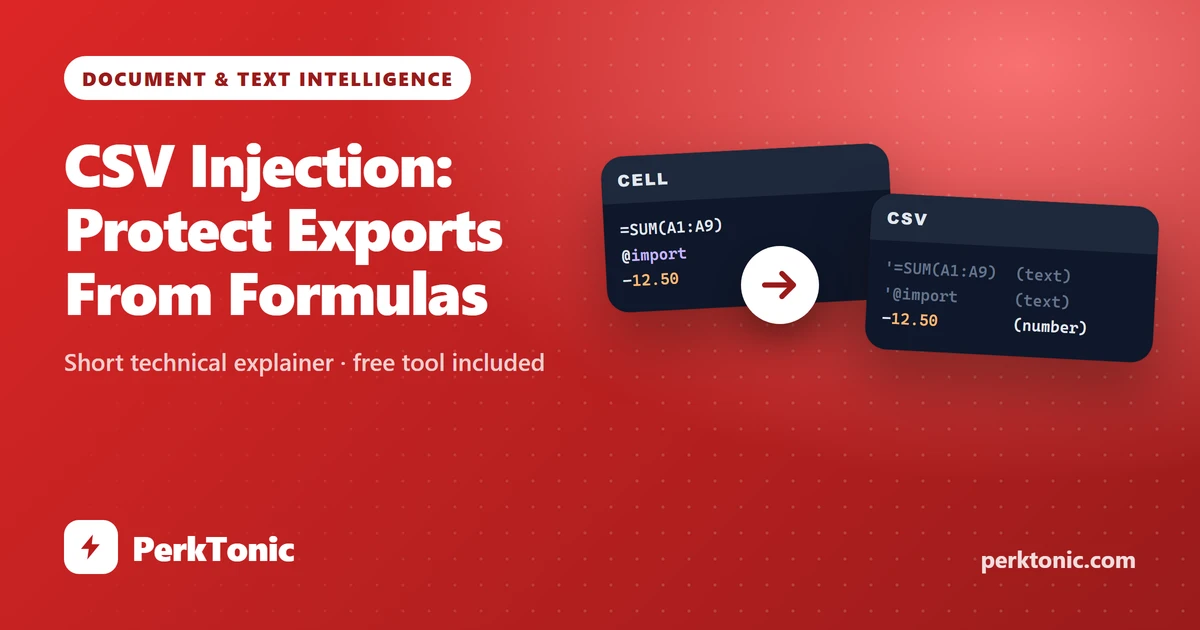
CSV Injection: Protect Exports From Formulas
What CSV injection is, how a leading apostrophe makes risky cells harmless, which cells the converter leaves alone, and how to keep exports safe in your own software.
4 min read
 Document & Text Intelligence
Convert a PDF Table to CSV for Excel or a Database
How to convert a PDF table to CSV: the preview, delimiter, encoding and line endings, ZIP or one combined CSV, and which encoding Excel reads correctly.
5 min read