Best Coupon Browser Extensions: What Each One Sees and Saves
The best coupon browser extensions compared on the data they list, how they earn commissions and when they find nothing. Check before you install.

Picture the checkout. The extension spins through eleven codes, flashes a cheerful message, and your total doesn't move by a cent. You've also just let a piece of software watch you shop.
Here are the best coupon browser extensions compared on what they say they collect, how they get paid and when they quietly do nothing. I haven't installed or tested them for this piece. The comparison rests on each extension's Chrome Web Store listing, help pages and policies, checked on 14 October 2026.
Disclosure: this article contains no affiliate links. The extensions themselves earn commissions from stores, which is part of how you should read them.
Quick answer: The best coupon browser extensions depend on what you'll trade for savings. Rakuten's extension lists the fewest data types and pays cash back, Honey lists the most, and Capital One Shopping pays in gift-card rewards with no cash value. None is guaranteed to find a working code.

How were these coupon extensions compared?
I used four tests, all based on published pages:
- What it finds: coupons, cash back, price tracking or all three.
- What it says it handles: the data types in its Chrome Web Store listing.
- How it earns money: usually commissions from stores.
- When it does nothing: the honest limits.
The catch: a store listing is the developer's own declaration. I can't verify what an extension actually does, so treat it as a claim to weigh, not proof.
The best coupon browser extensions, compared
Rakuten
Verdict: The best fit if you want real cash back and the shortest list of data types.
- What it finds: cash back offers, coupons and price comparisons, with codes tested at checkout and the biggest discount applied.
- Data in its listing: web history, user activity and website content. Rakuten's page says it uses "limited browsing and order data" and never accesses personal or payment information.
- How it earns: its listing says merchants may pay it affiliate commissions, which it shares with users.
- Popularity: about 3 million users and a 4.7 rating on its Chrome listing.
The catch: cash back is slow. Rakuten pays quarterly with a $5.01 minimum, and online purchases typically take 3 to 14 weeks to confirm. Our best cashback apps guide has the full payout details.
Honey
Verdict: Handy coupon testing, but it lists the widest range of data.
- What it finds: coupons on 30,000+ sites, Honey Gold rewards redeemable for gift cards, and price drop alerts through a Droplist.
- Data in its listing: personally identifiable information, financial and payment information, location, web history, user activity and website content. It also declares that it doesn't sell data outside approved uses.
- How it earns: Honey's help page says it makes commissions from merchant partners when members find savings or activate rewards. That page doesn't say whether commissions affect which coupons you see.
- Popularity: about 12 million users and a 4.6 rating on its listing.
The catch: Honey is the subject of lawsuits from creators who allege it diverted affiliate commissions. PayPal says it disputes the allegations. I haven't read the court filings, so treat these as allegations, not findings.
Capital One Shopping
Verdict: Fine if gift-card rewards suit you, but they aren't cash.
- What it finds: coupons and rewards at partner sites. You click Activate in the extension or app, then complete an eligible purchase.
- Data in its listing: personally identifiable information, location, user activity and website content. Its help page says it monitors the products you view and buy to flag savings.
- How it earns: its listing says merchants may pay it affiliate commissions, which it shares as rewards.
- Popularity: about 11 million users and a 4.1 rating on its listing.
The catch: its help center says the rewards "are not equivalent to money and do not have a cash value", and you redeem them for eGift cards from select retailers.
Microsoft Edge shopping tools
Verdict: No extra install, but it's changing.
- What it finds: price comparison, price history, price tracking and cashback.
- Data: personalized features need a Microsoft account sign-in. Microsoft's page doesn't describe what data it collects.
- How it earns: the page doesn't say.
The catch: Microsoft says that starting in November, shopping features in Edge will be powered by Copilot, with the standalone tools being discontinued. Its page doesn't mention coupons.
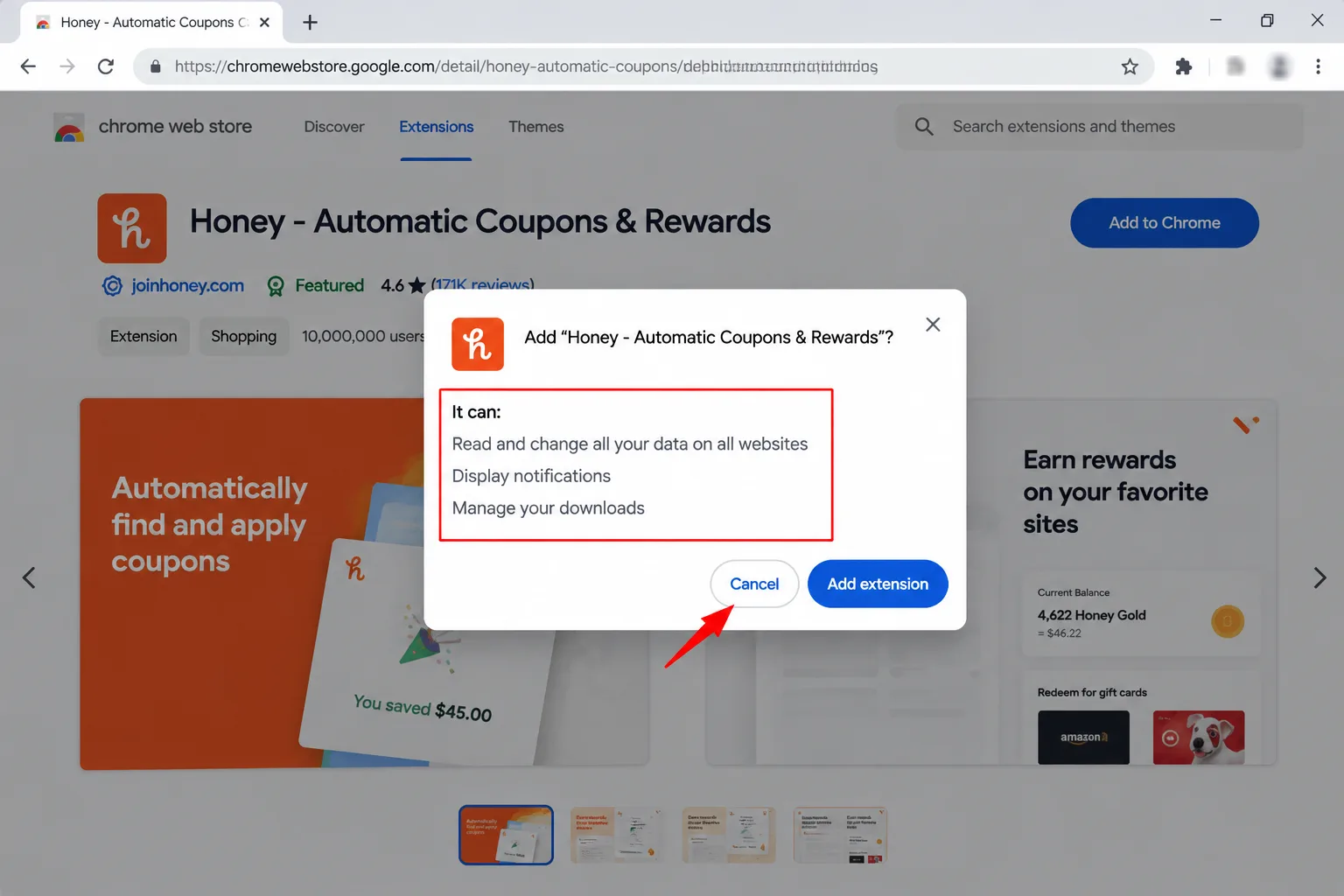
What do coupon extensions ask to see?
Most ask for broad access, and the prompt sounds scarier than the wording on their help pages. Honey's help page (last updated in 2019) says the "read and change" language is provided by your browser for all extensions. Honey says it reads shopping pages to find coupons and changes pages only by applying codes when you ask.
The difference between extensions is in what they declare handling. Compare the data types above, then check the extension's own privacy policy. Rakuten's page links to a Do Not Sell or Share opt-out in its footer.
The catch: Honey's help page doesn't address data deletion, and it points to its privacy policy and an email address for questions. If deletion matters to you, ask before installing.
When do coupon extensions quietly do nothing?
- No working code exists. Honey says the only way to know a coupon will work is to apply it at checkout, because store exclusions and cart contents can block it.
- The store is rated low. Honey publishes a success-rate scale. Its example is 51 savings in 100 attempts, and stores below 2% get no rating.
- Another extension interferes. Rakuten's help page says ad blockers and competing extensions can interfere with tracking.
- You skipped the activation click. Capital One Shopping's help center says leaving the page before checkout can cost you the rewards, so stay put.
Google's rules matter here. Chrome Web Store policy says an extension may add or replace affiliate links only with a direct, transparent benefit to the user, a clear disclosure and user action. Its own example is that a coupon extension must not insert an affiliate link when no coupon is found. Enforcement began on 10 June 2025.
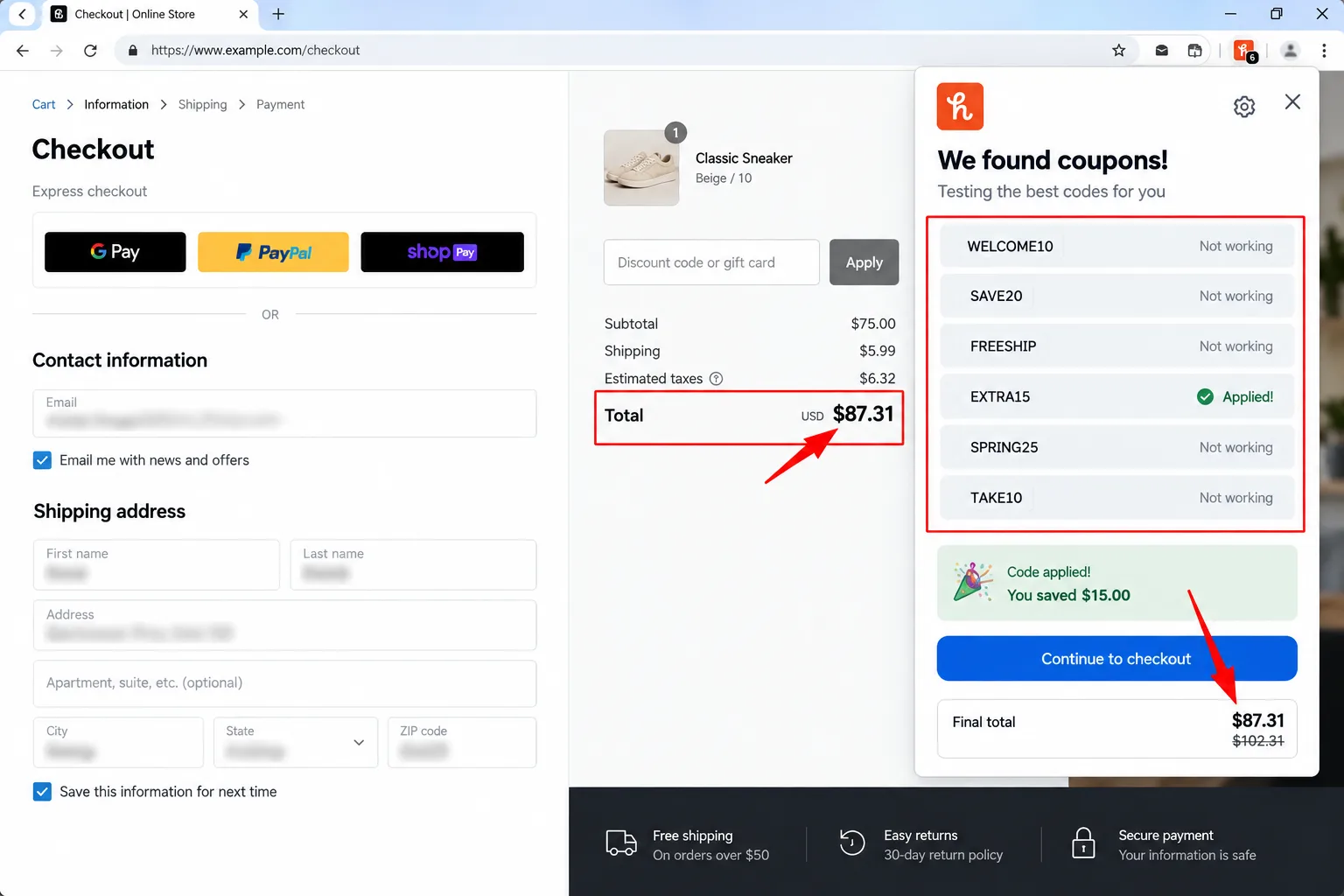
None of this makes a coupon extension useless. It means the result depends on the store, the cart and the day. For a manual routine that doesn't rely on one tool, see how to find hidden discounts online, and use a price history checker to make sure the deal is real.

Which of the best coupon browser extensions should you choose?
- Choose Rakuten if you want cash back and prefer the shortest list of declared data types.
- Choose Honey if you want a broad coupon tester and a price-drop list, and accept a wide data declaration.
- Choose Capital One Shopping if you're happy with gift-card rewards and don't need cash.
- Choose Edge's tools if you already use Edge and don't want another install, but expect changes from November.
- Choose none of them if you'd rather type codes from a store's own emails and keep your browsing to yourself.
My take and next step
The best coupon browser extensions are the ones you can explain in a sentence: what they see, what they earn and what you get. My pick: Rakuten, because its declared data list is the shortest and its payouts are real cash. Skip this if: you only shop a few times a year, in which case a manual check is enough.
Next step: before you install anything, open its Chrome Web Store listing and read the data section. To combine a coupon with cash back and a card, see how to stack coupons and cashback. More in the Money-Saving Guides hub.
Last checked: 14 October 2026, against the Chrome Web Store listings and the Honey, Rakuten, Capital One Shopping, Microsoft and Google pages named above. Listings, rewards and policies change, so confirm them before you install.
Frequently asked questions
Can I run two coupon extensions at once?
You can, but it may backfire. Rakuten's help page says ad blockers and competing extensions can interfere with its tracking. If a cash back reward matters, turn off other coupon tools and activate one extension per purchase.
Do coupon extensions work on a phone?
Some do. Honey and Rakuten both publish help pages for mobile or Safari extensions, and setup involves granting permissions. Support varies by browser and device, so check the extension's help page for your phone before relying on it.
How do I remove an extension and its data?
Remove the extension in your browser's extensions page, then contact the company about deleting data. Rakuten links a Do Not Sell or Share opt-out in its footer. Honey's help page points to its privacy policy and an email address.
Quiz
Best Coupon Browser Extensions: Save While You Shop
10 quick questions — think you know this one?
Test Your Knowledge →Comments (7)

Zulmira Caldeira
4 days ago
I enjoyed the article and found it easy to follow.

Becky Obrien
Oct 10, 2026
I’ll definitely recommend Perktonic to others.

Milosav Maksimović
Oct 10, 2026
I learned a few things I didn’t know before. 😊

Edgar Collins
Oct 1, 2026
I really like the content on this website.

Sowmya Bangera
Sep 30, 2026
This article was easy to read and understand.

Yuvraj Nair
Sep 29, 2026
Thank you for sharing your knowledge with readers.

Jimi Tuomi
Sep 22, 2026
Thanks for making this information easy to access.