How to Cancel a Free Trial Before You're Charged: A 10-Minute Kit
How to cancel a free trial before you're charged, with exact Apple and Google Play steps, a virtual card tip and a script for stubborn services.
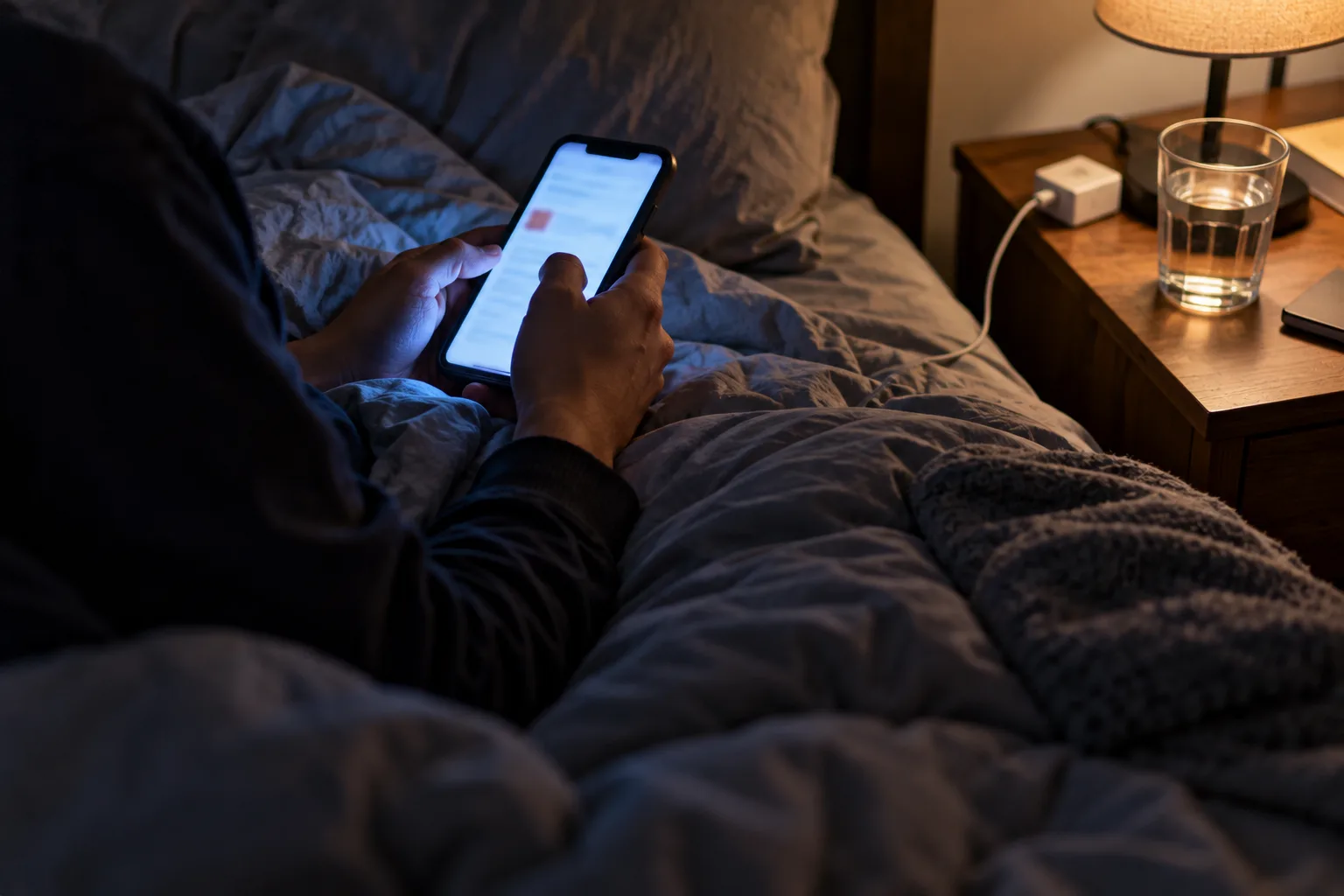
The notification lands the morning after the trial ends: payment received. Yesterday it was free. Today it's a charge for an app you opened twice.
You can stop that happening next time, and there are steps to take if it's already happened. Below is how to cancel a free trial before the charge, with exact steps for Apple and Google Play, a card setup that limits the damage, and a script for services that make it hard. I haven't tested these services for this piece. The steps come from Apple, Google and the FTC's own pages, checked on 13 October 2026.
Quick answer: To cancel a free trial, find who bills you (the company, Apple or Google Play), cancel there at least a day before the trial ends, and save the confirmation. Set two reminders when you sign up. If you're charged anyway, dispute it with your card company right away.
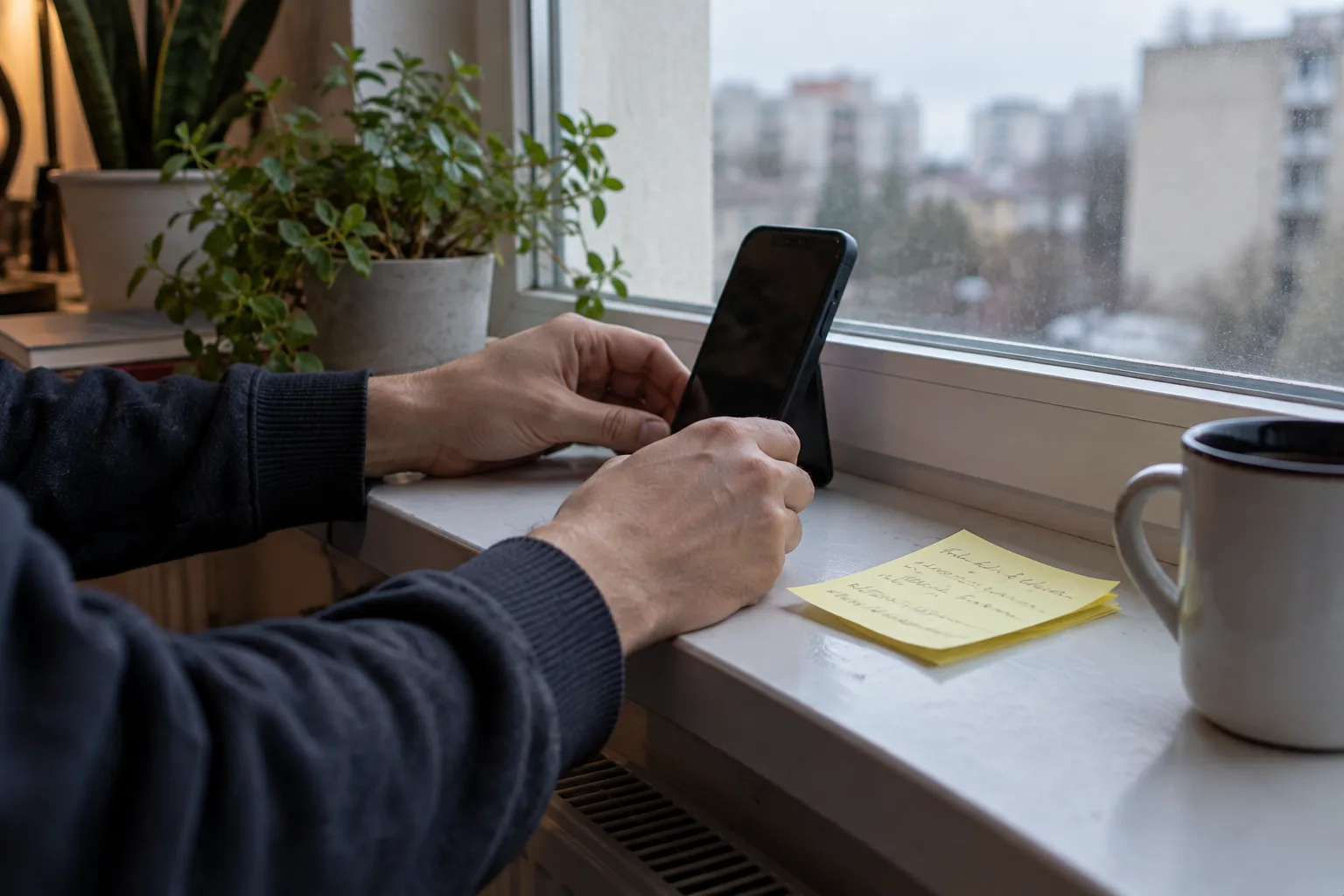
What do you need before you start?
Setup takes about 10 minutes when you sign up. Cancelling itself is usually quick.
- A phone or calendar app that nags you.
- The sign-up screen, so you can read the terms and save the end date.
- Access to the email you signed up with, because that's where confirmations land.
- Optional: a virtual card, covered further down.
The catch: where you cancel depends on who bills you. Cancel in the wrong place and nothing happens, so step 1 matters most.
How to cancel a free trial: the 6-step survival kit
- Read the terms before you tap start. The FTC says the terms should state the trial length and how and when to cancel. If you can't find them or can't follow them, don't sign up. If a "free" offer wants shipping or fees, our fake free offers checklist applies.
- Choose how you'll pay. A virtual card or a card with a low limit caps the damage. More on that below.
- Set two reminders now, not later. One three days before the trial ends, so you can decide. One the day before, so you can cancel. Apple advises cancelling at least 24 hours before the trial ends, and the day-before reminder covers that.
- Save the proof. Screenshot the end date, the price after the trial and the terms. Keep the welcome email.
- Cancel in the right place. Use the steps in the next section. Some services let you cancel on day one and keep the trial until it ends. Others cut access at once, so read the confirmation screen.
- Confirm it stuck. Look for a confirmation email and check the account page shows the plan ending. The FTC suggests keeping a copy of your cancellation request and notes from any calls.
Where do you actually cancel a free trial?
Check who billed you first. Your bank or card statement will say, or the sign-up email will.
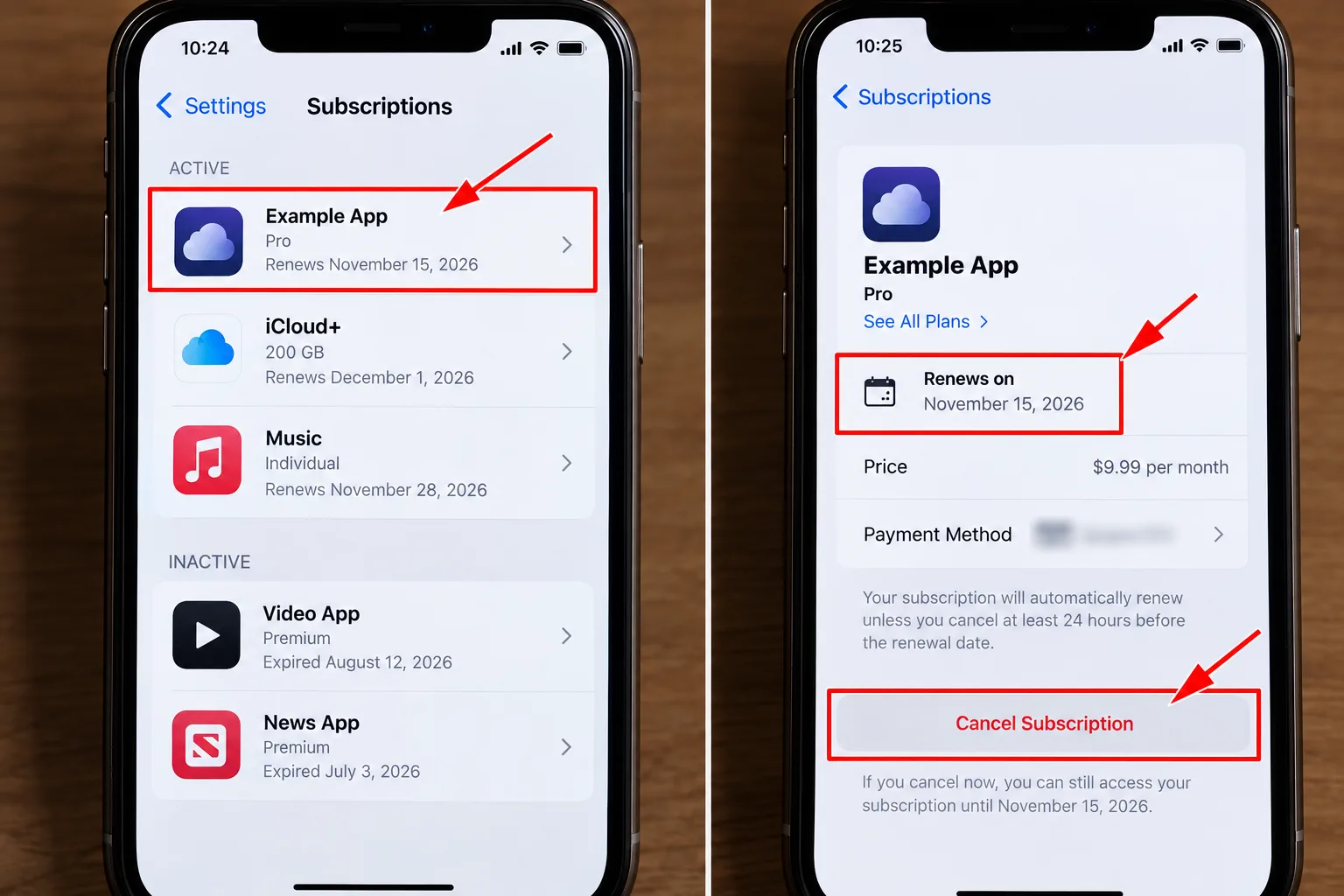
On an iPhone or iPad
- Open Settings, tap your name, then Subscriptions.
- Select the subscription.
- Tap Cancel Subscription, scrolling down if needed.
If there's no Cancel button, or you see a red expiry message, it's already cancelled. Apple's page doesn't say how long access lasts afterwards, so read the on-screen message.
On Android, through Google Play
- Go to Subscriptions in Google Play, signed in to the right Google account.
- Select the subscription and tap Cancel subscription.
- Follow the prompts.
Google says uninstalling the app doesn't cancel anything. It also says to cancel before the trial period expires to avoid charges, and that you'll get an email when the trial is about to end. In some regions you may be offered immediate cancellation with loss of access, so read the choice before you confirm.
Directly with the company
Sign in on the website and look for Account, Billing, Plan or Membership. Cancel there, then wait for the confirmation email.
The catch: if the cancel option is missing, the app store may be the biller. Check Apple and Google first. If you can't work out how to cancel at all, the FTC's advice is to walk away from the offer.
Should you use a virtual card for a free trial?
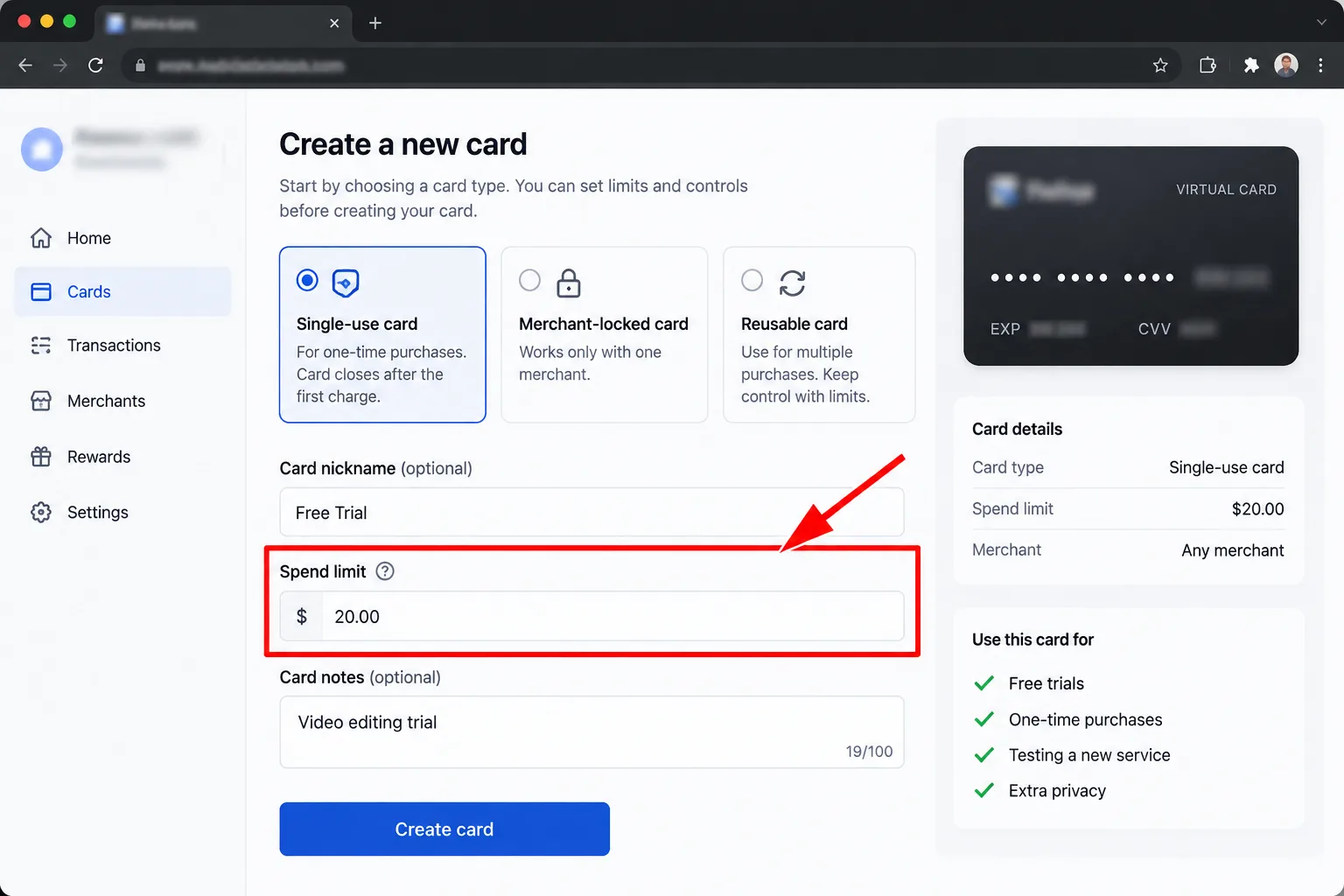
Sometimes. A virtual card is a card number that exists only online. Privacy.com, for example, offers single-use cards and cards locked to one merchant, and you can pause or close them at any time. Set a low spend limit and a surprise charge should be capped at that amount.
- It's not a cancellation. Closing the card doesn't end the subscription. Cancel anyway.
- It can have limits. Privacy.com's page says you need to be a US citizen or legal resident, at least 18, with a US checking account. Its numbers don't come with a physical card. Your own bank may offer virtual numbers, so check its app.
- Some sign-ups may reject it. If one does, use a normal card and lean on your reminders.
What do you say to a service that makes cancelling hard?
Stay calm and stay short. Here's a script for chat or phone:
Hi, I'd like to cancel my free trial today. Please confirm it's cancelled, tell me the date it ends, and confirm I won't be charged. I don't want any offers. Please email me the confirmation.
If they say you must cancel another way, ask for the exact steps in writing. If they refuse or stall, note the date, time and name, and keep the chat or email. That record is what your card company will want.
What mistakes cost people the most?
- Cancelling on the last day. Apple advises cancelling at least 24 hours before the trial ends, and other services have their own cutoffs.
- Deleting the app. Google says that doesn't cancel the subscription.
- Cancelling in the wrong place. If Apple or Google bills you, the company's website may not help.
- Closing the card and calling it done. The subscription can still be active.
- Skipping the confirmation. No email, no proof.
What if you've already been charged?
- Check your account for a cancellation email and the plan status. Look for duplicate accounts.
- Contact the company with your cancellation record and ask for a refund.
- If you were charged without consent, or after cancelling, and they won't refund you, the FTC says to dispute the charge with your card company right away. You can do that online or by phoning the number on the back of your card.
- Follow up in writing. Certified mail with a return receipt proves it arrived.
- If you can't cancel in time, ask your card company to stop the payments.
This is general information, not legal advice. For more help finding the culprit, see our guide on how to find hidden subscriptions.
What does the law say about free trials?
Less than you'd hope. The FTC's 2024 click-to-cancel rule was vacated by a federal appeals court, and the agency restarted rulemaking in March 2026. No final rule had been reported at the time of that article.
An older law still applies to online sales. It requires clear disclosure of material terms, express consent before charging and simple ways to stop recurring charges. It doesn't define "simple", so the cancel route still varies by company.
My take and next step
Knowing how to cancel a free trial is mostly about doing it early. My pick: set the reminders at sign-up, not after, and cancel the moment you've decided. Skip this if: you'd happily pay when the trial ends, in which case reminders are just a safety net.
Next step: before your next trial, set the two reminders and save the end date. Want to know which trials are worth trying? See our rundown of the best free trials. More in the Rewards, Trials & Digital Perks hub.
Last checked: 13 October 2026, against the help pages named above. Steps and screens change, so follow what your app shows.
Frequently asked questions
Will cancelling end the trial immediately?
It depends on the service. Google says that in some regions you can choose immediate cancellation with loss of access, or cancellation at the end of the billing cycle. Read the confirmation screen before you tap, because the wording differs by service.
Can I get a refund after the trial converts?
Not always. Google says only that you may be eligible in some instances, under its refund policies. Ask the company first, with your cancellation record. If it won't help and you were charged without consent, the FTC says to dispute the charge.
Why did I see a charge before the trial ended?
It may be a hold, not a charge. Google says an authorisation hold may be placed on your payment method up to 48 hours before renewal. If a real payment appears while you're still in the trial, contact the company.
Quiz
Cancel Free Trials: Stop Surprise Charges
10 quick questions — think you know this one?
Test Your Knowledge →Comments (5)

Hanny Eichholz
Oct 3, 2026
I enjoyed the article and found it easy to follow.

Roger Chapman
Sep 21, 2026
A very solid article with plenty of useful information.
Smahane Lok
Sep 21, 2026
Definitely worth a read!

Lily Smith
Sep 16, 2026
This article gave me a better understanding of the topic.

Karen Kaland
Sep 14, 2026
The author did a great job making this topic understandable.