Best Free Trials: 6 Worth Taking (and the Catch in Each)
The best free trials in 2026, scored on length, card needs, cancellation and what you keep. See which six are worth signing up for before you do.

You forgot to cancel one. A month later the charge arrives like a surprise party nobody wanted, for a service you opened twice.
Plenty of the best free trials are still worth taking if you know the terms before you tap start. Here are six, each scored on trial length, whether a card is needed, how easy cancelling is and what you keep afterwards. I haven't signed up for these for this piece. Every score comes from each company's own official pages, checked on 13 October 2026.
Quick answer: The best free trials are honest about length, easy to cancel and leave you something useful afterwards. Of the six here, Microsoft 365 and Spotify score highest. Adobe's seven-day trial is the riskiest. Whichever you pick, note the end date and cancel at least a day early.
How were these free trials scored?
Four checks, in this order of importance:
- Length: how many days you get, and who qualifies.
- Card: whether the help pages say you need a payment method.
- Cancelling: the exact route, and what happens to your access.
- What you keep: what's left once the trial ends.
The catch: offers vary by country, and prices and trial lengths change. Where a help page didn't state something, I've said so instead of guessing. Confirm the details on the sign-up screen.
The 6 best free trials, ranked
1. Microsoft 365
Verdict: The softest landing of the six.
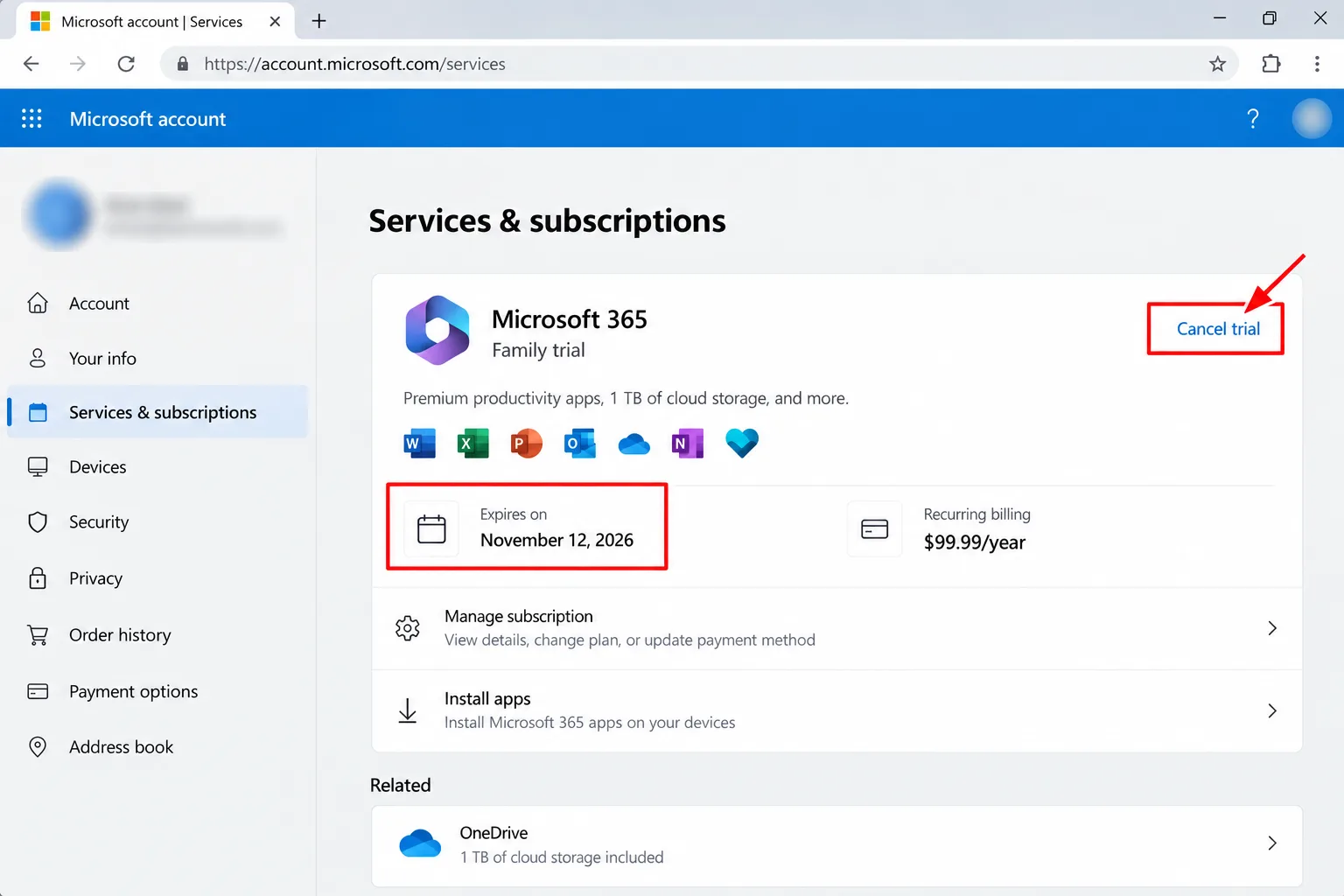
- Length: Microsoft says you can cancel within 30 days of signing up without being charged.
- Card: the help page doesn't say. Its cancel steps cover trials where "Paid with" shows "None", so check at sign-up.
- Cancelling: sign in at account.microsoft.com/services, check the "Expires on" date, and select Cancel if the link appears.
- What you keep: free online Word, Excel, PowerPoint and OneNote at Office.com.
How to claim it: start from Microsoft's own Microsoft 365 page with the account you plan to keep.
The catch: the desktop apps drop to View Only, so you can open and print files but not edit them. Extra OneDrive storage ends, and so does the trial for anyone you shared it with.
Best for: anyone with a one-off project that needs full Word or Excel. My pick: start here, because cancelling is clearly explained and the free web apps stay.
2. Spotify Premium
Verdict: Clean terms, a clear price, no drama.
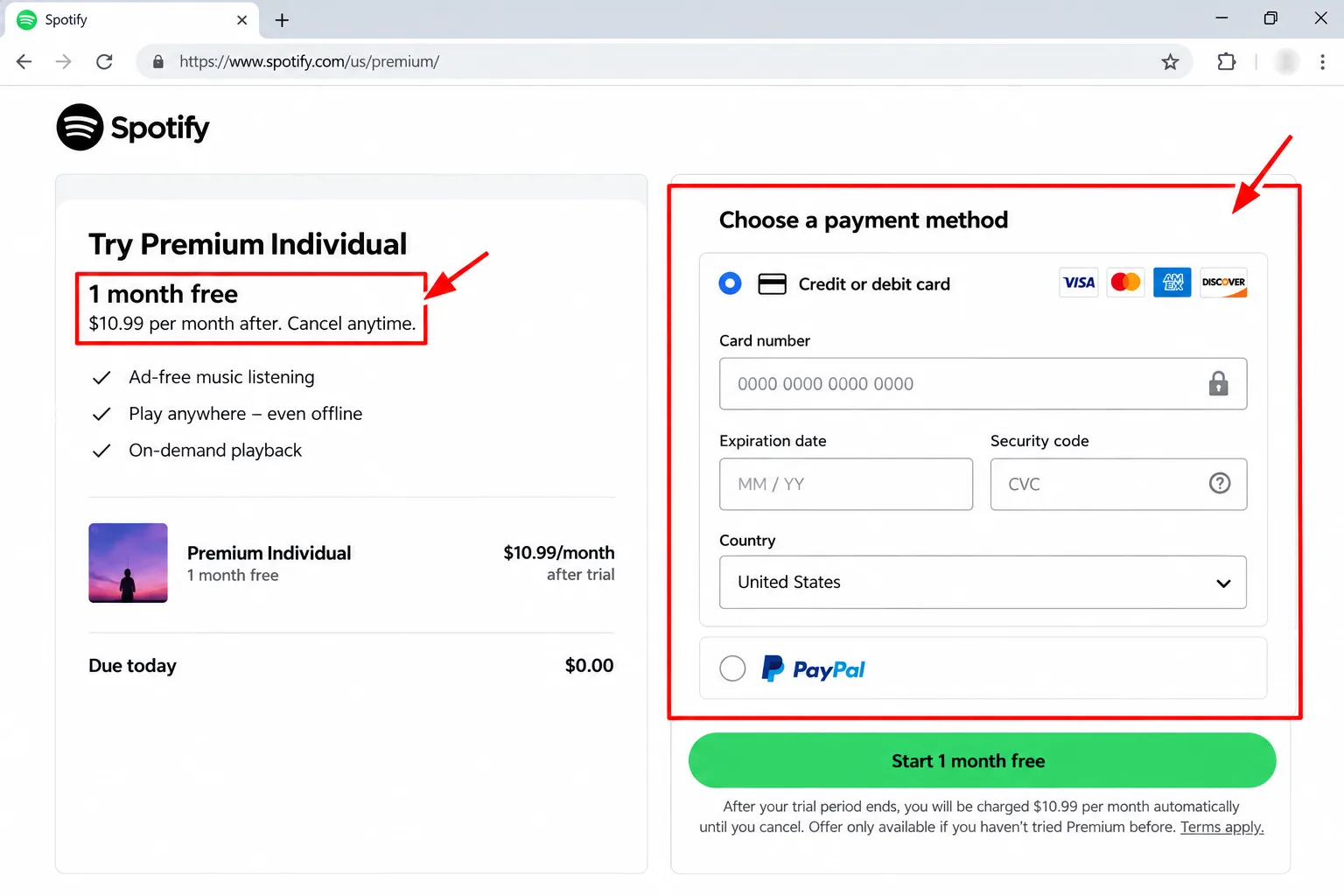
- Length: one month free on the US Individual and Student plans. It's only available if you haven't tried Premium before.
- Card: expect to add one. Spotify describes a small temporary authorisation charge to verify your payment method.
- Cancelling: the plans page says cancel anytime. Cancel during the trial and your account switches to the free service immediately.
- What you keep: the free service. After the trial, Individual is $12.99 a month and Student $6.99, per Spotify's US page.
How to claim it: choose the plan on Spotify's Premium page and add payment details.
The catch: cancelling early ends Premium straight away, so you forfeit the remaining days, and the trial can't be reactivated.
Best for: first-time Premium users. Students should also check our guide to free student software.
3. Canva Pro
Verdict: Easy to leave, and your work stays put.
- Length: not stated on the help pages I opened. Canva shows it at sign-up.
- Card: Canva charges your saved card when the plan renews, so expect one on file.
- Cancelling: Settings, then Billing, then Cancel plan, then confirm. A confirmation email follows.
- What you keep: your designs stay accessible on Canva Free.
How to claim it: use the Canva Pro trial button inside your account.
The catch: skipping the trial early loses your remaining days and charges your card at once. Pausing instead of cancelling lasts up to three months, then the plan resumes automatically. Billing runs on UTC, so a charge can show a day early.
Best for: a poster, CV or deck with a deadline.
4. YouTube Premium
Verdict: Fair, but you must hand over a card.
- Length: varies by offer. Introductory trials are for first-time members or people who cancelled at least six months ago, limited to one per 12 months.
- Card: a payment method is required at sign-up. A temporary authorisation can appear and clears within 1 to 14 days.
- Cancelling: Google links a separate help page. Cancel during the trial and you keep Premium until the trial period ends.
- What you keep: standard YouTube.
How to claim it: sign in, go to youtube.com/paid_memberships and look under Offers from YouTube.
The catch: it renews monthly at the current price unless you cancel. Only one trial is allowed per payment method, and Workspace accounts generally can't take individual offers.
Best for: people who'd happily pay if they like it.
5. Audible
Verdict: Good if you'll choose a book, then leave.
- Length: 30 days for new customers.
- Card: the offer page doesn't say. It mentions signing in with Amazon.
- Cancelling: Membership details, then Cancel membership, then Confirm. Audible emails a confirmation. Deleting the app doesn't cancel anything.
- What you keep: per Audible's help page, titles bought with credits or a card stay in your Library. Plus Catalog downloads lock.
How to claim it: use the free-trial page on Audible's site and sign in.
The catch: it auto-renews at $8.99 a month after 30 days, according to the offer page. Unused credits are lost when a membership ends. The page didn't list how many credits the trial includes.
Best for: listeners who already know which book they want.
6. Adobe Creative Cloud Pro
Verdict: Powerful, short and the most confusing terms.
- Length: seven days, one per person, with no charge until the trial ends.
- Card: the page doesn't say explicitly. The trial starts at checkout.
- Cancelling: Adobe account, Manage Plans, Cancel Plan, pick a reason. Adobe advises doing it within seven days.
- What you keep: nothing stated.
How to claim it: start from Adobe's free-trial page and read the offer terms before checkout.
The catch: the page promises a full refund if you cancel within 14 days after the trial ends, while the FAQ advises cancelling within seven days of starting. It names both Single App and Pro as the plan you convert to. The offer is billed monthly on an annual plan and no cancellation fees are mentioned, so check for an early-termination fee. Skip this if: you won't set a calendar reminder.
Best for: a one-week project with a hard end date.
How do you avoid the surprise charge?
- Write down the end date. Check your account page for it, then put it in your calendar.
- Cancel a day early. Apple advises cancelling a trial at least 24 hours before it ends.
- Find who bills you. It might be the company, Apple or Google.
- Know the early-cancel rule. Spotify drops you to the free service at once, while YouTube lets you finish the trial period. For the rest, the help pages don't say, so check before you cancel early.
- Keep the confirmation email. It's your proof if a charge appears.
What does the law say about free trials?
Less than you'd hope. The FTC's 2024 click-to-cancel rule was vacated by the Eighth Circuit, and the agency began reviving it in March 2026 with a request for comment. No final rule was reported at the time of that article.
An older law still applies to online sales. It requires clear disclosure of material terms, express consent before charging, and simple ways to stop recurring charges. It doesn't define "simple", so cancelling clicks still vary by company.
What if you've already been charged?
- Check for a cancellation confirmation email and which account holds the subscription.
- Look for duplicate accounts. Canva's help page also suggests checking whether you subscribed through Google Play or the App Store.
- Contact the company with your invoice ID or a screenshot of the charge.
- If you can't resolve it, you can report it to the FTC at ReportFraud.ftc.gov.
Our guides on how to cancel a free trial and how to find hidden subscriptions cover the follow-up.
My take and next step
The best free trials share one trait: they tell you what happens on day one after the trial. My pick: Microsoft 365 for the soft landing, then Spotify for clean terms. Skip this if: you know you'll forget the end date.
Next step: pick one trial, set a reminder for a day before it ends, and cancel as soon as you've done what you came for. More in the Rewards, Trials & Digital Perks hub.
Last checked: 13 October 2026, against the help pages named above. Terms change often, so confirm them at sign-up.
Frequently asked questions
Is there a free trial with no credit card?
Not among these six, as far as the help pages show. YouTube Premium requires a payment method. Microsoft's cancel steps mention trials where payment shows as "None", so some start without one. Confirm on the sign-up screen before you enter anything.
Why did a small charge appear when I started a trial?
It's usually a temporary authorisation to check your payment method works. YouTube says its authorisation isn't processed and clears within 1 to 14 days. Spotify describes a similar verification charge. If it doesn't clear, contact the company.
Does cancelling in the app work?
Only if the app billed you. Canva says trials started through Apple or Google must be ended on the web, and Audible says memberships billed through Apple or Google are cancelled in those stores. Deleting the app doesn't cancel anything.
Quiz
Best Free Trials: Try More, Pay Less!
10 quick questions — think you know this one?
Test Your Knowledge →Comments (8)
- C
Casey
5 days ago
This was worth my time. Great read!
- J
Jordan
Oct 11, 2026
Great job explaining everything so clearly!
- M
Morgan
Oct 10, 2026
I really appreciate the helpful details in this post.
- C
Casey
Oct 9, 2026
Excellent work! Looking forward to reading more.
- D
Drew
Oct 6, 2026
Really nice article. I appreciate the effort!
- J
Jess
Oct 4, 2026
Keep publishing articles like this. They’re really useful.
- J
Jamie
Sep 30, 2026
I’ll be recommending this website to my friends.
- L
Lee K.
Sep 26, 2026
Very good article. I hope you continue publishing more.