Free Perks You Already Have: 8 Accounts to Check Today
Free perks you already have are hiding in your card, library, phone plan and work accounts. Here are eight to check today, with the catch in each one.

Somewhere in your wallet, inbox or employee handbook is probably a benefit you've technically been paying for all along. You just never claimed it.
These are eight everyday accounts that carry perks most people skip: where to look, what to ask, and the catch in each. Terms vary by provider and country, so every item is worded as "check whether yours includes it". I haven't tested these perks myself for this piece. Most come from official or regulator pages checked on 14 October 2026. The Microsoft one, which I couldn't re-check, is marked.
Quick answer: The biggest unclaimed perks sit in your credit card's benefits guide, your library card, your employer's assistance program and your free Google account. Terms vary by provider and country, so check whether your plan includes each one, and read the catch before you rely on it.

How were these perks chosen?
Each one passed three checks:
- It exists: an official or regulator page describes it.
- It's tied to an account you may already hold: a card, a bank, a library, a phone line or a job.
- The catch is knowable: limits, costs or eligibility can be read before you use it.
The catch: a "perk" isn't always free. I've flagged the ones that aren't.
The 8 perks hiding in accounts you already have
1. Credit card benefits
Verdict: The most valuable perk most people never read.
- What it is: Chase lists extended warranty, purchase protection, return protection, cell phone protection, trip delay cover, rental car insurance and a waived first late fee among its lesser-known card benefits. Availability varies by card.
- How to claim: check whether your card's guide to benefits includes each one, and read it before a trip or a big purchase.
The catch: cover usually depends on how you paid. Cell phone protection, for example, may need you to pay your monthly bill with the eligible card. Keep receipts.
Best for: anyone who buys electronics or travels with a card.
2. Your library card
Verdict: Free books, audiobooks and magazines on your phone.
- What it is: Libby is free to install, and digital titles are free to borrow with a valid library card, with no subscription costs, in-app purchases or late fees.
- How to claim: check whether your library offers Libby, then sign in with your card number.
The catch: your library chooses what it stocks and how many loans and holds you can have. Libby only works with libraries that use OverDrive.
Best for: heavy readers and commuters.

3. Your employer's assistance program
Verdict: Free counselling that most staff don't know exists.
- What it is: The US Office of Personnel Management describes an employee assistance program as a voluntary, work-based service offering free, confidential assessments, short-term counselling and referrals.
- How to claim: ask HR or check your benefits portal whether your employer offers one, and who it covers.
The catch: that description is from the federal government. Private employers' programs differ, and the OPM page doesn't say whether family members are covered. Counselling is short-term.
Best for: anyone dealing with stress, grief or family problems who wants a first step.
4. Your phone plan's "perks"
Verdict: Often a discount, not a freebie.
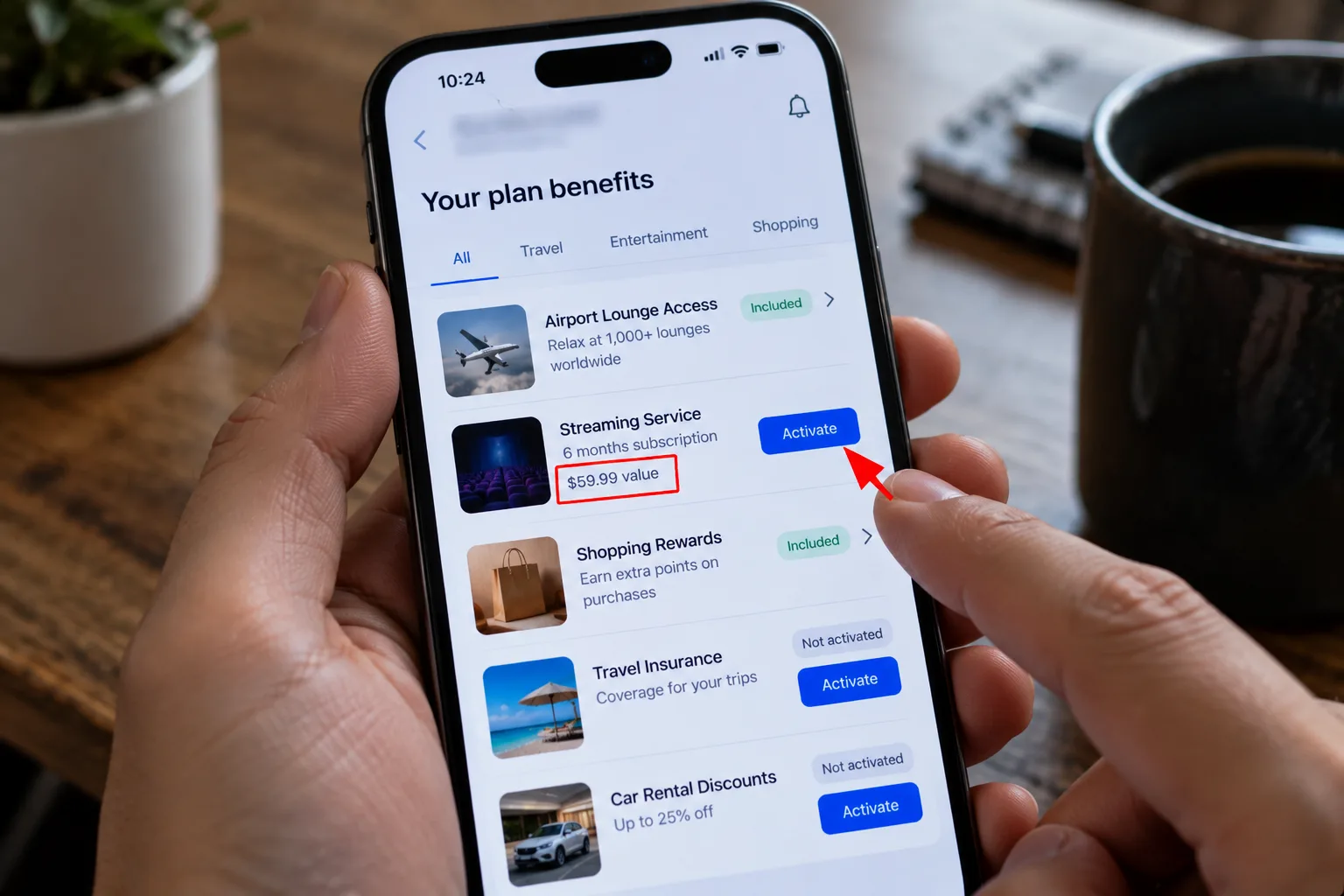
- What it is: carriers bundle streaming and other add-ons. Verizon's Netflix and HBO Max (with ads) perk costs $13 a month per line, according to its FAQ, and works on certain plans only.
- How to claim: check whether your plan includes a perk, then activate it in your carrier's app or account page. Verizon says you must also register each service on its own site.
The catch: Verizon says that if you cancel the line or move to a non-qualifying plan, the perk ends. T-Mobile's page says the Netflix benefit appears as a discount on your bill, and upgrading tiers costs extra.
Best for: households that already pay for these streaming services.
5. Your bank or credit union
Verdict: A small perk that saves a few dollars each time.
- What it is: The CFPB says you can generally avoid ATM fees by using your own bank or credit union's ATMs, and some institutions offer to refund ATM fees.
- How to claim: check whether your account includes ATM fee refunds, then ask which ATMs are free for you.
The catch: using another institution's ATM can trigger two fees, one from the operator and one from your bank. Refunds depend on your account terms.
Best for: people who still use cash while travelling.
6. Your Google account
Verdict: Free storage, with one trap.
- What it is: Every Google Account gets up to 15 GB free, shared across Gmail, Google Drive and Google Photos.
- How to claim: nothing to claim. Check how much you've used in your Google storage page.
The catch: Google says that if you stay over your quota for two years or longer, your content may be removed, with at least three months' notice by email or in-product. Full storage also stops uploads and can affect Gmail.
Best for: anyone with an old Gmail account they've stopped checking.
7. Your Microsoft account
Verdict: Free web Office, plus points for searching.
- What it is: Microsoft has offered free web versions of Word, Excel, PowerPoint and OneNote with a Microsoft account, plus Microsoft Rewards points for activity such as searching. I didn't re-verify Microsoft's current terms for this piece, so treat this as a lead to check.
- How to claim: sign in at Office.com with your Microsoft account and see what it offers. For points, see our guide on how to get free gift cards.
The catch: web versions are usually lighter than desktop apps, and Rewards earning and redemption rules change, so read the current terms before you count on either.
Best for: students and anyone who needs Word occasionally.
8. Your school email
Verdict: The biggest deal here, if you qualify.
- What it is: Google is offering eligible US college students a free year of Google AI Pro, normally $19.99 a month. Our guide to Google AI Pro free for students covers eligibility and the deadline.
- How to claim: check whether your school email passes student verification on Google's page.
The catch: a payment method is required and it renews automatically unless you cancel first. Check the claim-by date.
Best for: eligible students who will actually use the AI plan.
Your 10-minute perk audit
Work down this list, and write down anything you didn't know:
- Check whether your credit card's benefits guide includes extended warranty or purchase protection.
- Check whether your library offers Libby, and whether your card works.
- Check whether your employer offers an assistance program, and who it covers.
- Check whether your phone plan includes a perk, and whether it's free or a discounted add-on.
- Check whether your bank refunds ATM fees.
- Check how much of your Google storage you've used.
- Check whether your school email qualifies for a student offer.
Doing this once a year pays for itself, and so does auditing what you're paying for. See how to find hidden subscriptions for the other half of the job.
My take and next step
The best free perks you already have are the ones tied to protection, not entertainment. My pick: read your credit card's benefits guide first, because one extended warranty claim can outweigh every streaming perk here. Skip this if: you'd have to pay to activate something you won't use.
Next step: pick your two most-used accounts and check what they include today. If you want cash back on top, see the best cashback apps. More in the Rewards, Trials & Digital Perks hub.
Last checked: 14 October 2026, against the official pages named above, except the Microsoft item. Perks, prices and eligibility change, so confirm them with each provider.
Frequently asked questions
Where do I find my credit card's benefits guide?
Usually in your card issuer's website or app, under benefits or cardholder resources, or in the paperwork that came with the card. Search the card's name plus "guide to benefits", and check the date, because issuers update terms.
Are phone plan perks really free?
Not always. Verizon's page lists its Netflix and HBO Max perk at $13 a month per line, and T-Mobile shows its Netflix benefit as a bill discount. Compare the perk price against buying the services separately before you add it.
Does a perk expire if I don't use it?
It depends on the provider. Verizon says its perk cancels automatically if you don't activate a subscription within 90 days of purchase, and Google may remove content after two years over quota. Read each perk's terms for deadlines.
Quiz
Free Perks You Already Have: Unlock Hidden Benefits
10 quick questions — think you know this one?
Test Your Knowledge →Comments (7)
- J
Jamie
4 days ago
Keep up the excellent work!
- J
Jordan
4 days ago
Great content as always!
- R
Robin
5 days ago
Awesome article! Thanks for sharing.
- J
Jordan
5 days ago
Thanks, Perktonic, for providing useful content!
- M
Morgan
6 days ago
Great read, and I look forward to more content from Perktonic.
- T
Taylor
6 days ago
This was exactly the kind of information I was looking for.
- J
Jess
6 days ago
I really appreciate the helpful details in this post.