
JSON Big Numbers Rounded: Keep 64-bit IDs Exact
Why JSON IDs above 2^53 are rounded by JavaScript, which tools keep the exact digits, and why 64-bit IDs are safest as strings.
If the ID 9007199254740993 comes out of a JSON formatter as 9007199254740992, the tool read the number with JavaScript's JSON.parse and wrote it back. That is the problem: numbers above 2^53 cannot be held exactly by a JavaScript number. The JSON Formatter & Validator keeps the digits as they are written, so an ID stays the same after formatting.
Why JavaScript rounds numbers above 2^53
JavaScript stores every number as a 64-bit floating-point value. That format has 53 bits for the digits, so whole numbers are exact only up to 2^53 minus 1, which is 9007199254740991. This value is available as Number.MAX_SAFE_INTEGER.
Above that limit, not every whole number can be represented, and the nearest one that can be is used. So 9007199254740993 cannot be stored, and it becomes 9007199254740992. The last digit is wrong, and nothing reports it.
JSON itself does not set this limit. The format allows numbers of any length, and RFC 8259 notes that software may limit the range and precision of the numbers it accepts. The loss happens in the program that reads the number, not in the file.
Worked example
Take this document:
{"id": 9007199254740993, "total": 129.90}
A tool that uses JSON.parse and then prints the result shows:
{"id": 9007199254740992, "total": 129.9}
Two things changed. The ID lost its last digit, which makes it a different ID, and a record with that ID can no longer be found. The total lost its trailing zero. 129.9 is the same value as 129.90, but the text is different, and a price that is written with two decimals should stay that way for a person or a strict comparison.
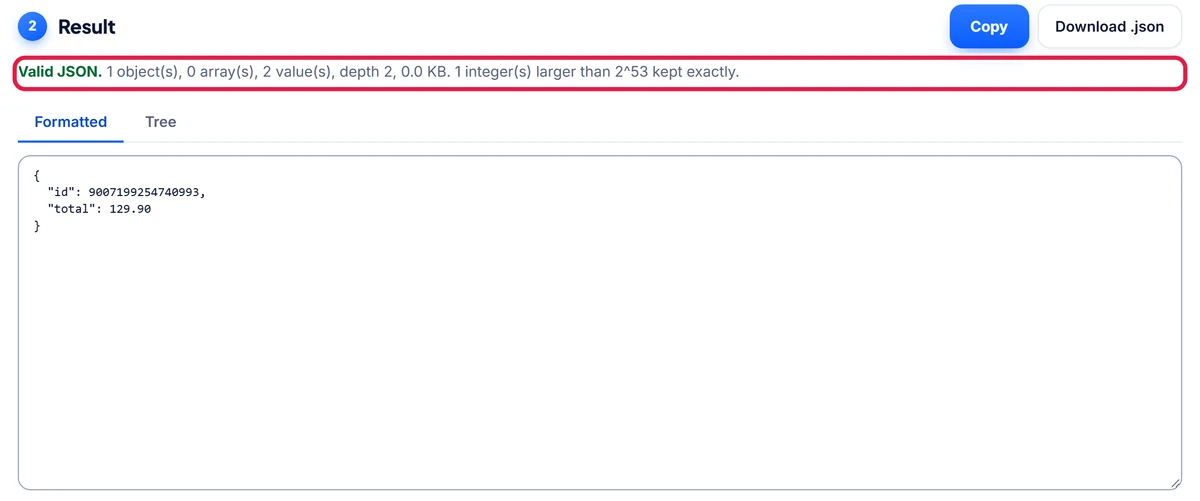
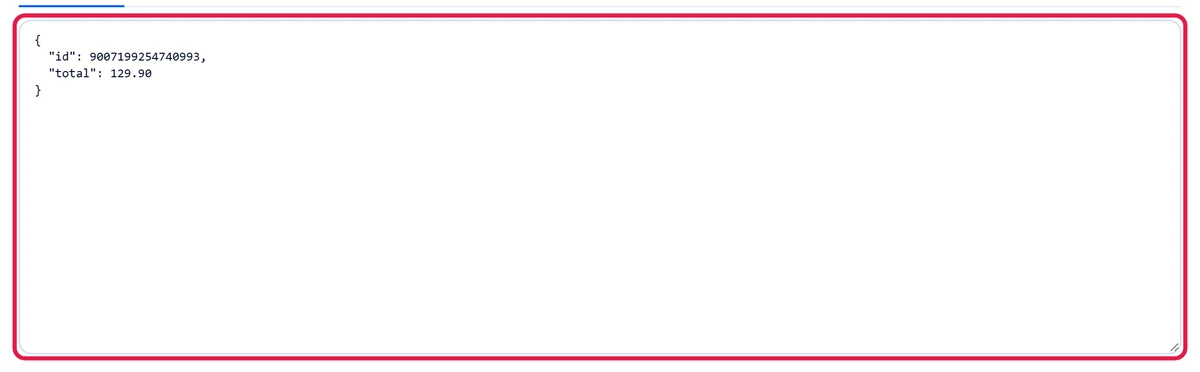
The JSON Formatter & Validator writes both values back exactly, as 9007199254740993 and 129.90. It reports how many integers above 2^53 it kept exactly, for example "1 integer(s) larger than 2^53 kept exactly".
The decimal value is kept in the same way.
Tools that keep exact digits
Not every tool in your chain keeps the digits. Check each step that reads and writes the document.
- The JSON Formatter & Validator keeps large integers and decimals as written.
- jq keeps large integers exact. In the JSONPath & jq Tester, a jq query on a document with 12345678901234567890 returns that same number.
- JSONPath loses precision above 2^53, because the path is evaluated with JavaScript numbers. In the tester, $.id on a document with 12345678901234567890 returns 12345678901234567000. If you need to select a value with a big ID, use jq, or select by another field.
- The Webhook Payload Formatter keeps numbers exactly as written, so a payload with a 64-bit ID is not changed when you format it.

In the tester, the switch JSONPath / jq above the expression chooses the language. When you debug a payload, format it with a tool that does not change numbers, and compare the ID before and after.
A syntax error can look like a number problem, and the reverse. If the formatter reports an error and not a changed number, see Fix Invalid JSON: Unexpected Token and Missing Comma.
Store IDs as strings
The robust fix is at the source. An identifier is not a quantity: nobody adds two IDs or takes their average. Write 64-bit IDs as strings in JSON:
{"id": "9007199254740993"}
A string is passed unchanged by every parser, in every language. Many large APIs do this for their 64-bit IDs for this reason, and they often provide both a number field and a string field during a change of format.
If you receive numbers and have to process them in JavaScript, read the value as text before you parse it, or use a parser that supports big integers, and convert to BigInt, which holds whole numbers of any size. Do not convert such an ID to a normal number at any step, even for a moment, because the rounding cannot be undone.
For decimals where the trailing zero matters, such as prices, the same advice applies: keep them as strings or use a decimal type in your code, and format the value only when you display it.
Try it
Open the JSON Formatter & Validator and paste a document with a 64-bit ID. Format it and compare the ID with the original, check the message about large integers, and use jq and not JSONPath if you need to select by that ID.